Looking back to find the Best Graphic Tablet 2022 had to offer might seem like a strange move with newer models on the market. However, the technology from that year hit a sweet spot of performance and price, and many of these devices are now available at a significant discount, offering incredible value for both budding artists and seasoned professionals. As an artist and educator with over 15 years of experience, I’ve seen generations of tablets come and go, and 2022 was a landmark year for quality and competition.
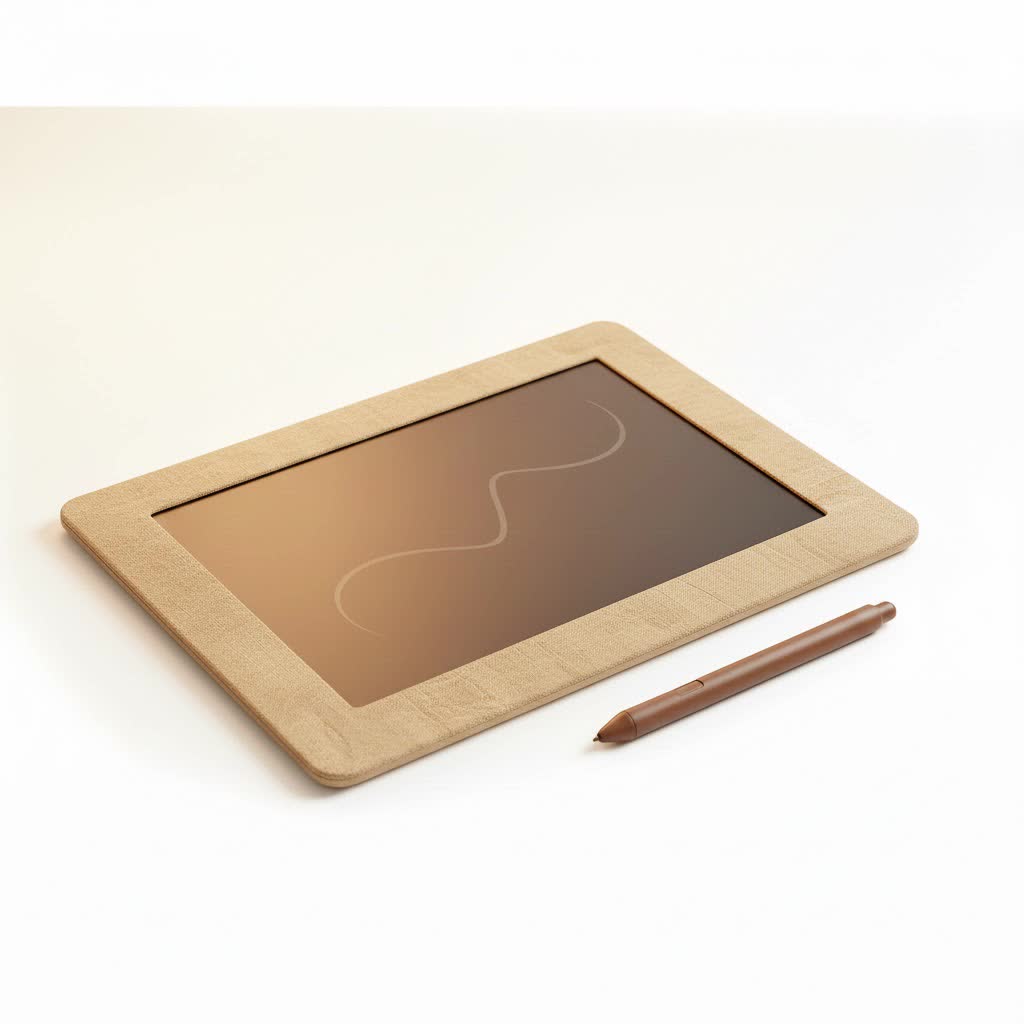
This guide will revisit the top contenders from 2022, breaking down why they were celebrated and how they hold up today. Whether you’re upgrading an old device or buying your first serious creative tool, a top-tier 2022 model can be a savvy investment.
What Made a Great Graphic Tablet in 2022?
Before diving into specific models, it’s important to understand the key features that defined a quality graphic tablet in 2022. The competition, primarily between giants like Wacom and ambitious rivals like Huion and Xencelabs, pushed innovation forward on several fronts.
- Pressure Sensitivity: The standard for professional tablets solidified around 8,192 levels of pressure sensitivity. This allows for incredibly nuanced control over line weight and opacity, mimicking the feel of traditional art tools.
- Screen vs. Non-Screen: The choice between a pen display (with a screen) and a pen tablet (a screenless pad) remained a key decision. Pen displays offer a more direct, intuitive drawing experience, while pen tablets are more affordable and ergonomic for some.
- Resolution and Color Accuracy: For pen displays, resolutions like QHD (2.5K) became more common in mid-range models, not just flagships. High color gamut coverage (over 90% Adobe RGB) was a critical feature for professional color work.
- Parallax and Lamination: Parallax, the gap between the pen tip and the cursor, was significantly reduced thanks to fully laminated screens. This technology bonds the glass closer to the display, creating a more natural and accurate drawing experience.
- Build Quality and Ergonomics: Brands focused on premium materials, comfortable pen designs, and useful extras like included stands and ExpressKeys to improve workflow.
The Best Graphic Tablet 2022: Top Contenders
The market in 2022 was rich with options catering to every budget and skill level. Here’s a look at the models that truly stood out and remain excellent choices today.
Best Overall: Wacom Cintiq Pro 16 (2021 model, popular through 2022)
|
Our Picks for the Best Graphic Tablet in 2026
As an Amazon Associate I earn from qualifying purchases.
|
||
| Num | Product | Action |
|---|---|---|
| 1 | HUION Inspiroy H1060P Graphics Drawing Tablet with 8192 Pressure Sensitivity Battery-Free Stylus and 12 Customized Hot Keys, 10 x 6.25 inches Digital Art Tablet for Mac, Windows PC and Android |

|
| 2 | Wacom Intuos Pro Medium Bluetooth Professional Graphic Drawing Tablet with Pro Pen 3, Compatible with Mac, Windows - 2025 Edition |
|
| 3 | HUION KAMVAS Pro 16 Drawing Tablet with Screen, 15.6 inch Pen Display Anti-Glare Glass 6 Shortcut Keys Adjustable Stand, Graphics Tablet for Drawing, Writing, Design, Work with Windows, Mac and Linux |
|
| 4 | Drawing Tablet for Beginner Graphics OSU Tablet with Battery-Free Stylus 8192 Pressure Sensitive for Digital Art, Painting & Design, Compatible with Windows, Mac OS and Android |
|
| 5 | GAOMON M10K Drawing Tablet, 10x6 inch Large Graphics Tablet with Touch Ring, 8192 Levels Battery-Free Stylus, 10 Hot Keys, Art Tablet for Design, Writing, Editing, Work with Mac, Windows, Android |
|
| 6 | XOPPOX Graphics Drawing Tablet 10 x 6 Inch Large Active Area with 8192 Levels Battery-Free Pen and 12 Hot Keys, Compatible with PC/Mac/Android OS for Painting, Design & Online Teaching Black |
|
| 7 | Graphics Drawing Tablet, UGEE M708 10 x 6 inch Large Drawing Tablet with 8 Hot Keys, Passive Stylus of 16384 Levels Pressure, UGEE M708 Graphics Tablet for Paint, Design, Art Creation Sketch |
|
| 8 | HUION Inspiroy H640P Drawing Tablet, 6x4 inch Digital Art with Battery-Free Stylus, 8192 Pen Pressure, 6 Hot Keys, Graphics Tablet for Drawing, Writing, Design, Teaching, Work with Mac, PC & Mobile |
|
| 9 | HUION Drawing Tablet HS610 Graphic Tablet with Battery-Free Stylus 8192 Pen Pressure Tilt Function, 10x6.25 Inches Digital Art for Animation & Design, Compatible with Windows/Mac/Android |
|
| 10 | HUION Kamvas 13 (Gen 3) Drawing Tablet with Screen,13.3\" Full-Laminated Art Tablet with Anti-Sparkle Canvas Glass 2.0, 99% sRGB, PenTech 4.0, 16384 Pen Pressure, Dual Dial for PC, Mac, Android, Black |
|
The Wacom Cintiq Pro 16 was the undisputed champion for many professionals. While technically a late 2021 release, it was the go-to professional choice throughout 2022. It packed Wacom’s industry-leading pen technology into a compact, 4K display.
The Pro Pen 2 felt flawless, with virtually no lag and incredible accuracy. Its etched glass screen provided a satisfying paper-like texture, and the 98% Adobe RGB color coverage made it a trustworthy tool for print and digital media professionals. The only real downside was its premium price tag, but for those who needed the best, this was it.
Best for Professionals on a Budget: Huion Kamvas Pro 16 (2.5K)
Huion continued its impressive rise in 2022, and the Kamvas Pro 16 (2.5K) was a prime example of why. It offered features that directly challenged Wacom’s dominance but at a much more accessible price point.
The 2.5K QHD resolution on a 16-inch screen resulted in a crisp, clear image. Coupled with a 145% sRGB color gamut and a fully laminated screen, the drawing experience was top-notch. It was the perfect middle ground for serious hobbyists and professionals who wanted pro-level features without the “Wacom tax.” As digital artist David Chen notes, “The Kamvas Pro 16 (2.5K) was a game-changer in 2022. It proved that you no longer had to spend a fortune to get a professional-grade pen display with fantastic color and clarity.”
Best for Beginners: Wacom One
The Wacom One remained the king for entry-level artists in 2022. It provided the reliability and quality of the Wacom brand in an affordable, user-friendly package. The 13.3-inch Full HD display was a perfect size for those starting, and the simple setup made it easy to get drawing right away.
While it didn’t have the color accuracy or resolution of its pro-level siblings, it delivered a solid, lag-free drawing experience that was perfect for learning the fundamentals of digital art. Its compatibility with certain Android devices also added a layer of versatility.
Best Standalone Tablet: Apple iPad Pro (M2)
Released in late 2022, the M2-powered iPad Pro, paired with the Apple Pencil 2, cemented its place as a formidable standalone graphic tablet. The ProMotion display with its 120Hz refresh rate offered unparalleled smoothness, and the power of the M2 chip meant it could handle massive files and complex brushes in apps like Procreate and Clip Studio Paint without breaking a sweat.
Its main advantage was its versatility. It’s not just a drawing tablet; it’s a complete creative studio for video editing, 3D modeling, and more. While the glossy screen and the cost of the ecosystem (tablet + pencil) were deterrents for some, its raw performance and portability made it a top pick.
Best Pen Tablet (No Screen): Xencelabs Pen Tablet Medium
For artists who prefer the workflow of a screenless tablet, Xencelabs emerged as a serious Wacom Intuos Pro competitor. The Pen Tablet Medium, often bundled with the Quick Keys remote, offered a customizable and ergonomic experience.
It came with two different-sized pens, a high-quality drawing surface with a perfect amount of texture, and a level of polish that felt truly premium. Artists praised its driver stability and the thoughtful design of both the tablet and the included accessories. It was a professional tool through and through for illustrators, photo editors, and 3D artists.
How to Choose the Right 2022 Tablet for You Today
Buying a 2022 model in today’s market is a smart financial decision. Here’s how to pick the right one:
- Define Your Use Case: Are you a beginner learning to draw, a student, or a professional working with color-critical projects? Your needs will determine if you need a 4K screen with 98% Adobe RGB or if a reliable Full HD tablet will suffice.
- Consider Your Budget: The best part about buying a 2022 tablet is the price. A Huion Kamvas Pro that was a mid-range option then is now a high-end budget tablet. Set a realistic budget and see which of these top-tier models falls within it.
- Screen or No Screen?: If you’re coming from traditional art, a pen display like a Cintiq or Kamvas will feel more natural. If you prioritize ergonomics and want to save money, a pen tablet from Xencelabs or Wacom is an excellent choice.
- Do You Need Portability?: If you need to work on the go without being tethered to a computer, the iPad Pro is in a league of its own. For others, a 16-inch pen display offers a good balance of screen real estate and a manageable footprint.
Frequently Asked Questions (FAQ)
What was the best drawing tablet for beginners in 2022?
The Wacom One was widely considered the best choice for beginners in 2022. It offered a reliable, high-quality experience from a trusted brand at an affordable price point, making it perfect for learning the ropes of digital art.
Was Wacom still the best brand in 2022?
Wacom was still the industry standard for high-end professional tablets like the Cintiq Pro series. However, brands like Huion and Xencelabs offered incredible, competitive alternatives at lower prices, making the choice less about “the best brand” and more about the best tablet for a specific budget and need.
Can you still get a good deal on a 2022 graphic tablet?
Absolutely. Many 2022 models are now sold at a significant discount, either new or refurbished. They represent some of the best value for money you can find, offering professional features for what is now a mid-range or budget price.
What is the difference between a graphic tablet and a pen display?
A graphic tablet (or pen tablet) is a solid, screenless pad that you draw on while looking at your computer monitor. A pen display has a built-in screen, so you can see what you are drawing directly under your pen, similar to drawing on paper.
Is an iPad a good graphic tablet for professional work?
Yes, by 2022, the iPad Pro (especially with the M2 chip) became a fully capable professional tool. With powerful apps like Procreate and Clip Studio Paint, many professional illustrators and artists use it as their primary drawing device.
Conclusion
Revisiting the landscape of the best graphic tablet 2022 offered reveals a fantastic opportunity for today’s artists. These devices are not obsolete; they are proven, powerful tools that have been used to create incredible professional work. Whether you opt for the premium polish of a Wacom Cintiq, the outstanding value of a Huion Kamvas, or the portable power of an iPad Pro, choosing a top model from 2022 is a smart way to get a professional-level creative tool without paying a 2025 price. They hit a technological peak that is more than sufficient for the demands of almost any digital artist today.
