The best tablet for graphic design depends on individual needs, with top contenders including the Apple iPad Pro (M4) for portability and versatility, the Wacom Cintiq Pro 17 for professional studio work, and the Wacom Intuos Pro for screenless precision. These devices offer varying features like high pressure sensitivity (e.g., 8,192 levels), accurate color reproduction (e.g., 99% DCI-P3), and seamless stylus performance to enhance creative workflows for both beginners and seasoned professionals.
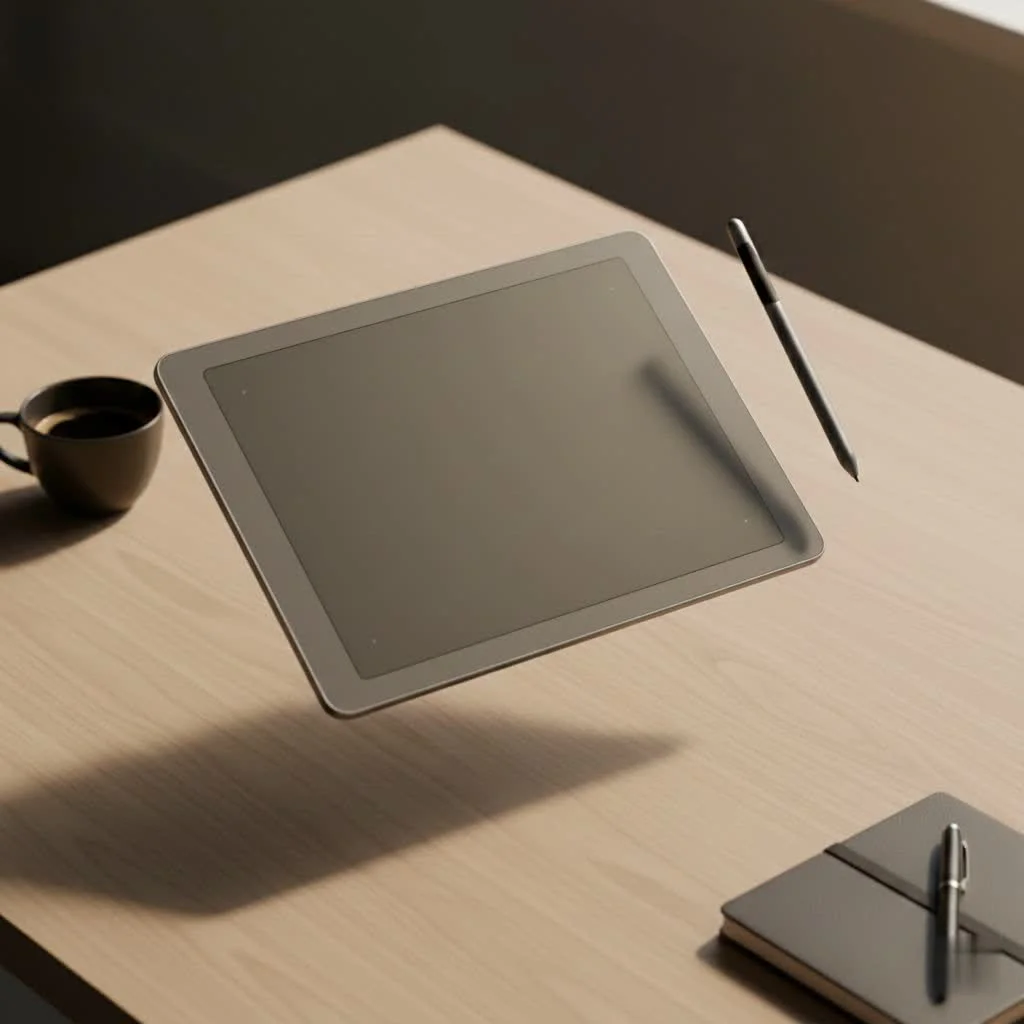
This guide will help you understand the different types of graphic design tablets, compare their key features, and identify the best option for your specific creative process.
Understanding the Types of Graphic Design Tablets
Before selecting a device, it’s crucial to understand the main categories available. Each type offers a distinct experience suited for different artists and workspaces.
Pen Tablets (Screenless)
Pen tablets, also known as screenless tablets, are classic tools for digital art. They feature an opaque surface for drawing with a stylus, with results displayed on a connected computer monitor. While they require some hand-eye coordination to master, they are durable, affordable, and provide a professional-level drawing experience. The Wacom Intuos Pro series is a popular choice in this category.
Pen Displays (With Screen)
Pen displays integrate a screen, allowing artists to draw directly onto their artwork. This offers a more natural and intuitive experience, similar to traditional drawing on paper. They are standard in professional studios for various tasks, from illustration to photo retouching. Models like the Wacom Cintiq and Huion Kamvas Pro provide excellent displays and responsive pens, though they are typically more expensive and less portable.
Standalone Tablets (All-in-One)
Standalone tablets are complete computers in a portable form factor. Devices such as the Apple iPad Pro and Microsoft Surface Pro offer exceptional portability and versatility. Users can draw, design, email, browse, and manage their entire workflow from a single device. With powerful processors and highly-rated creative applications like Procreate and Adobe Fresco, they are ideal for designers prioritizing flexibility and mobile work.
Key Features to Consider in the Best Tablet for Graphic Design
When evaluating different models, specific technical specifications directly impact creative work. Here’s what to prioritize:
- Pressure Sensitivity: This feature dictates how the tablet interprets the force of your pen stroke. Higher levels, such as the common professional standard of 8,192, enable greater control over line weight and opacity, allowing for subtle and expressive drawing.
- Screen Resolution & Color Accuracy: For pen displays and standalone tablets, a high-resolution screen (Full HD minimum, 2K or 4K preferred) ensures crisp and detailed artwork. Color accuracy, often measured in sRGB or Adobe RGB coverage, is equally important. Look for displays with high coverage percentages (99% or more) to ensure consistent color representation.
- Size & Portability: Consider your typical workspace. A large 24-inch pen display offers an immersive canvas but is desk-bound. Conversely, a 13-inch standalone tablet can be easily carried in a backpack and used anywhere.
- Stylus Performance: The stylus is crucial to the drawing experience. Seek a battery-free stylus with low initial activation force (meaning it registers very light strokes) and tilt recognition for varied, natural-looking marks.
- Compatibility: Verify that the tablet is fully compatible with your computer’s operating system (Windows or macOS) and your essential design software, such as Adobe Creative Suite, CorelDRAW, or ZBrush.
“Your tablet’s stylus should feel invisible,” notes creative director Alex Chen. “The best ones have no lag, feel comfortable in your hand for hours, and respond to the lightest touch. It’s that seamless connection that lets your creativity flow without interruption.”
Top Picks for the Best Tablet for Graphic Design
While the “perfect” tablet is subjective, these models consistently excel in performance, features, and value across various categories.
| Model | Type | Best For | Key Features |
|---|---|---|---|
| iPad Pro (M4) | Standalone | Portability & Versatility | Tandem OLED Display, Apple Pencil Pro, Procreate & Adobe Apps |
| Wacom Cintiq Pro 17 | Pen Display | Professional Studio Work | 4K Resolution, 120Hz Refresh Rate, 99% DCI-P3 Color |
| Huion Kamvas Pro 16 (2.5K) | Pen Display | Enthusiasts & Budget-Conscious Pros | 2.5K QHD Resolution, 145% sRGB Gamut, Battery-Free Pen |
| Wacom Intuos Pro | Pen Tablet | Professionals & Students | 8,192 Pressure Levels, Lag-Free, Multi-Touch Support |
| XP-Pen Artist 24 Pro | Pen Display | Large Canvas on a Budget | 2K QHD Display, 20 Customizable Shortcut Keys, High Color Accuracy |
How Do I Choose the Right Tablet for My Needs?
To find your perfect match, ask yourself a few key questions:
- What is my primary use case? Will you be doing detailed illustration, photo editing, 3D sculpting, or general graphic design? The demands of each discipline can point you toward a different type of tablet.
- Where will I be working? If you need to work from client offices, coffee shops, or while traveling, a portable standalone tablet like an iPad Pro or Surface Pro is your best bet. If you have a dedicated home studio, a larger pen display is a fantastic investment.
- What is my budget? A high-end Wacom Cintiq Pro can be a major investment. Brands like Huion and XP-Pen offer incredibly competitive pen displays at a fraction of the cost, while screenless tablets like the Wacom Intuos provide professional-grade features for a very accessible price.
- What ecosystem am I in? If you are already invested in the Apple ecosystem, an iPad Pro offers seamless integration. If you are a Windows power user, a Surface Pro or a pen display connected to your PC might be a better fit.
Frequently Asked Questions
What tablet do most professional graphic designers use?
|
Our Picks for the Best Graphic Tablet in 2026
As an Amazon Associate I earn from qualifying purchases.
|
||
| Num | Product | Action |
|---|---|---|
| 1 | HUION Kamvas 13 (Gen 3) Drawing Tablet with Screen,13.3\" Full-Laminated Art Tablet with Anti-Sparkle Canvas Glass 2.0, 99% sRGB, PenTech 4.0, 16384 Pen Pressure, Dual Dial for PC, Mac, Android, Black |

|
| 2 | Drawing Tablet for Beginner Graphics OSU Tablet with Battery-Free Stylus 8192 Pressure Sensitive for Digital Art, Painting & Design, Compatible with Windows, Mac OS and Android |
|
| 3 | HUION Inspiroy H1060P Graphics Drawing Tablet with 8192 Pressure Sensitivity Battery-Free Stylus and 12 Customized Hot Keys, 10 x 6.25 inches Digital Art Tablet for Mac, Windows PC and Android |
|
| 4 | Graphics Drawing Tablet, UGEE M708 10 x 6 inch Large Drawing Tablet with 8 Hot Keys, Passive Stylus of 16384 Levels Pressure, UGEE M708 Graphics Tablet for Paint, Design, Art Creation Sketch |
|
| 5 | HUION Drawing Tablet HS610 Graphic Tablet with Battery-Free Stylus 8192 Pen Pressure Tilt Function, 10x6.25 Inches Digital Art for Animation & Design, Compatible with Windows/Mac/Android |
|
| 6 | HUION KAMVAS Pro 16 Drawing Tablet with Screen, 15.6 inch Pen Display Anti-Glare Glass 6 Shortcut Keys Adjustable Stand, Graphics Tablet for Drawing, Writing, Design, Work with Windows, Mac and Linux |
|
| 7 | GAOMON M10K Drawing Tablet, 10x6 inch Large Graphics Tablet with Touch Ring, 8192 Levels Battery-Free Stylus, 10 Hot Keys, Art Tablet for Design, Writing, Editing, Work with Mac, Windows, Android |
|
| 8 | Wacom Intuos Pro Medium Bluetooth Professional Graphic Drawing Tablet with Pro Pen 3, Compatible with Mac, Windows - 2025 Edition |
|
| 9 | XOPPOX Graphics Drawing Tablet 10 x 6 Inch Large Active Area with 8192 Levels Battery-Free Pen and 12 Hot Keys, Compatible with PC/Mac/Android OS for Painting, Design & Online Teaching Black |
|
| 10 | HUION Inspiroy H640P Drawing Tablet, 6x4 inch Digital Art with Battery-Free Stylus, 8192 Pen Pressure, 6 Hot Keys, Graphics Tablet for Drawing, Writing, Design, Teaching, Work with Mac, PC & Mobile |
|
While preferences vary, Wacom Cintiq pen displays have historically been the industry standard in professional studios. However, the Apple iPad Pro has gained significant popularity, particularly among illustrators and designers who value portability and the intuitive experience of apps like Procreate.
Can I use a regular tablet like a Samsung Galaxy Tab for graphic design?
Yes, you can use a regular tablet like a Samsung Galaxy Tab for graphic design. Models such as the Samsung Galaxy Tab S9 series include the excellent S Pen and high-resolution AMOLED displays, making them powerful and versatile tools for design, especially for Android users.
How much should I spend on a graphic design tablet?
The cost of a graphic design tablet varies based on your skill level and specific needs. Beginners can find quality screenless tablets for approximately $200-$400. Mid-range pen displays from brands like Huion or XP-Pen typically range from $400-$800. Professional, high-end equipment, such as a large Wacom Cintiq or a top-tier iPad Pro, can cost anywhere from $1,200 to over $2,500.
Do I need a 4K screen for a drawing tablet?
A 4K screen offers exceptional sharpness and detail, which is a significant advantage for professional work requiring high precision. However, it is not strictly necessary for all users. A tablet with a 2.5K (QHD) or even a Full HD (1080p) resolution can still provide a fantastic experience, particularly on smaller screens where the pixel density remains high.
Is a bigger tablet always better for graphic design?
Not necessarily. A larger screen provides more canvas space, which can be beneficial for broad strokes and complex designs. However, it may also require more arm movement, which some artists find fatiguing. Smaller tablets are more portable and can be more comfortable for artists who primarily draw from their wrist, making the choice dependent on personal preference and workspace.
Conclusion
Choosing the best tablet for graphic design is a personal decision that balances your creative needs, workspace, and budget. Whether you select the precision of a Wacom Cintiq, the portability of an iPad Pro, or the accessible entry point of a Wacom Intuos, the right tool is available. Focus on core features like a responsive pen, an accurate screen, and a comfortable workflow. Investing in the appropriate device supports your creative potential.
Frequently Asked Questions
What tablet do most professional graphic designers use?
While preferences vary, Wacom Cintiq pen displays have historically been the industry standard in professional studios. However, the Apple iPad Pro has gained significant popularity, particularly among illustrators and designers who value portability and the intuitive experience of apps like Procreate.
Can I use a regular tablet like a Samsung Galaxy Tab for graphic design?
Yes, you can use a regular tablet like a Samsung Galaxy Tab for graphic design. Models such as the Samsung Galaxy Tab S9 series include the excellent S Pen and high-resolution AMOLED displays, making them powerful and versatile tools for design, especially for Android users.
How much should I spend on a graphic design tablet?
The cost of a graphic design tablet varies based on your skill level and specific needs. Beginners can find quality screenless tablets for approximately $200-$400. Mid-range pen displays from brands like Huion or XP-Pen typically range from $400-$800. Professional, high-end equipment, such as a large Wacom Cintiq or a top-tier iPad Pro, can cost anywhere from $1,200 to over $2,500.
Do I need a 4K screen for a drawing tablet?
A 4K screen offers exceptional sharpness and detail, which is a significant advantage for professional work requiring high precision. However, it is not strictly necessary for all users. A tablet with a 2.5K (QHD) or even a Full HD (1080p) resolution can still provide a fantastic experience, particularly on smaller screens where the pixel density remains high.
Is a bigger tablet always better for graphic design?
Not necessarily. A larger screen provides more canvas space, which can be beneficial for broad strokes and complex designs. However, it may also require more arm movement, which some artists find fatiguing. Smaller tablets are more portable and can be more comfortable for artists who primarily draw from their wrist, making the choice dependent on personal preference and workspace.
Choose the Right Graphic Design Tablet for Your Needs
To select the ideal graphic design tablet, consider your primary use case, typical working environment, budget constraints, and existing technology ecosystem.
Identify what type of graphic design you will primarily be doing, such as detailed illustration, photo editing, 3D sculpting, or general design. Different disciplines may benefit from specific tablet types, like a pen display for detailed work or a standalone tablet for versatile tasks.
Consider where you will be working most often. If you need portability for client meetings or travel, a standalone tablet like an iPad Pro is ideal. For a dedicated home studio, a larger pen display offers an immersive experience.
Establish how much you are willing to spend. Entry-level screenless tablets are affordable, while mid-range pen displays offer a balance of features and cost. High-end professional equipment like a Wacom Cintiq Pro or top-tier iPad Pro represents a significant investment.
Think about your current technology. If you are deeply integrated into the Apple ecosystem, an iPad Pro provides seamless compatibility. For Windows users, a Surface Pro or a pen display connected to your PC might be a more suitable choice.
Get our weekly buyer guide
Practical specs, not advice. Unsubscribe anytime.
I was really excited about the Wacom Cintiq Pro 17 for my studio, especially for the color accuracy. While the 99% DCI-P3 is fantastic, I found the screen size a bit smaller than I anticipated for my usual workflow. It’s a solid tablet, but I might need to adjust my setup or consider a larger model next time. Still, the pressure sensitivity is top-notch.
I’m a beginner in graphic design, and I was overwhelmed by all the options. This guide really helped me understand the different types of tablets. I ended up going with a mid-range Wacom Intuos, and it’s perfect for learning. The seamless stylus performance makes it easy to get my ideas down without any lag. Highly recommend for new artists!
As someone who prefers screenless tablets, the Wacom Intuos Pro has been a reliable workhorse. The precision is unmatched, and I really appreciate the 8,192 levels of pressure sensitivity. It took a little getting used to at first, but now my workflow is much faster. Great for detailed illustration work without breaking the bank.
I finally upgraded to the Apple iPad Pro (M4) after using an older model for years, and the difference is incredible. The portability is a game-changer for my freelance work, letting me sketch and refine designs anywhere. The stylus performance is so smooth, it feels like drawing on paper. Definitely worth the investment for serious graphic designers on the go.