Graphic tablets come in three main types: pen tablets (non-screen), pen displays (screen tablets), and all-in-one tablet computers. Each type offers distinct advantages for digital artists, with pen tablets being the most affordable and durable, pen displays providing an intuitive direct-drawing experience, and tablet computers offering ultimate portability and versatility as standalone devices.
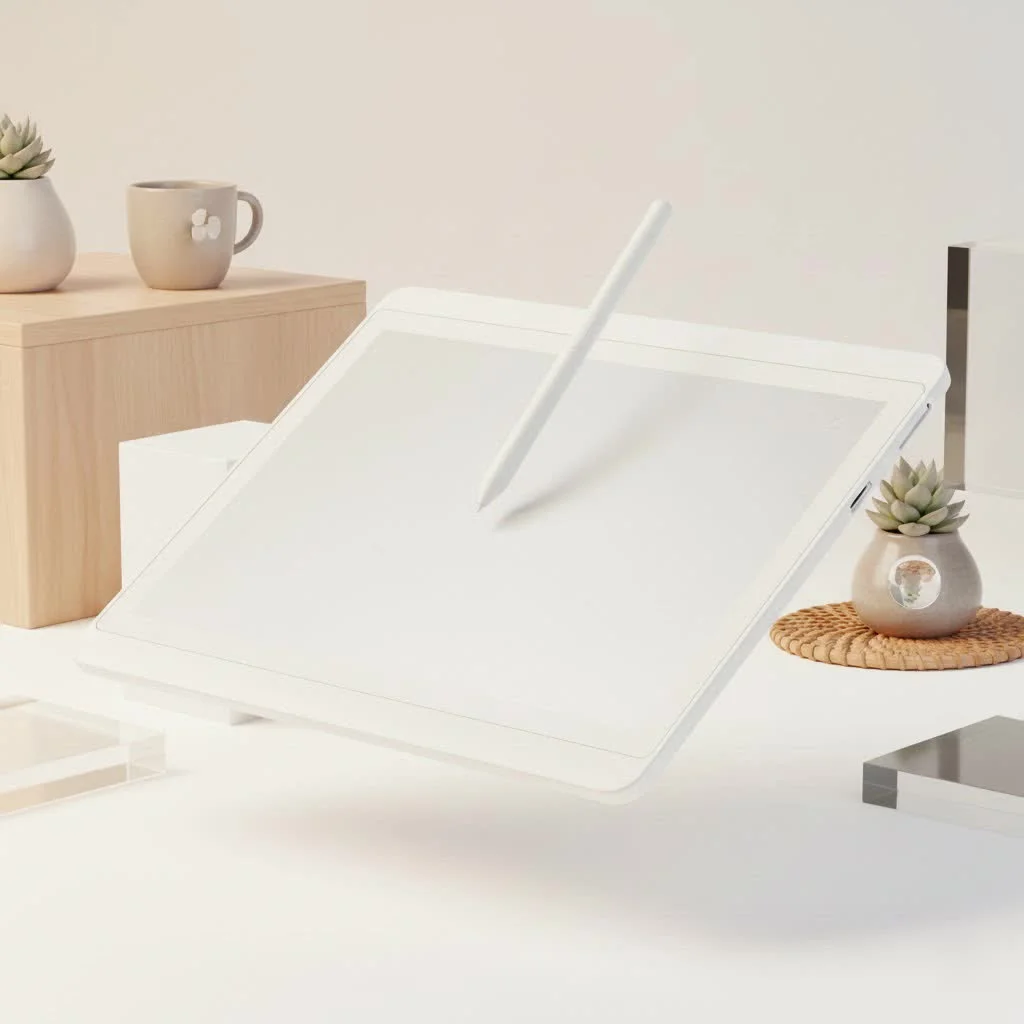
What Are the Main Types of Graphic Tablets?
A graphic tablet is an input device that allows users to draw on a computer with a pen-like stylus, providing greater precision and control than a standard mouse. These devices are categorized into three main types: pen tablets, pen displays, and all-in-one tablet computers. Each category offers a unique workflow, along with specific advantages and disadvantages. For compare top reviews on this site.
1. Pen Tablets (Non-Screen)
Pen tablets are the original and most straightforward type of graphic tablet. They feature a solid, opaque drawing surface and a stylus. Users draw on the tablet’s surface, and their strokes appear on a separate computer monitor.
How They Work
This setup requires developing hand-eye coordination because the user is not looking directly at their hand while drawing. While it may feel unfamiliar initially, most artists adapt quickly, often within a few hours. The tablet’s surface area maps directly to the computer screen’s display; for example, touching the top-left corner of the tablet moves the cursor to the top-left corner of the monitor.
Pros:
- Affordability: Pen tablets are the most budget-friendly option, making them an excellent entry point for beginners.
- Durability: Without a screen to scratch or damage, they are robust and can last for many years.
- Good Posture: Looking up at a separate monitor can encourage better drawing posture compared to hunching over a screen.
- Wide Variety: They are available in numerous sizes, from small, portable pads to large, desk-filling surfaces.
Cons:
- Learning Curve: The disconnected feeling of drawing in one place and seeing the result elsewhere requires practice.
- Less Intuitive: The experience is less like traditional drawing on paper, which can be a hurdle for some artists.
2. Pen Displays (Screen Tablets)
Pen displays represent a significant upgrade in terms of intuitiveness and price. These devices incorporate a built-in screen that users draw directly onto with a stylus, providing a seamless and natural drawing experience that closely mimics traditional art.
How They Work
A pen display functions as a second monitor for your computer that you can draw on. It connects to a PC or Mac and can either mirror or extend the desktop. The ability to see lines appear directly under the pen tip eliminates the hand-eye coordination challenge associated with non-screen tablets.
“Moving to a pen display was a major upgrade for my workflow,” says Sarah Jenkins, a freelance illustrator. “The direct connection between my hand and the image allowed me to work faster and with greater confidence, especially on detailed line art.”
Pros:
- Intuitive Workflow: Drawing directly on the screen is natural and easy for anyone to pick up.
- Precision: The direct visual feedback allows for highly accurate strokes and detailed work.
- Engaging Experience: Many artists find the direct drawing process more enjoyable and immersive.
Cons:
- Higher Cost: Pen displays are significantly more expensive than non-screen pen tablets.
- Parallax: A slight gap can sometimes exist between the glass surface and the display beneath, causing a minor offset between the pen tip and the cursor. However, modern high-end displays have largely minimized this issue.
- Bulkier: They are generally larger, require more desk space, and involve more cables.
3. Tablet Computers (All-in-One)
|
Our Picks for the Best Graphic Tablet in 2026
As an Amazon Associate I earn from qualifying purchases.
|
||
| Num | Product | Action |
|---|---|---|
| 1 | Graphics Drawing Tablet, UGEE M708 10 x 6 inch Large Drawing Tablet with 8 Hot Keys, Passive Stylus of 16384 Levels Pressure, UGEE M708 Graphics Tablet for Paint, Design, Art Creation Sketch |

|
| 2 | HUION KAMVAS Pro 16 Drawing Tablet with Screen, 15.6 inch Pen Display Anti-Glare Glass 6 Shortcut Keys Adjustable Stand, Graphics Tablet for Drawing, Writing, Design, Work with Windows, Mac and Linux |
|
| 3 | GAOMON M10K Drawing Tablet, 10x6 inch Large Graphics Tablet with Touch Ring, 8192 Levels Battery-Free Stylus, 10 Hot Keys, Art Tablet for Design, Writing, Editing, Work with Mac, Windows, Android |
|
| 4 | HUION Inspiroy H1060P Graphics Drawing Tablet with 8192 Pressure Sensitivity Battery-Free Stylus and 12 Customized Hot Keys, 10 x 6.25 inches Digital Art Tablet for Mac, Windows PC and Android |
|
| 5 | Wacom Intuos Pro Medium Bluetooth Professional Graphic Drawing Tablet with Pro Pen 3, Compatible with Mac, Windows - 2025 Edition |
|
| 6 | XOPPOX Graphics Drawing Tablet 10 x 6 Inch Large Active Area with 8192 Levels Battery-Free Pen and 12 Hot Keys, Compatible with PC/Mac/Android OS for Painting, Design & Online Teaching Black |
|
| 7 | HUION Kamvas 13 (Gen 3) Drawing Tablet with Screen,13.3\" Full-Laminated Art Tablet with Anti-Sparkle Canvas Glass 2.0, 99% sRGB, PenTech 4.0, 16384 Pen Pressure, Dual Dial for PC, Mac, Android, Black |
|
| 8 | Drawing Tablet for Beginner Graphics OSU Tablet with Battery-Free Stylus 8192 Pressure Sensitive for Digital Art, Painting & Design, Compatible with Windows, Mac OS and Android |
|
| 9 | HUION Drawing Tablet HS610 Graphic Tablet with Battery-Free Stylus 8192 Pen Pressure Tilt Function, 10x6.25 Inches Digital Art for Animation & Design, Compatible with Windows/Mac/Android |
|
| 10 | HUION Inspiroy H640P Drawing Tablet, 6x4 inch Digital Art with Battery-Free Stylus, 8192 Pen Pressure, 6 Hot Keys, Graphics Tablet for Drawing, Writing, Design, Teaching, Work with Mac, PC & Mobile |
|
Tablet computers are complete, standalone devices that can also function as a graphic tablet. Examples include the Apple iPad Pro with an Apple Pencil or the Microsoft Surface Pro. These devices run their own operating systems and do not require connection to another computer to operate.
How They Work
These are fully functional computers in a tablet form factor. Users can install drawing software directly onto them and create art anywhere, without being tethered to a desk. They offer the same direct-drawing experience as a pen display but with the added benefits of complete portability and versatility.
Pros:
- Ultimate Portability: As self-contained devices, you can draw anywhere—in a cafe, on a train, or in a park.
- Versatility: They are not limited to drawing. Users can perform tasks like email, web browsing, gaming, and other functions typically done on a computer or high-end tablet.
- Excellent Displays: Many models feature high-resolution, color-accurate screens that are ideal for digital art.
Cons:
- Most Expensive: This is the priciest category, often requiring the separate purchase of a compatible stylus.
- Software Limitations: Depending on the operating system (iOS, Android, or Windows), users may be limited to mobile versions of their favorite desktop software, which might have fewer features.
- Not a Dedicated Tool: While versatile, some professional artists find that dedicated drawing tablets offer a more focused experience with better stylus customization and driver stability.
How to Choose the Right Type for You
Selecting the best type of graphic tablet depends entirely on your personal goals, budget, and workflow.
- For the Absolute Beginner: A pen tablet is the perfect starting point. It’s a low-risk investment that provides all the core functionality needed to learn digital art.
- For the Serious Hobbyist or Aspiring Pro: A pen display offers a significant workflow upgrade that can boost speed and precision. It’s a worthwhile investment if you are committed to digital art.
- For the Professional or Traveling Artist: A tablet computer offers unparalleled freedom and power. If you need a portable studio or a versatile device that can handle more than just art, this is the ideal choice.
Frequently Asked Questions (FAQ)
What is the best type of graphic tablet for a beginner?
For most beginners, a pen tablet (non-screen) is the best choice. These tablets are affordable, durable, and provide the core features needed to learn digital art without a large financial commitment, typically costing under $100 for a quality model.
Do I need a screen on my drawing tablet?
No, you do not necessarily need a screen. Many professional artists use non-screen pen tablets exclusively, relying on their computer monitor. However, a pen display with a screen provides a more intuitive and direct drawing experience that many artists prefer for its natural feel.
Can I use an iPad as a professional graphic tablet?
Absolutely. The Apple iPad Pro, when paired with the Apple Pencil and powerful applications like Procreate or Clip Studio Paint, is a professional-grade tool utilized by countless artists across various industries for high-quality digital art creation.
What is parallax in a pen display?
Parallax refers to the small visual gap between the physical tip of the stylus and the digital cursor on the screen, caused by the thickness of the display’s glass. While it was a noticeable issue on older models, modern pen displays have significantly reduced parallax to a nearly imperceptible level, improving accuracy.
Are more expensive graphic tablets always better?
Not always. While more expensive tablets often offer advanced features like higher pressure sensitivity (e.g., 8192 levels), better screens, and more shortcut buttons, the best tablet is ultimately the one that fits your budget and workflow. A simple, well-made pen tablet can be a more effective tool for you than a complex pen display you find uncomfortable to use.
Conclusion
Choosing from the different types of graphic tablet is a personal decision that shapes your creative process. Pen tablets are reliable and affordable workhorses, pen displays offer a beautifully intuitive workflow, and tablet computers provide the ultimate freedom and versatility. By understanding the core differences and considering your own needs and budget, you can confidently select the perfect digital canvas to bring your artistic visions to life.
Frequently Asked Questions
What is the best type of graphic tablet for a beginner?
For most beginners, a pen tablet (non-screen) is the best choice. These tablets are affordable, durable, and provide the core features needed to learn digital art without a large financial commitment, typically costing under $100 for a quality model.
Do I need a screen on my drawing tablet?
No, you do not necessarily need a screen. Many professional artists use non-screen pen tablets exclusively, relying on their computer monitor. However, a pen display with a screen provides a more intuitive and direct drawing experience that many artists prefer for its natural feel.
Can I use an iPad as a professional graphic tablet?
Absolutely. The Apple iPad Pro, when paired with the Apple Pencil and powerful applications like Procreate or Clip Studio Paint, is a professional-grade tool utilized by countless artists across various industries for high-quality digital art creation.
What is parallax in a pen display?
Parallax refers to the small visual gap between the physical tip of the stylus and the digital cursor on the screen, caused by the thickness of the display's glass. While it was a noticeable issue on older models, modern pen displays have significantly reduced parallax to a nearly imperceptible level, improving accuracy.
Are more expensive graphic tablets always better?
Not always. While more expensive tablets often offer advanced features like higher pressure sensitivity (e.g., 8192 levels), better screens, and more shortcut buttons, the best tablet is ultimately the one that fits your budget and workflow. A simple, well-made pen tablet can be a more effective tool for you than a complex pen display you find uncomfortable to use.
How to Choose the Right Graphic Tablet Type
Selecting the ideal graphic tablet depends on your artistic goals, budget, and preferred workflow. This guide helps you determine which of the three main types is best for you.
For absolute beginners, a pen tablet is recommended due to its affordability and core functionality. It provides a low-risk entry point into digital art without a large financial investment.
If you are a serious hobbyist or aspiring professional, a pen display offers a significant workflow upgrade. Its intuitive direct-drawing experience can boost your speed and precision, making it a worthwhile investment.
For professional artists or those who travel frequently, a tablet computer provides ultimate freedom and power. These all-in-one devices allow you to create art anywhere, functioning as a portable studio.
Get our weekly buyer guide
Practical specs, not advice. Unsubscribe anytime.

I’ve been using a Wacom Intuos pen tablet for years, and it’s been an absolute workhorse. The durability is no joke, and for the price, you really can’t beat the precision it offers. It took a little getting used to drawing while looking at my monitor, but now it’s second nature. Definitely recommend a non-screen tablet for anyone starting out or on a budget.
Upgraded to a pen display last year and it’s been a game changer for my workflow. Drawing directly on the screen feels so much more natural and intuitive, especially for detailed illustration work. The color accuracy on mine is fantastic too. My only minor complaint is the amount of cables, but that’s a small price to pay for the experience.
I tried an all-in-one tablet computer hoping for ultimate portability, but I found it a bit clunky for my specific needs. While it’s great to have a standalone device, the battery life wasn’t quite what I expected for long drawing sessions on the go. It’s super versatile, but I think I might go back to a pen display for my main setup.
As a professional illustrator, I’ve used all three types, but my current favorite is definitely a high-end pen display. The direct drawing experience is unparalleled, and it really speeds up my process. The investment is significant, but for the quality and the intuitive feel, it’s totally worth it if you’re serious about digital art.