Finding the best graphic tablet with screen can feel like searching for the perfect paintbrush—it needs to be an extension of your hand, translating your creative vision onto the digital canvas flawlessly. Gone are the days of the disconnect between hand and eye that came with traditional screenless tablets. Today’s pen displays let you draw directly on the screen, creating an intuitive, natural workflow that’s as close to paper as you can get. Whether you’re a seasoned professional animating a feature film or a budding artist sketching your first character, the right screen tablet can revolutionize your creative process.
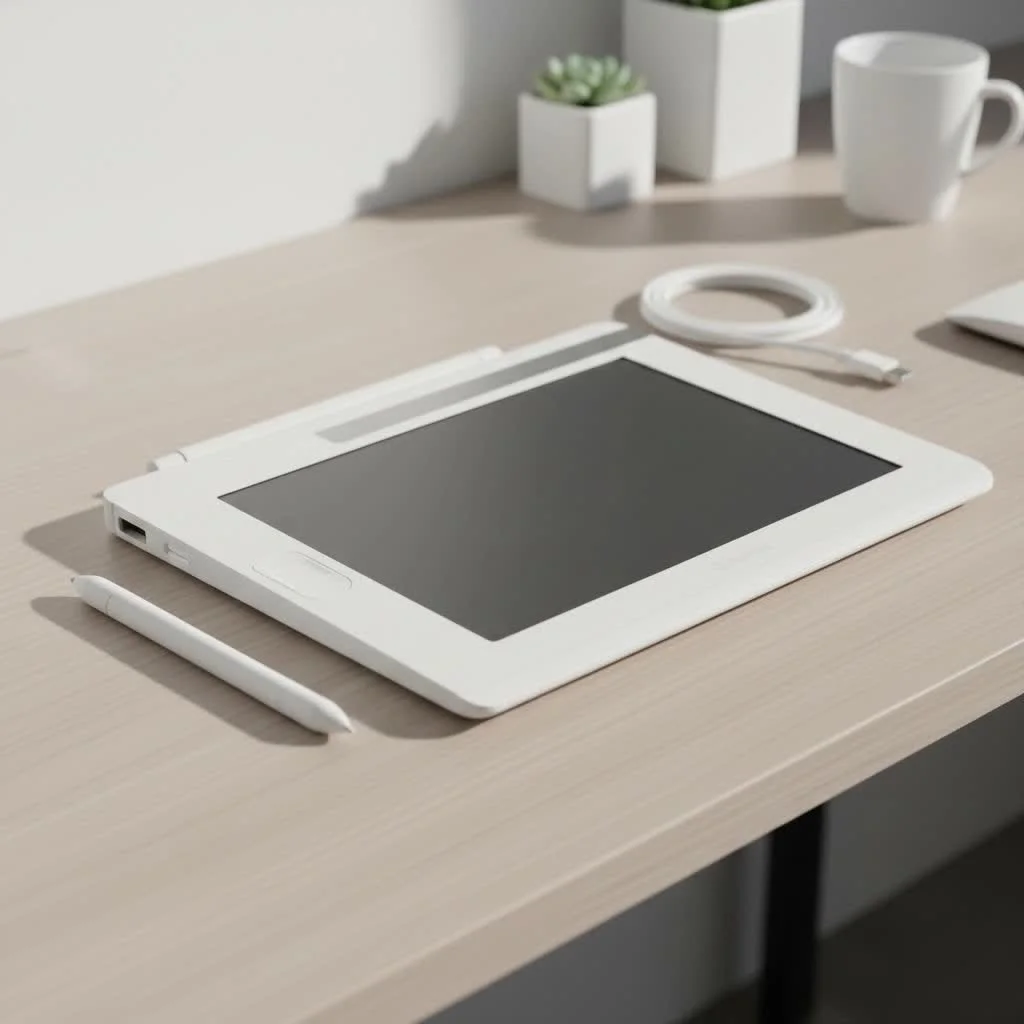
But with so many options from brands like Wacom, Huion, and XPPen, how do you choose? This guide breaks down everything you need to know to find the perfect digital partner for your art.
Why Choose a Graphic Tablet with a Screen?
A graphic tablet with a screen, often called a pen display, offers a fundamentally different experience than its screenless counterparts. The primary advantage is the direct hand-eye coordination. You see the lines appear directly under your pen tip, just as you would with a pencil on paper. This immediate feedback loop makes the drawing process more intuitive, reduces the learning curve for beginners, and can significantly speed up the workflow for professionals. You can make more precise strokes, color with greater accuracy, and feel more connected to your artwork.
Key Features to Look for in the Best Graphic Tablet with Screen
Navigating the technical specifications can be daunting. Let’s break down the features that truly matter for an artist.
Screen Size and Resolution
Size matters, but bigger isn’t always better. A larger screen (20+ inches) provides an expansive canvas, reducing the need to constantly zoom and pan. However, these models are less portable and require more desk space. Smaller tablets (13-16 inches) are more compact and budget-friendly, making them great for smaller setups or artists on the go.
Resolution is just as crucial. A higher resolution on any given screen size means a sharper, more detailed image.
- Full HD (1920×1080): The standard for entry-level and mid-range tablets. Perfectly adequate for most work.
- QHD (2560×1440) or 2.5K: A significant step up in clarity, offering crisper lines and more detail. This is often the sweet spot for price and performance.
- 4K UHD (3840×2160): The premium choice for professionals who need to see every pixel in pristine detail, ideal for high-resolution illustration and photo editing.
Color Accuracy
|
Our Picks for the Best Graphic Tablet in 2026
As an Amazon Associate I earn from qualifying purchases.
|
||
| Num | Product | Action |
|---|---|---|
| 1 | HUION Drawing Tablet HS610 Graphic Tablet with Battery-Free Stylus 8192 Pen Pressure Tilt Function, 10x6.25 Inches Digital Art for Animation & Design, Compatible with Windows/Mac/Android |

|
| 2 | Drawing Tablet for Beginner Graphics OSU Tablet with Battery-Free Stylus 8192 Pressure Sensitive for Digital Art, Painting & Design, Compatible with Windows, Mac OS and Android |
|
| 3 | HUION KAMVAS Pro 16 Drawing Tablet with Screen, 15.6 inch Pen Display Anti-Glare Glass 6 Shortcut Keys Adjustable Stand, Graphics Tablet for Drawing, Writing, Design, Work with Windows, Mac and Linux |
|
| 4 | HUION Inspiroy H640P Drawing Tablet, 6x4 inch Digital Art with Battery-Free Stylus, 8192 Pen Pressure, 6 Hot Keys, Graphics Tablet for Drawing, Writing, Design, Teaching, Work with Mac, PC & Mobile |
|
| 5 | Wacom Intuos Pro Medium Bluetooth Professional Graphic Drawing Tablet with Pro Pen 3, Compatible with Mac, Windows - 2025 Edition |
|
| 6 | HUION Inspiroy H1060P Graphics Drawing Tablet with 8192 Pressure Sensitivity Battery-Free Stylus and 12 Customized Hot Keys, 10 x 6.25 inches Digital Art Tablet for Mac, Windows PC and Android |
|
| 7 | Graphics Drawing Tablet, UGEE M708 10 x 6 inch Large Drawing Tablet with 8 Hot Keys, Passive Stylus of 16384 Levels Pressure, UGEE M708 Graphics Tablet for Paint, Design, Art Creation Sketch |
|
| 8 | GAOMON M10K Drawing Tablet, 10x6 inch Large Graphics Tablet with Touch Ring, 8192 Levels Battery-Free Stylus, 10 Hot Keys, Art Tablet for Design, Writing, Editing, Work with Mac, Windows, Android |
|
| 9 | HUION Kamvas 13 (Gen 3) Drawing Tablet with Screen,13.3\" Full-Laminated Art Tablet with Anti-Sparkle Canvas Glass 2.0, 99% sRGB, PenTech 4.0, 16384 Pen Pressure, Dual Dial for PC, Mac, Android, Black |
|
| 10 | XOPPOX Graphics Drawing Tablet 10 x 6 Inch Large Active Area with 8192 Levels Battery-Free Pen and 12 Hot Keys, Compatible with PC/Mac/Android OS for Painting, Design & Online Teaching Black |
|
Your digital colors must be trustworthy. Color accuracy is measured by the percentage of a color space (or gamut) the screen can display.
- sRGB: The standard for web content. Look for close to 100% sRGB for accurate colors for digital use.
- Adobe RGB: A wider gamut essential for artists who intend to print their work. Over 90% Adobe RGB ensures that the colors you see on screen will closely match the final print.
- DCI-P3: A gamut common in filmmaking and digital cinema.
“Color accuracy is non-negotiable for professional work,” says renowned digital illustrator, Alex Chen. “When a client approves a color on my screen, I need to be confident it will look the same in print or on other devices. A wide-gamut display like those with high Adobe RGB coverage is essential for that.”
Parallax and Lamination
Parallax is the small gap between the pen tip and the cursor, caused by the layer of glass between the screen surface and the display panel. A large amount of parallax can be disorienting. The solution is a fully laminated screen, where the glass and the display are bonded together. This virtually eliminates parallax, making it feel like you’re truly drawing on the pixels themselves. It also reduces reflections and improves brightness.
Pen Technology
The stylus is your digital brush. Look for pens with Electromagnetic Resonance (EMR) technology, which are battery-free and powered by the tablet itself. Key pen specs include:
- Pressure Sensitivity: Measured in levels, this determines how the tablet registers the force of your strokes to vary line weight and opacity. While 8,192 levels have become the standard, newer models from Huion and XPPen now boast an impressive 16,384 levels, offering incredibly nuanced control.
- Tilt Recognition: Allows the tablet to sense the angle of your pen, enabling you to create broader or finer strokes, just like with a real pencil or brush.
- Initial Activation Force (IAF): This is the minimum amount of force required to register a line. A low IAF means the pen will pick up even the lightest strokes, which is crucial for sketching and fine detail.
Our Top Picks for the Best Graphic Tablet with Screen in 2025
Here are the standout performers across different categories, balancing features, performance, and price.
Best Overall: Wacom Cintiq Pro 22
For professionals who demand the best, the Wacom Cintiq Pro 22 is a masterpiece. Its expansive 21.5-inch 4K screen is a joy to work on, offering stunning clarity and a 120Hz refresh rate for buttery-smooth pen strokes. The color accuracy is top-tier, covering 98% of the Adobe RGB gamut. Wacom’s Pro Pen 3 is the industry benchmark, providing unparalleled precision and a comfortable drawing experience. While the price is steep, its build quality and flawless performance make it a worthy investment for any serious artist.
Best Value for Money: Huion Kamvas Pro 19 (4K)
Huion has become a powerful competitor to Wacom, and the Kamvas Pro 19 is a prime example. It delivers a premium 18.4-inch 4K display with excellent color coverage (93% Adobe RGB) at a fraction of the cost of its rivals. The screen is fully laminated, the etched glass feels great to draw on, and the latest PenTech 4.0 stylus offers 16k pressure levels. For artists who want professional-grade features without the “Wacom tax,” this tablet hits the perfect balance of performance and price.
Best for Beginners: XPPen Artist Pro 16 (Gen 2)
The XPPen Artist Pro 16 (Gen 2) is an exceptional choice for those new to pen displays or working with a tighter budget. It features a crisp 16-inch 2.5K display and a remarkable stylus with 16,384 pressure levels, a feature usually reserved for more expensive models. The fully laminated screen minimizes parallax, and it comes with a host of customizable shortcut keys to streamline your workflow. It offers a near-professional experience that will serve a developing artist for years to come.
Most Versatile Powerhouse: Apple iPad Pro (M4)
While not a dedicated drawing tablet, the iPad Pro has become a favorite among artists for its portability and power. The new Ultra Retina XDR display is stunningly vibrant and smooth, and when paired with the Apple Pencil Pro, the drawing experience is incredibly fluid and responsive. Apps like Procreate and Adobe Fresco are optimized for the platform, making it a complete, self-contained studio you can take anywhere. It’s an expensive option, but if you need a device that excels at art, work, and entertainment, the iPad Pro is in a class of its own.
How to Set Up Your New Drawing Display
Getting started with your new tablet is usually straightforward. Here’s a quick checklist:
- Connect the Cables: Most tablets connect to your computer via HDMI/DisplayPort and USB. Many modern tablets now support a single USB-C cable for both video and data, which is incredibly convenient.
- Install the Driver: Visit the manufacturer’s website (Wacom, Huion, or XPPen) to download and install the latest driver for your model. This is a crucial step that allows your computer to communicate with the tablet and pen.
- Calibrate the Screen: In the driver software, you’ll find a calibration tool. This process aligns your pen tip with the on-screen cursor to ensure accuracy.
- Customize Shortcut Keys: Program the tablet’s express keys and the buttons on your stylus to your favorite commands and tools in your art software (e.g., undo, zoom, switch brush).
- Start Creating: Open your preferred art application, like Photoshop, Clip Studio Paint, or Krita, and begin your masterpiece.
Frequently Asked Questions (FAQ)
What’s the difference between a graphic tablet with a screen and one without?
A graphic tablet without a screen (a pen tablet) is a blank slate you draw on while looking at your computer monitor. A graphic tablet with a screen (a pen display) allows you to draw directly onto the built-in display, offering a more direct and intuitive workflow.
Do I need a 4K screen for digital art?
A 4K screen is not essential for everyone, but it provides exceptional sharpness and detail, which is beneficial for high-resolution illustrations, 3D sculpting, and detailed photo editing. For many artists, a 2.5K (QHD) display offers a fantastic balance of clarity and affordability.
Is Wacom still the best brand?
Wacom has long been the industry standard and continues to produce premium, high-quality products. However, brands like Huion and XPPen have made incredible strides, now offering tablets with comparable or even superior specs (like 16k pressure levels) at much more competitive prices.
How much should I spend on a graphic tablet with a screen?
For a quality entry-level or mid-range tablet (13-16 inches, HD or QHD), expect to spend between $400 and $800. Professional-grade, large-format 4K tablets can range from $1,500 to over $3,000. Your budget should align with your skill level and professional needs.
Can I use a pen display as a regular monitor?
Yes, absolutely. When you’re not drawing, your graphic tablet can function as a second (or primary) monitor for your computer, which is great for multitasking.
Conclusion
Choosing the best graphic tablet with screen is a personal decision that depends on your workflow, goals, and budget. The direct drawing experience it offers is a game-changer, bridging the gap between traditional and digital art. Whether you invest in the professional-grade Wacom Cintiq Pro, opt for the outstanding value of a Huion Kamvas, or embrace the portability of an iPad Pro, the right tool will not only enhance your work but also inspire you to create more. Analyze the key features, consider our top picks, and get ready to bring your artistic visions to life with more precision and joy than ever before.
Get our weekly buyer guide
Practical specs, not advice. Unsubscribe anytime.
