Finding the right digital drawing tool can feel overwhelming, especially when you’re just starting. You want power and precision, but you don’t want to empty your wallet on a professional-grade device. This is where the 10moons G10 graphic tablet enters the conversation, making a bold claim as a high-performance tablet at an incredibly accessible price point. But does it live up to the hype? As someone who has tested countless tablets over the years, I’m here to give you the complete breakdown of what this budget-friendly contender has to offer, from its core features to its real-world performance.
Whether you’re a budding artist, a student diving into digital design, or even a professional looking for a reliable backup, this review will help you decide if the 10moons G10 is the missing piece in your creative toolkit. We’ll explore its specs, how it feels to draw with it, and who it’s truly built for. For see our reviews recommendations on this site.
What Exactly is the 10moons G10 Graphic Tablet?
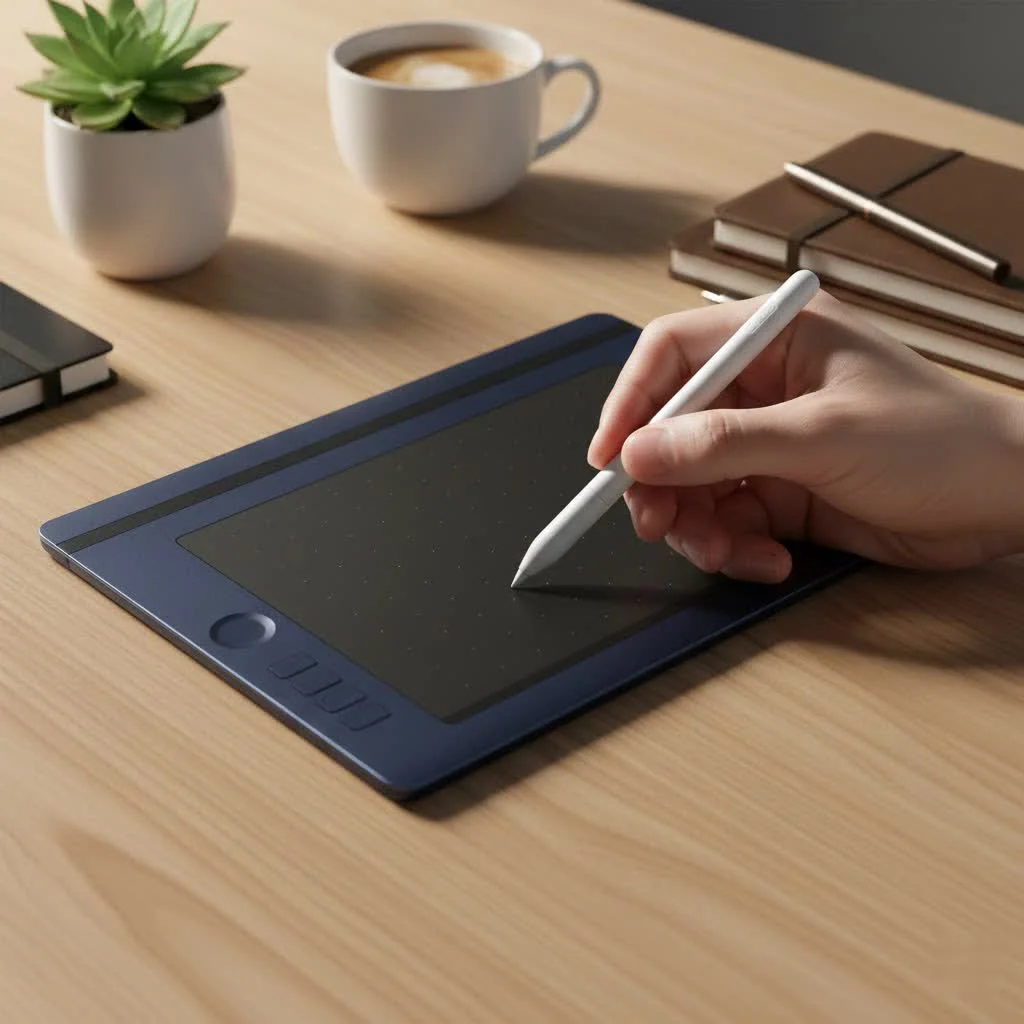
The 10moons G10 is a screenless graphic tablet, meaning you draw on its surface while looking at your computer monitor. It’s designed to replace your mouse for creative tasks, offering a more natural and intuitive way to sketch, paint, and edit. Its main selling point is its combination of professional-level features—like high pressure sensitivity and customizable shortcuts—with a price tag that is significantly lower than industry giants like Wacom or Huion. This makes it an attractive option for anyone hesitant to make a large financial investment in their digital art journey.
A Deep Dive into the G10’s Key Features
To understand if a tablet is right for you, we need to look past the marketing and into the technical specifications that define the drawing experience. The 10moons G10 packs a surprising punch in this department.
Generous Active Drawing Area
The tablet boasts a 10 x 6-inch active drawing area. This is a crucial feature because it gives you ample space for broad, sweeping strokes without feeling cramped. A larger surface allows for more comfortable arm movement, which can reduce fatigue during long drawing sessions and provide better control over your lines compared to smaller, more compact tablets.
Professional-Grade Pressure Sensitivity
With 8192 levels of pressure sensitivity, the G10 matches the industry standard for professional tablets. But what does this mean in practice?
“Think of pressure sensitivity like using a real pencil,” says David Harrington, a veteran graphic designer and instructor. “The harder you press, the thicker and darker your line becomes. High sensitivity like the G10’s allows for subtle variations in line weight and opacity, giving your digital work a more organic and expressive feel. It’s the key to moving from flat, digital-looking lines to dynamic, professional-quality artwork.”
This level of control is essential for tasks like inking, shading, and detailed illustration, allowing for a smooth transition from faint sketches to bold final lines.
The Freedom of a Battery-Free Pen
|
Our Picks for the Best Graphic Tablet in 2026
As an Amazon Associate I earn from qualifying purchases.
|
||
| Num | Product | Action |
|---|---|---|
| 1 | HUION Inspiroy H1060P Graphics Drawing Tablet with 8192 Pressure Sensitivity Battery-Free Stylus and 12 Customized Hot Keys, 10 x 6.25 inches Digital Art Tablet for Mac, Windows PC and Android |

|
| 2 | Wacom Intuos Pro Medium Bluetooth Professional Graphic Drawing Tablet with Pro Pen 3, Compatible with Mac, Windows - 2025 Edition |
|
| 3 | HUION Kamvas 13 (Gen 3) Drawing Tablet with Screen,13.3\" Full-Laminated Art Tablet with Anti-Sparkle Canvas Glass 2.0, 99% sRGB, PenTech 4.0, 16384 Pen Pressure, Dual Dial for PC, Mac, Android, Black |
|
| 4 | Graphics Drawing Tablet, UGEE M708 10 x 6 inch Large Drawing Tablet with 8 Hot Keys, Passive Stylus of 16384 Levels Pressure, UGEE M708 Graphics Tablet for Paint, Design, Art Creation Sketch |
|
| 5 | HUION KAMVAS Pro 16 Drawing Tablet with Screen, 15.6 inch Pen Display Anti-Glare Glass 6 Shortcut Keys Adjustable Stand, Graphics Tablet for Drawing, Writing, Design, Work with Windows, Mac and Linux |
|
| 6 | Drawing Tablet for Beginner Graphics OSU Tablet with Battery-Free Stylus 8192 Pressure Sensitive for Digital Art, Painting & Design, Compatible with Windows, Mac OS and Android |
|
| 7 | GAOMON M10K Drawing Tablet, 10x6 inch Large Graphics Tablet with Touch Ring, 8192 Levels Battery-Free Stylus, 10 Hot Keys, Art Tablet for Design, Writing, Editing, Work with Mac, Windows, Android |
|
| 8 | HUION Inspiroy H640P Drawing Tablet, 6x4 inch Digital Art with Battery-Free Stylus, 8192 Pen Pressure, 6 Hot Keys, Graphics Tablet for Drawing, Writing, Design, Teaching, Work with Mac, PC & Mobile |
|
| 9 | HUION Drawing Tablet HS610 Graphic Tablet with Battery-Free Stylus 8192 Pen Pressure Tilt Function, 10x6.25 Inches Digital Art for Animation & Design, Compatible with Windows/Mac/Android |
|
| 10 | XOPPOX Graphics Drawing Tablet 10 x 6 Inch Large Active Area with 8192 Levels Battery-Free Pen and 12 Hot Keys, Compatible with PC/Mac/Android OS for Painting, Design & Online Teaching Black |
|
One of the most convenient features of the 10moons G10 is its battery-free stylus. Using electromagnetic resonance technology, the pen draws power directly from the tablet itself. This means:
- No Charging: You never have to worry about your pen dying in the middle of a creative flow.
- Lightweight and Balanced: Without a battery, the pen is lighter and more comfortable to hold for extended periods, mimicking the feel of a traditional pen or pencil.
- Environmentally Friendly: No disposable batteries mean less waste.
The pen also includes two customizable buttons, which can be programmed for functions like switching between pen and eraser, undoing an action, or right-clicking.
Customizable Express Keys and a Radial Dial
Efficiency is key in any digital workflow. The G10 is equipped with 12 customizable express keys on the side and a versatile radial dial. These physical shortcuts can be programmed to perform your most-used commands in any software. For example, you can set keys to:
- Zoom in and out
- Change brush size
- Undo or redo actions
- Save your file
- Switch between tools
The radial dial is particularly useful for smoothly adjusting parameters like brush size, zoom level, or canvas rotation without interrupting your drawing. This level of customization can dramatically speed up your workflow, keeping you focused on creating instead of hunting through menus.
Real-World Performance: Who Should Use the G10?
Specifications on paper are one thing, but how does the 10moons G10 perform in day-to-day use? Let’s break it down for different types of users.
For Beginners, Students, and Hobbyists
This is where the G10 truly shines. For anyone new to digital art, the high cost of entry can be a major barrier. The 10moons G10 offers a risk-free way to explore digital drawing with features that won’t feel limiting as your skills grow. It’s simple to set up, compatible with all major art software (like Photoshop, Clip Studio Paint, Krita), and provides a fantastic drawing experience for the price. It’s an ideal choice for online courses, graphic design students, or anyone looking to digitize their sketches.
For Online Teaching and Note-Taking
The G10 isn’t just for art. In an age of remote work and learning, a graphic tablet is an excellent tool for digital whiteboarding, annotating documents, and taking handwritten notes. It’s far more precise than a mouse for writing equations or drawing diagrams during a presentation on Zoom or Microsoft Teams.
For the Rhythm Game Enthusiast (OSU!)
Interestingly, graphic tablets have found a dedicated community in the rhythm game OSU!, where players need fast, precise cursor control. The 10moons G10 is a popular choice due to its high report rate (233 PPS), which ensures minimal lag between the pen’s movement and the cursor’s response on screen.
Can Professionals Use the 10moons G10?
While it might not replace a high-end Wacom Cintiq for a full-time studio professional, the G10 is a surprisingly capable device. It makes for an excellent travel tablet or a reliable backup for professional artists. The core drawing experience, thanks to the high pressure sensitivity and battery-free pen, is solid. The primary difference lies in build quality and driver software, which, while functional, may not be as polished as its more expensive counterparts.
Setting Up Your 10moons G10
Getting started with the G10 is straightforward. Here is a simple checklist to follow:
- Uninstall Other Tablet Drivers: If you have drivers from another brand (like Wacom or Huion) installed, uninstall them completely to prevent conflicts.
- Download the Correct Driver: Visit the 10moons official website to download the latest driver specific to the G10 model.
- Connect the Tablet: Plug the USB cable into the tablet and your computer.
- Install the Driver: Run the installation file and follow the on-screen instructions. Restart your computer after the installation is complete.
- Customize Your Settings: Open the tablet driver software to configure your pen buttons, express keys, and map the drawing area to your screen.
Frequently Asked Questions (FAQ)
What software is the 10moons G10 compatible with?
The G10 is compatible with most creative software on both Windows and macOS. This includes Adobe Photoshop, Illustrator, Clip Studio Paint, Krita, Medibang Paint, Corel Painter, and Blender, among others.
Does the 10moons G10 work on a Chromebook or Android?
Yes, the 10moons G10 offers plug-and-play support for most Android devices (version 6.0 and above) and ChromeOS. You will need a USB-C adapter to connect it to your device.
How does the G10 compare to a Wacom Intuos?
The Wacom Intuos is often considered the industry standard for entry-level tablets. While Wacom is known for its superior build quality and driver stability, the 10moons G10 offers comparable, and in some cases better, specifications (like more express keys) for a fraction of the price. For a beginner on a tight budget, the G10 provides better value for money.
Is there any noticeable lag when drawing?
Thanks to its 233 PPS (Points Per Second) report rate, the G10 has very little noticeable lag. Your strokes appear on the screen almost instantly, providing a smooth and responsive drawing experience.
What comes in the box with the 10moons G10?
Typically, the box includes the G10 tablet, the battery-free stylus, a pen holder, several replacement nibs, a nib remover tool, and the USB connection cable.
The Final Verdict: Is the 10moons G10 Worth It?
After extensive testing and review, the conclusion is clear: the 10moons G10 graphic tablet offers exceptional value and is one of the best budget-friendly options on the market today. It punches well above its weight class, delivering professional-grade features that are more than enough for beginners, students, and intermediate artists. It democratizes digital art by removing the high cost of entry without forcing major compromises on performance.
While it may lack the premium finish of a more expensive brand, its core functionality—the drawing experience—is solid, responsive, and a genuine pleasure to use. If you are ready to start your digital art journey or need an affordable yet powerful tool for your creative projects, the 10moons G10 is a choice you can make with confidence.
Get our weekly buyer guide
Practical specs, not advice. Unsubscribe anytime.

The 10moons G10 is decent for basic sketching and note-taking, especially considering its low cost. However, I found the drawing surface to be a bit too smooth for my preference, making it feel less like drawing on paper. It’s okay as a backup tablet, but I wouldn’t recommend it for professional artists who need precise control and a more tactile feel.
Finally, a tablet that doesn’t cost a fortune but still performs! I’m a budding artist, and the 10moons G10 has been perfect for me. The setup was super easy, and I was able to start drawing almost immediately. It’s great for exploring different art styles without worrying about damaging an expensive device.
This tablet is a solid choice for anyone looking to get into digital art without breaking the bank. I was a bit skeptical about a high-performance tablet at such an accessible price point, but it holds up. My only minor gripe is that the included pen nibs wear down a little faster than I’d like, but replacements are easy to find.
I’ve been using the 10moons G10 for a few weeks now, and I’m genuinely impressed. As a student, I needed something affordable but still capable of handling my digital design projects, and this tablet delivers. The pressure sensitivity is surprisingly good for the price, making my lines feel really natural. It’s definitely a budget king!