The best tablet for drawing and graphic design depends on your specific needs and budget, with top contenders including the Apple iPad Pro for portability, the Wacom Cintiq Pro 27 for professional desktop use, and the Huion Kamvas Pro 16 (2.5K) for value. These devices offer distinct advantages, from standalone versatility to precise pen-on-screen interaction, catering to artists from beginners to seasoned professionals.
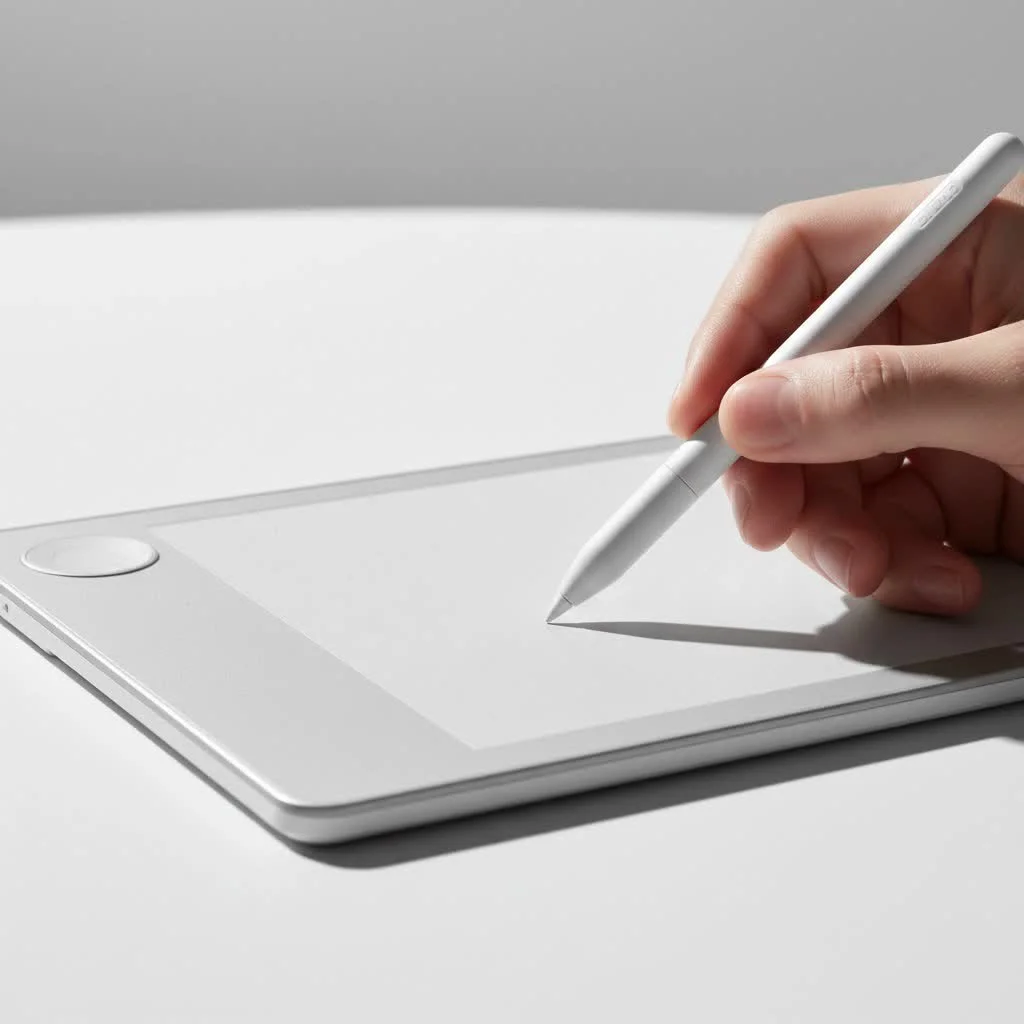
This guide explores the leading options, breaks down essential features, and helps you confidently choose a tablet that enhances your creative workflow.
What Are the Different Types of Drawing Tablets?
Understanding the main categories of drawing tablets is crucial, as your choice will fundamentally shape your creative process.
Pen Tablets (Non-Screen)
These classic drawing tablets feature an opaque slate and a stylus. You draw on the tablet’s surface while viewing your work on a separate computer monitor. While there’s a learning curve for hand-eye coordination, they are highly affordable, durable, and provide a professional-level drawing experience once adapted.
- Best for: Beginners, budget-conscious artists, and those seeking an ergonomic setup that separates posture from drawing hand.
- Pros: Most affordable, highly durable, excellent pressure sensitivity.
- Cons: Steep learning curve for hand-eye coordination.
Pen Displays
Pen displays are monitors designed for direct drawing. They feature a built-in screen, eliminating the disconnected feeling of traditional pen tablets. This direct interaction feels more natural and intuitive, similar to drawing on paper. These devices require connection to a computer to function.
- Best for: Intermediate to professional artists who desire a natural drawing feel.
- Pros: Intuitive and natural drawing experience, improved accuracy.
- Cons: More expensive than pen tablets, can be bulky.
Standalone Tablets (All-in-One)
These powerful devices, such as the Apple iPad Pro and Samsung Galaxy Tab S series, are complete computers with their own operating systems, processors, and storage. They allow you to draw, design, browse, and manage your entire workflow on a single, portable device, offering unmatched versatility.
- Best for: Artists who prioritize portability and versatility.
- Pros: All-in-one solution, highly portable, versatile for more than just art.
- Cons: Often the most expensive option, may have software limitations compared to desktop operating systems.
The Top Tablets for Drawing and Graphic Design
Based on performance, value, and user experience, here are the top picks that consistently deliver professional results.
1. Apple iPad Pro (M-series Chip)
The iPad Pro functions as a portable creative studio. When paired with the Apple Pencil Pro, it delivers an exceptionally smooth, responsive, and intuitive drawing experience. Its Liquid Retina XDR display offers stunning visuals with outstanding color accuracy and brightness, ideal for high-fidelity design work. Optimized apps like Procreate, Affinity Designer, and Adobe Fresco provide a desktop-class experience in a portable format.
- Screen: 11-inch or 12.9-inch Liquid Retina XDR
- Stylus: Apple Pencil Pro (or 2nd Gen)
- Best Feature: The combination of the ProMotion display and the powerful M-series chip offers virtually zero latency.
- Who It’s For: Artists of all levels who want a best-in-class standalone tablet experience and prioritize portability.
2. Wacom Cintiq Pro 27
|
Our Picks for the Best Graphic Tablet in 2026
As an Amazon Associate I earn from qualifying purchases.
|
||
| Num | Product | Action |
|---|---|---|
| 1 | HUION Kamvas 13 (Gen 3) Drawing Tablet with Screen,13.3\" Full-Laminated Art Tablet with Anti-Sparkle Canvas Glass 2.0, 99% sRGB, PenTech 4.0, 16384 Pen Pressure, Dual Dial for PC, Mac, Android, Black |

|
| 2 | HUION KAMVAS Pro 16 Drawing Tablet with Screen, 15.6 inch Pen Display Anti-Glare Glass 6 Shortcut Keys Adjustable Stand, Graphics Tablet for Drawing, Writing, Design, Work with Windows, Mac and Linux |
|
| 3 | Graphics Drawing Tablet, UGEE M708 10 x 6 inch Large Drawing Tablet with 8 Hot Keys, Passive Stylus of 16384 Levels Pressure, UGEE M708 Graphics Tablet for Paint, Design, Art Creation Sketch |
|
| 4 | Wacom Intuos Pro Medium Bluetooth Professional Graphic Drawing Tablet with Pro Pen 3, Compatible with Mac, Windows - 2025 Edition |
|
| 5 | HUION Inspiroy H1060P Graphics Drawing Tablet with 8192 Pressure Sensitivity Battery-Free Stylus and 12 Customized Hot Keys, 10 x 6.25 inches Digital Art Tablet for Mac, Windows PC and Android |
|
| 6 | HUION Inspiroy H640P Drawing Tablet, 6x4 inch Digital Art with Battery-Free Stylus, 8192 Pen Pressure, 6 Hot Keys, Graphics Tablet for Drawing, Writing, Design, Teaching, Work with Mac, PC & Mobile |
|
| 7 | HUION Drawing Tablet HS610 Graphic Tablet with Battery-Free Stylus 8192 Pen Pressure Tilt Function, 10x6.25 Inches Digital Art for Animation & Design, Compatible with Windows/Mac/Android |
|
| 8 | XOPPOX Graphics Drawing Tablet 10 x 6 Inch Large Active Area with 8192 Levels Battery-Free Pen and 12 Hot Keys, Compatible with PC/Mac/Android OS for Painting, Design & Online Teaching Black |
|
| 9 | Drawing Tablet for Beginner Graphics OSU Tablet with Battery-Free Stylus 8192 Pressure Sensitive for Digital Art, Painting & Design, Compatible with Windows, Mac OS and Android |
|
| 10 | GAOMON M10K Drawing Tablet, 10x6 inch Large Graphics Tablet with Touch Ring, 8192 Levels Battery-Free Stylus, 10 Hot Keys, Art Tablet for Design, Writing, Editing, Work with Mac, Windows, Android |
|
Wacom is the industry standard for professional-grade pen displays. The Cintiq Pro 27, their flagship model, features a large, color-accurate 4K screen with a 120Hz refresh rate, effectively eliminating parallax. The customizable Pro Pen 3 allows adjustments to weight, grip, and button layout. This device is commonly found in major animation and VFX studios.
- Screen: 26.9-inch 4K UHD
- Stylus: Wacom Pro Pen 3
- Best Feature: Unrivaled color accuracy and a true “drawing on paper” feel.
- Who It’s For: Professional illustrators, animators, and designers who require the absolute best tool for their desktop setup.
3. Huion Kamvas Pro 16 (2.5K)
Huion offers professional features at a more accessible price point, making it a strong competitor to Wacom. The Kamvas Pro 16 (2.5K) is a standout in their lineup, providing incredible sharpness with its 2.5K resolution on a 16-inch screen. The laminated display significantly reduces parallax, and its excellent color gamut makes it suitable for professional work.
- Screen: 15.8-inch 2.5K QHD
- Stylus: Battery-Free PenTech 3.0
- Best Feature: Incredible value for a high-resolution, color-accurate pen display.
- Who It’s For: Intermediate artists and professionals seeking a high-performance pen display without the premium cost.
4. XP-Pen Artist 15.6 Pro
For those new to pen displays, the XP-Pen Artist 15.6 Pro is an excellent entry-level option. It features a fully laminated screen, a convenient red dial for quick shortcuts like zooming and brush size adjustments, and 8,192 levels of pressure sensitivity. While its color accuracy may not match the Cintiq or Kamvas Pro, it is more than adequate for enthusiasts and aspiring professionals.
- Screen: 15.6-inch Full HD
- Stylus: P05R Battery-Free Stylus
- Best Feature: The combination of a laminated screen and a useful red dial at a budget-friendly price.
- Who It’s For: Beginners and hobbyists ready to upgrade from a non-screen tablet.
5. Wacom Intuos Pro (Medium)
The Wacom Intuos Pro is the leading choice for screenless tablets or those on a tighter budget. It offers a refined, flawless drawing experience with a satisfying, paper-like surface texture. The Pro Pen 2 is highly regarded for its accuracy and responsiveness. Built-in ExpressKeys and a Touch Ring are invaluable for streamlining your workflow.
- Screen: N/A (Screenless)
- Stylus: Wacom Pro Pen 2
- Best Feature: Rock-solid reliability and a best-in-class drawing experience for a non-screen tablet.
- Who It’s For: Professionals who prefer the ergonomics of a screenless tablet and students who need a durable tool for their entire career.
Key Features to Consider Before You Buy
Choosing the best tablet for drawing and graphic design involves understanding what specific features mean for your work.
- Pressure Sensitivity: This indicates how the tablet interprets the force applied by the stylus. Higher levels, typically 8,192, allow for more nuanced control over line weight and opacity, mimicking traditional tools.
- Resolution (LPI/PPI): For pen tablets, Lines Per Inch (LPI) measures digital line density on the surface. For displays, Pixels Per Inch (PPI) is used. Higher numbers result in greater detail and smoother lines.
- Screen Lamination: On pen displays, a laminated screen fuses the glass with the display layer, reducing the physical gap. This minimizes parallax, creating the sensation that ink flows directly from the pen tip.
- Color Gamut: This represents the range of colors a screen can display. For professional-grade color accuracy, look for high percentages of sRGB (web standard) and Adobe RGB or DCI-P3 (for print and video work).
- Stylus: An effective stylus should be battery-free, ergonomic, and feature customizable buttons. Tilt support is also essential for creating more natural, varied brush strokes.
As illustrator and concept artist Clara Martinez states, “Your tablet is your partner in creation. Don’t just look at the numbers. Think about how it feels in your hand and how it fits into your daily routine. The best tool is the one you forget you’re using.”
Frequently Asked Questions (FAQ)
Is an iPad good enough for professional graphic design?
Yes, the iPad Pro is a highly capable tool for professional graphic design, illustration, and art. With powerful M-series chips and professional-grade applications like the Affinity suite and Adobe Photoshop, it is a viable and often preferred option for many artists, particularly those who prioritize portability.
Do I need a 4K screen for my drawing tablet?
A 4K screen provides exceptional clarity and detail, which is beneficial for high-end illustration and photo editing. However, it is not essential for everyone. A Full HD (1080p) or QHD (1440p) display is sufficient for most professional work, especially on screens under 22 inches.
How much pressure sensitivity do I really need?
Most modern tablets offer 4,096 or 8,192 levels of pressure sensitivity. While 8,192 is technically superior, the practical difference is often subtle for many artists. Any tablet with 2,048 levels or more can produce professional-quality work, as the quality of the driver software and pen technology often have a greater impact than the raw number.
Wacom vs. Huion vs. XP-Pen: Which is better?
Wacom is the established industry leader, known for its build quality, reliability, and advanced technology, but at a premium price. Huion and XP-Pen are strong competitors offering similar features, such as laminated screens and high pressure sensitivity, for a fraction of the cost. For professionals, Wacom is often the safest choice, but Huion and XP-Pen provide excellent value for enthusiasts and budget-conscious professionals.
Can I use a Samsung tablet for graphic design?
Yes, high-end Samsung tablets like the Galaxy Tab S9 Ultra are excellent for drawing and design. They include the highly responsive S Pen, which does not require charging. The Android ecosystem offers robust art applications such as Clip Studio Paint, Krita, and Infinite Painter, making Samsung tablets a strong alternative to the iPad.
Final Thoughts
The best tablet for drawing and graphic design is a personal decision based on your budget, workflow, and artistic goals. The iPad Pro offers unmatched versatility and portability, while the Wacom Cintiq Pro remains the top choice for dedicated desktop professionals. Brands like Huion and XP-Pen have made high-quality pen displays accessible to a wider audience.
Investing in a quality drawing tablet is an investment in your creativity. Evaluate your needs, consider the key features discussed, and choose the tool that will best empower you to bring your visions to life.
Frequently Asked Questions
Is an iPad good enough for professional graphic design?
Yes, the iPad Pro is a highly capable tool for professional graphic design, illustration, and art. With powerful M-series chips and professional-grade applications like the Affinity suite and Adobe Photoshop, it is a viable and often preferred option for many artists, particularly those who prioritize portability.
Do I need a 4K screen for my drawing tablet?
A 4K screen provides exceptional clarity and detail, which is beneficial for high-end illustration and photo editing. However, it is not essential for everyone. A Full HD (1080p) or QHD (1440p) display is sufficient for most professional work, especially on screens under 22 inches.
How much pressure sensitivity do I really need?
Most modern tablets offer 4,096 or 8,192 levels of pressure sensitivity. While 8,192 is technically superior, the practical difference is often subtle for many artists. Any tablet with 2,048 levels or more can produce professional-quality work, as the quality of the driver software and pen technology often have a greater impact than the raw number.
Wacom vs. Huion vs. XP-Pen: Which is better?
Wacom is the established industry leader, known for its build quality, reliability, and advanced technology, but at a premium price. Huion and XP-Pen are strong competitors offering similar features, such as laminated screens and high pressure sensitivity, for a fraction of the cost. For professionals, Wacom is often the safest choice, but Huion and XP-Pen provide excellent value for enthusiasts and budget-conscious professionals.
Can I use a Samsung tablet for graphic design?
Yes, high-end Samsung tablets like the Galaxy Tab S9 Ultra are excellent for drawing and design. They include the highly responsive S Pen, which does not require charging. The Android ecosystem offers robust art applications such as Clip Studio Paint, Krita, and Infinite Painter, making Samsung tablets a strong alternative to the iPad.
Get our weekly buyer guide
Practical specs, not advice. Unsubscribe anytime.
I finally upgraded to the Wacom Cintiq Pro 27 after years of using an older model, and it’s a game-changer for my professional work. The pen-on-screen interaction is incredibly precise, making detailed illustrations so much easier. It’s definitely an investment, but for anyone serious about graphic design, it’s worth every penny.
The Huion Kamvas Pro 16 (2.5K) was a great recommendation for value. I’m a student, so the iPad Pro was out of my budget, but this Huion tablet offers fantastic quality for the price. The display is vibrant, and the pen feels natural. It’s really helped me improve my digital art skills without breaking the bank.
As someone who started with a basic pen tablet, moving to a screen tablet like the ones mentioned here has completely transformed my workflow. The direct visual feedback makes such a difference. I’m currently saving up for one of the higher-end models, but even the mid-range options are a huge step up.
I picked up the Apple iPad Pro for its portability, which is great for working on the go. However, I sometimes find the Apple Pencil a bit slippery compared to other styluses I’ve used. It’s a minor complaint, but it does affect my grip during long drawing sessions. Still, it’s a powerful device overall.