The best budget graphic design tablets for artists in 2025 include the Huion Kamvas 13 for overall pen display, the XP-Pen Deco LW for screenless drawing, and the Samsung Galaxy Tab S6 Lite for standalone portability. These tablets offer professional-grade features like 8,192 pressure levels, battery-free styluses, and Full HD displays, making high-quality digital art accessible without a premium price tag.
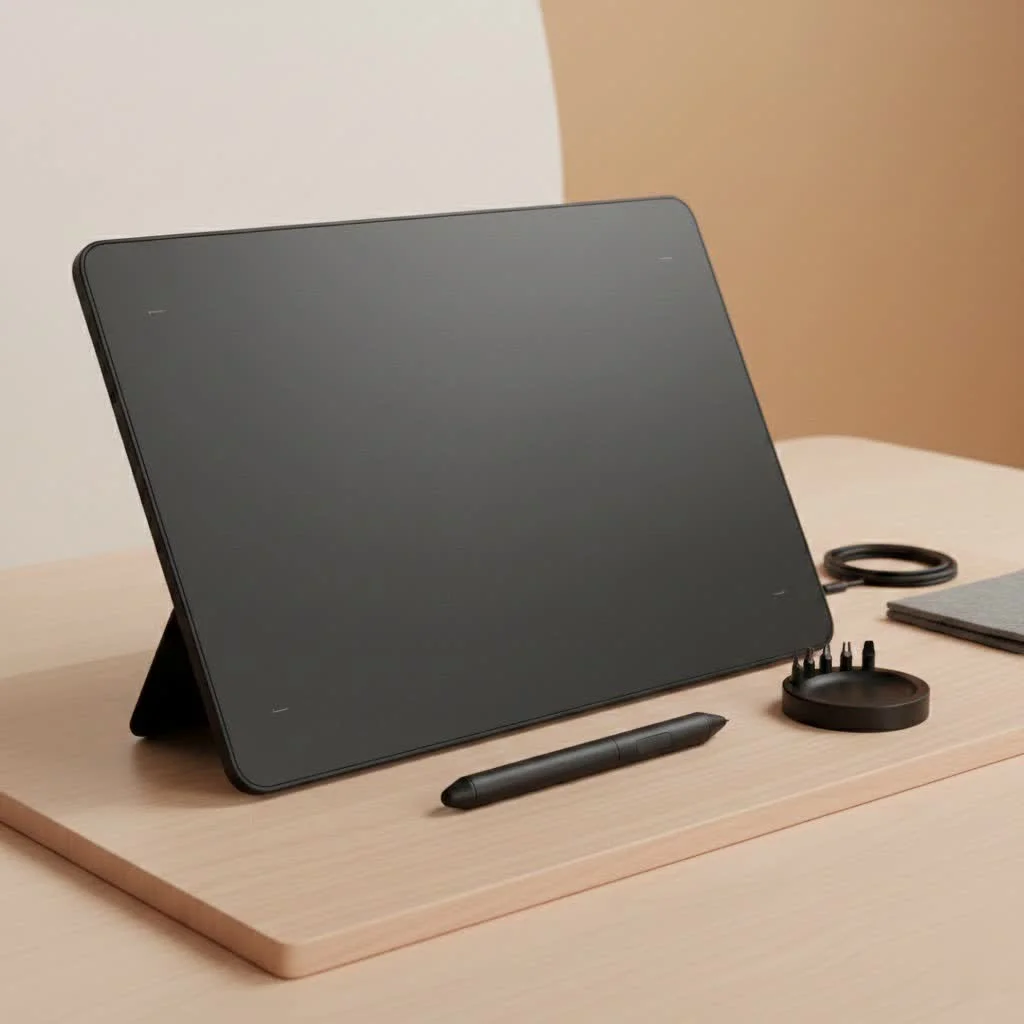
This guide will help you navigate essential features, understand different tablet types, and provide top recommendations for affordable tablets that deliver professional results. Whether you are a student, hobbyist, or professional, you can find a cost-effective creative partner here. For browse all reviews articles on this site.
What to Look for in a Budget Graphic Design Tablet
Understanding the technical specifications of a graphics tablet is crucial for making an informed decision. Key features include display type, pressure sensitivity, stylus quality, resolution, and color accuracy.
Display vs. Screenless Tablets
The primary choice involves selecting between a pen display (with a screen) or a traditional screenless graphics tablet.
- Graphics Tablets (Screenless): These classic drawing pads require you to draw on the tablet surface while viewing your computer monitor. They have a slight learning curve for hand-eye coordination but are highly durable and the most affordable option, ideal for beginners or those on a tight budget.
- Pen Displays (With Screen): These tablets allow direct drawing on the screen, offering a more intuitive experience similar to traditional art. While historically high-end, brands like Huion and XP-Pen now provide budget-friendly options. Affordable models may have slightly lower color accuracy or brightness compared to premium versions.
Pressure Sensitivity and Stylus Quality
Pressure sensitivity dictates how the tablet interprets stylus force, enabling varied line weights. Stylus quality, including battery-free operation and tilt support, significantly impacts the drawing experience.
- Levels of Pressure: Most modern tablets offer between 4,096 and 8,192 levels of pressure sensitivity. While 4,096 is sufficient for most graphic design, 8,192 has become a standard even in many budget models.
- Battery-Free Stylus: Opt for a tablet with a battery-free stylus, typically using EMR (Electro-Magnetic Resonance) technology, to avoid charging interruptions during projects.
- Tilt Support: This feature recognizes the pen’s angle, which is excellent for natural shading and calligraphic strokes. Many budget options now include tilt support up to 60 degrees.
Resolution and Color Accuracy
For pen displays, screen quality is paramount, while for screenless tablets, resolution (LPI) determines detail registration. Color accuracy is vital for professional output.
- Screen Resolution: For pen displays, aim for at least Full HD (1920×1080) resolution to ensure sharp and clear images.
- Color Gamut (sRGB): Color accuracy is critical for professional design. Look for tablets covering at least 100% sRGB, the standard for web content, to ensure consistent color representation.
- LPI (Lines Per Inch): For screenless tablets, a higher LPI indicates greater detail and precision. Most quality budget tablets offer 5080 LPI, which is a professional standard.
Our Top Picks for the Best Budget Tablet for Graphic Design
Based on extensive testing, here are our top recommendations for budget-friendly tablets that offer exceptional value and performance for graphic designers in 2025.
1. Huion Kamvas 13: Best Overall Pen Display
|
Our Picks for the Best Graphic Tablet in 2026
As an Amazon Associate I earn from qualifying purchases.
|
||
| Num | Product | Action |
|---|---|---|
| 1 | HUION Drawing Tablet HS610 Graphic Tablet with Battery-Free Stylus 8192 Pen Pressure Tilt Function, 10x6.25 Inches Digital Art for Animation & Design, Compatible with Windows/Mac/Android |

|
| 2 | HUION KAMVAS Pro 16 Drawing Tablet with Screen, 15.6 inch Pen Display Anti-Glare Glass 6 Shortcut Keys Adjustable Stand, Graphics Tablet for Drawing, Writing, Design, Work with Windows, Mac and Linux |
|
| 3 | Drawing Tablet for Beginner Graphics OSU Tablet with Battery-Free Stylus 8192 Pressure Sensitive for Digital Art, Painting & Design, Compatible with Windows, Mac OS and Android |
|
| 4 | HUION Inspiroy H1060P Graphics Drawing Tablet with 8192 Pressure Sensitivity Battery-Free Stylus and 12 Customized Hot Keys, 10 x 6.25 inches Digital Art Tablet for Mac, Windows PC and Android |
|
| 5 | Graphics Drawing Tablet, UGEE M708 10 x 6 inch Large Drawing Tablet with 8 Hot Keys, Passive Stylus of 16384 Levels Pressure, UGEE M708 Graphics Tablet for Paint, Design, Art Creation Sketch |
|
| 6 | HUION Kamvas 13 (Gen 3) Drawing Tablet with Screen,13.3\" Full-Laminated Art Tablet with Anti-Sparkle Canvas Glass 2.0, 99% sRGB, PenTech 4.0, 16384 Pen Pressure, Dual Dial for PC, Mac, Android, Black |
|
| 7 | HUION Inspiroy H640P Drawing Tablet, 6x4 inch Digital Art with Battery-Free Stylus, 8192 Pen Pressure, 6 Hot Keys, Graphics Tablet for Drawing, Writing, Design, Teaching, Work with Mac, PC & Mobile |
|
| 8 | Wacom Intuos Pro Medium Bluetooth Professional Graphic Drawing Tablet with Pro Pen 3, Compatible with Mac, Windows - 2025 Edition |
|
| 9 | GAOMON M10K Drawing Tablet, 10x6 inch Large Graphics Tablet with Touch Ring, 8192 Levels Battery-Free Stylus, 10 Hot Keys, Art Tablet for Design, Writing, Editing, Work with Mac, Windows, Android |
|
| 10 | XOPPOX Graphics Drawing Tablet 10 x 6 Inch Large Active Area with 8192 Levels Battery-Free Pen and 12 Hot Keys, Compatible with PC/Mac/Android OS for Painting, Design & Online Teaching Black |
|
The Huion Kamvas 13 is a 13.3-inch pen display that balances performance, features, and price effectively. It provides a premium feel without the high cost.
- Display: Features a fully laminated Full HD screen, which minimizes parallax for a more accurate drawing experience.
- Color: Offers 120% sRGB color gamut coverage, ensuring vibrant and true-to-life artwork.
- Usability: Includes a battery-free pen with 8,192 pressure levels, tilt support, and programmable express keys. It can also connect to some Android devices for portable use.
2. XP-Pen Deco LW: Best Screenless Tablet
For those preferring a screenless tablet to maximize their budget, the XP-Pen Deco LW is an excellent choice. It provides wireless connectivity and a reliable drawing experience at an affordable price.
- Performance: Equipped with the new X3 smart chip stylus, it offers a lower initial activation force, capturing even the lightest strokes. It has 8,192 pressure levels and 60 degrees of tilt function.
- Connectivity: Connects via Bluetooth 5.0, allowing for untethered work.
- Customization: Features 8 customizable shortcut keys to tailor the tablet to specific software needs.
3. Wacom One: The Trusted Budget Option
The Wacom One, from an industry-leading brand, is an excellent entry-level pen display. It is ideal for users seeking Wacom’s renowned reliability and polished driver experience.
- Feel: Its 13.3-inch screen has a unique matte surface that provides a satisfying paper-like friction, favored by many artists.
- Compatibility: Compatible with various third-party pens from brands like Lamy and Staedtler, offering more ergonomic options.
- Value: While its color accuracy (~72% NTSC) is lower than the Huion, its build quality and reliability make it a dependable investment for beginners.
4. Samsung Galaxy Tab S6 Lite: Best Standalone Tablet
For designers prioritizing portability and independence from a computer, the Samsung Galaxy Tab S6 Lite is an unbeatable budget option. It is a full-featured Android tablet that includes the excellent S Pen.
- Portability: Enables sketching, photo editing, and vector art creation anywhere.
- S Pen: The included S Pen is highly responsive, battery-free, and excellent for drawing and note-taking.
- Ecosystem: Access to the Google Play Store allows direct use of popular design apps like Clip Studio Paint, Krita, and Infinite Painter on the tablet.
As freelance illustrator Alex Rivera notes, “You don’t need the most expensive gear to create professional work. I’ve used budget tablets from Huion and XP-Pen on major client projects. What matters most is understanding your tools and letting your creativity lead.”
How to Get the Most Out of Your Budget Tablet
Maximizing your tablet’s potential involves proper setup and customization.
- Calibrate Your Display: For pen displays, calibrate the color to closely match your main monitor for consistent visual output.
- Customize Your Shortcuts: Program express keys for frequently used functions like Undo, Zoom, Brush Size, and Eraser to significantly speed up your workflow.
- Install the Latest Drivers: Always download the most recent drivers from the manufacturer’s website to ensure optimal performance and compatibility with your design software.
Frequently Asked Questions (FAQ)
What is the best budget tablet for a beginner graphic designer?
For absolute beginners, a screenless tablet like the XP-Pen Deco LW is an excellent starting point. It is affordable, durable, and helps users learn digital art fundamentals without a significant financial investment.
Can I do professional work on a budget tablet?
Yes, many professional artists successfully use affordable tablets from brands such as Huion and XP-Pen. The technology in these budget tablets is fully capable of producing high-quality commercial work.
Do I need a tablet with a 4K screen for graphic design?
A 4K screen is not essential for most graphic design work, especially on a budget. A Full HD (1920×1080) resolution on a tablet under 16 inches provides excellent sharpness and clarity for professional tasks.
Is Wacom still the best brand for drawing tablets in 2025?
Wacom produces exceptional high-end products, but brands like Huion and XP-Pen offer highly competitive alternatives at significantly lower prices. For budget-conscious buyers, these brands often provide better value for money.
Do these recommended tablets work with Adobe Photoshop and Illustrator?
Yes, all the tablets recommended in this guide are fully compatible with the entire Adobe Creative Suite, including Photoshop and Illustrator, as well as other popular design software like CorelDRAW, Clip Studio Paint, and Krita.
Conclusion
The digital art world is more accessible than ever due to the high quality of modern, affordable hardware. You no longer need to spend a fortune to acquire a high-performance tool that can bring your creative visions to life. Whether you choose the direct drawing experience of the Huion Kamvas 13 or the simple efficiency of the XP-Pen Deco LW, the best budget tablet for graphic design is the one that fits your workflow and empowers you to create your best work. Choose the right one for you and start creating today.
Frequently Asked Questions
What is the best budget tablet for a beginner graphic designer?
For absolute beginners, a screenless tablet like the XP-Pen Deco LW is an excellent starting point. It is affordable, durable, and helps users learn digital art fundamentals without a significant financial investment. This model offers 8,192 pressure levels and 60 degrees of tilt function.
Can I do professional work on a budget tablet?
Yes, many professional artists successfully use affordable tablets from brands such as Huion and XP-Pen. The technology in these budget tablets is fully capable of producing high-quality commercial work, often featuring 100% sRGB color gamut coverage and Full HD resolution.
Do I need a tablet with a 4K screen for graphic design?
A 4K screen is not essential for most graphic design work, especially on a budget. A Full HD (1920x1080) resolution on a tablet under 16 inches provides excellent sharpness and clarity for professional tasks. Many recommended budget tablets, like the Huion Kamvas 13, offer this resolution.
Is Wacom still the best brand for drawing tablets in 2025?
Wacom produces exceptional high-end products, but brands like Huion and XP-Pen offer highly competitive alternatives at significantly lower prices. For budget-conscious buyers, these brands often provide better value for money, with features like battery-free styluses and 8,192 pressure levels.
Do these recommended tablets work with Adobe Photoshop and Illustrator?
Yes, all the tablets recommended in this guide are fully compatible with the entire Adobe Creative Suite, including Photoshop and Illustrator, as well as other popular design software like CorelDRAW, Clip Studio Paint, and Krita. This ensures broad software support for artists.
How to Get the Most Out of Your Budget Graphic Design Tablet
Maximize the potential of your new budget graphic design tablet by following these essential setup and customization tips for improved performance and workflow.
For pen displays, take the time to calibrate the color to match your main monitor as closely as possible. This ensures consistent visual output and accurate color representation for your artwork.
Program the express keys on your tablet for your most-used functions, such as Undo, Zoom, Brush Size, and Eraser. This customization will dramatically speed up your workflow and enhance efficiency.
Always download and install the latest drivers from the manufactureru2019s website for your tablet. This ensures the best performance, optimal compatibility with your design software, and access to new features.
Get our weekly buyer guide
Practical specs, not advice. Unsubscribe anytime.
I picked up the Samsung Galaxy Tab S6 Lite for its portability, and it’s decent for quick sketches on the go. However, I found the pressure sensitivity, while good, isn’t quite as fine-tuned as I’d hoped compared to my desktop setup. It’s a good standalone option, but for more detailed work, I still prefer a dedicated drawing tablet.
The XP-Pen Deco LW is exactly what I needed for my workflow. I already have a monitor, so a screenless tablet was perfect. The battery-free stylus is a huge plus, I hate having to charge pens. It took a little getting used to drawing without looking at my hand, but the precision is there. Great value for the features.
As a student, finding a professional-grade tablet that’s also affordable was my main goal. The recommendations here were spot on. I ended up going with one of the display tablets, and the difference it’s made to my assignments is huge. The responsiveness and display quality are fantastic for the price point.
I’ve been using the Huion Kamvas 13 for a few weeks now, and it’s been a game-changer for my digital art. The Full HD display is really vibrant, and the colors pop. For a budget tablet, getting 8,192 pressure levels is incredible; it feels super responsive and natural to draw with. Definitely a solid recommendation for anyone needing a display tablet without breaking the bank.