Finding the right graphic drawing tablet can feel like a quest for a magic wand. You need a tool that feels like an extension of your hand, translating your creative vision onto the digital canvas with precision and ease. For years, the market was dominated by high-priced options, leaving many aspiring artists and designers feeling left out. That’s where the Huion H610 Pro V2 graphic drawing tablet enters the picture, promising professional-grade features without the intimidating price tag. But does it live up to the hype? As someone who has tested countless tablets over the past 15 years, I’m here to give you the complete breakdown.
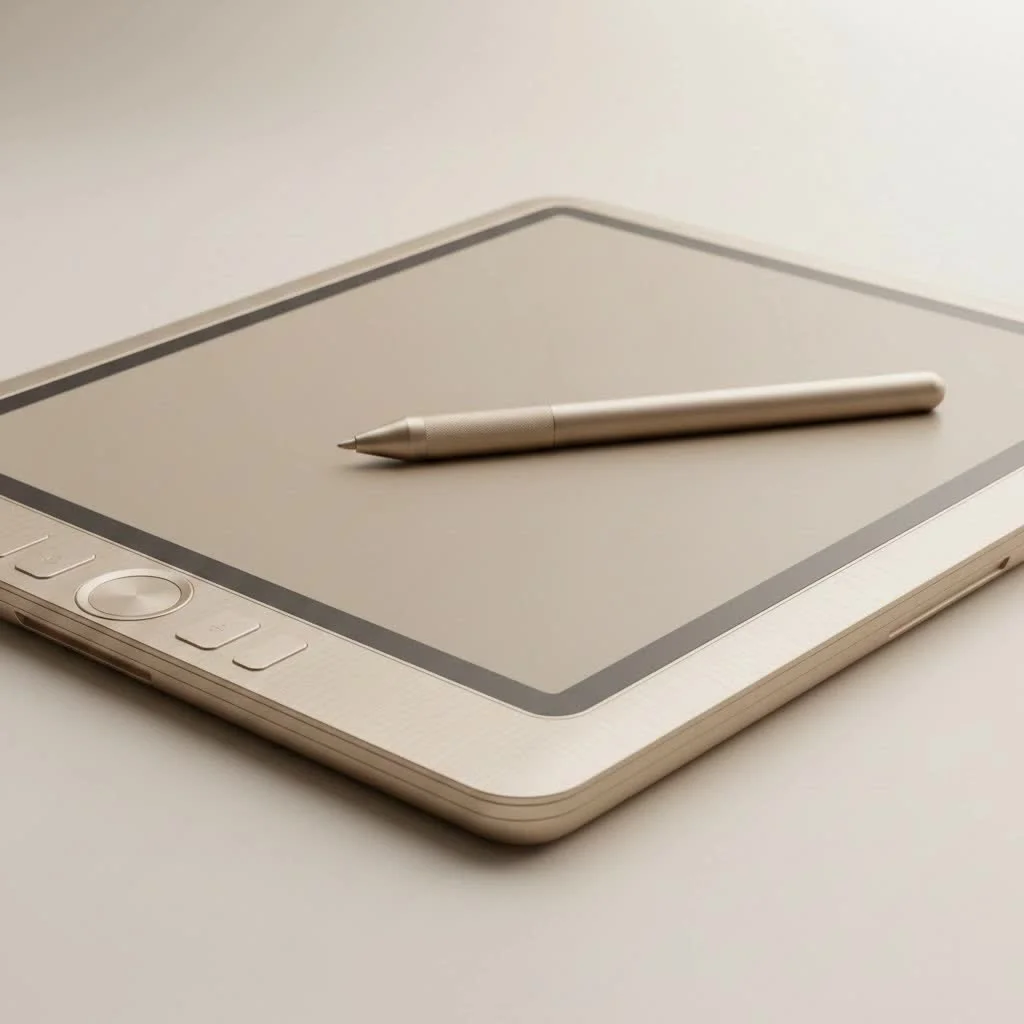
This review will go beyond the spec sheet to explore the real-world performance of the H610 Pro V2. We’ll look at everything from the unboxing experience and drawing performance to its software compatibility and ideal user. Whether you’re a student taking your first step into digital art or a seasoned pro looking for a reliable and affordable backup, this guide will help you decide if the H610 Pro V2 is the right creative partner for you.
First Impressions: Design and Build Quality
When you first unbox the Huion H610 Pro V2, its sleek and minimalist design is immediately apparent. It feels sturdy and well-constructed, especially for its price point. The tablet is lightweight and slim, making it portable enough to slip into a backpack for artists on the go.
The drawing surface itself is a matte-finished plastic that provides a subtle paper-like texture. This is a crucial feature, as it offers just the right amount of resistance, or “tooth,” for the pen nib. It prevents the slick, glassy feeling you get with some cheaper tablets, giving you greater control over your lines. The 10 x 6.25-inch active area is generous, providing ample space for broad, sweeping strokes without feeling cramped.
Expert Take by Kagbz.com: “The first thing I tell my students is that the drawing surface matters just as much as the pen. A surface with good texture, like the one on the H610 Pro V2, provides essential feedback that helps build muscle memory and improve line control.” – David Chen, Lead Instructor and Graphic Designer.
Key Features of the Huion H610 Pro V2
What makes a graphic tablet stand out? It’s all in the details that streamline your workflow. The H610 Pro V2 is packed with features designed to do just that.
The PW100 Battery-Free Stylus
|
Our Picks for the Best Graphic Tablet in 2026
As an Amazon Associate I earn from qualifying purchases.
|
||
| Num | Product | Action |
|---|---|---|
| 1 | HUION Inspiroy H1060P Graphics Drawing Tablet with 8192 Pressure Sensitivity Battery-Free Stylus and 12 Customized Hot Keys, 10 x 6.25 inches Digital Art Tablet for Mac, Windows PC and Android |

|
| 2 | HUION Inspiroy H640P Drawing Tablet, 6x4 inch Digital Art with Battery-Free Stylus, 8192 Pen Pressure, 6 Hot Keys, Graphics Tablet for Drawing, Writing, Design, Teaching, Work with Mac, PC & Mobile |
|
| 3 | Wacom Intuos Pro Medium Bluetooth Professional Graphic Drawing Tablet with Pro Pen 3, Compatible with Mac, Windows - 2025 Edition |
|
| 4 | HUION Kamvas 13 (Gen 3) Drawing Tablet with Screen,13.3\" Full-Laminated Art Tablet with Anti-Sparkle Canvas Glass 2.0, 99% sRGB, PenTech 4.0, 16384 Pen Pressure, Dual Dial for PC, Mac, Android, Black |
|
| 5 | HUION Drawing Tablet HS610 Graphic Tablet with Battery-Free Stylus 8192 Pen Pressure Tilt Function, 10x6.25 Inches Digital Art for Animation & Design, Compatible with Windows/Mac/Android |
|
| 6 | XOPPOX Graphics Drawing Tablet 10 x 6 Inch Large Active Area with 8192 Levels Battery-Free Pen and 12 Hot Keys, Compatible with PC/Mac/Android OS for Painting, Design & Online Teaching Black |
|
| 7 | Drawing Tablet for Beginner Graphics OSU Tablet with Battery-Free Stylus 8192 Pressure Sensitive for Digital Art, Painting & Design, Compatible with Windows, Mac OS and Android |
|
| 8 | HUION KAMVAS Pro 16 Drawing Tablet with Screen, 15.6 inch Pen Display Anti-Glare Glass 6 Shortcut Keys Adjustable Stand, Graphics Tablet for Drawing, Writing, Design, Work with Windows, Mac and Linux |
|
| 9 | Graphics Drawing Tablet, UGEE M708 10 x 6 inch Large Drawing Tablet with 8 Hot Keys, Passive Stylus of 16384 Levels Pressure, UGEE M708 Graphics Tablet for Paint, Design, Art Creation Sketch |
|
| 10 | GAOMON M10K Drawing Tablet, 10x6 inch Large Graphics Tablet with Touch Ring, 8192 Levels Battery-Free Stylus, 10 Hot Keys, Art Tablet for Design, Writing, Editing, Work with Mac, Windows, Android |
|
One of the most significant upgrades in the V2 model is the PW100 battery-free pen. This is a game-changer. Older tablets required pens that needed to be charged or used batteries, which could die mid-project and add extra weight. The PW100 uses electromagnetic resonance technology, so it’s always ready to go.
- Pressure Sensitivity: With 8,192 levels of pressure sensitivity, the pen can register the slightest variations in pressure. This allows you to create dynamic lines that taper from thick to thin, just like traditional pens or brushes.
- Tilt Support: The pen also features ±60 degrees of tilt recognition. This is fantastic for shading or creating calligraphic brush strokes in software like Photoshop or Clip Studio Paint, as it mimics the effect of tilting a real brush or pencil.
- Ergonomics: The stylus is lightweight and has a comfortable rubber grip, reducing hand fatigue during long drawing sessions. It also comes with a pen stand that holds the pen vertically or horizontally and cleverly houses 8 replacement nibs inside.
Customizable Express Keys
Efficiency is key in any digital workflow. The H610 Pro V2 comes equipped with 8 customizable hard express keys on the side of the tablet and 16 soft keys along the top of the drawing surface. You can program these buttons to perform your most-used shortcuts, such as:
- Zooming in and out
- Changing brush sizes
- Undoing or redoing actions
- Switching between tools (pen, eraser, etc.)
Setting up these keys can save you countless hours by keeping your hands on the tablet and away from the keyboard.
Performance and User Experience
A tablet can have all the features in the world, but it’s useless if it doesn’t perform well. I put the Huion H610 Pro V2 graphic drawing tablet through its paces with various creative software to see how it holds up.
Driver installation was straightforward on both Windows and macOS. Huion’s drivers have improved significantly over the years, and the control panel is intuitive, allowing for easy customization of pressure curves, express keys, and screen mapping.
In practice, drawing on the H610 Pro V2 feels responsive and natural. There is minimal lag between the pen stroke and the line appearing on the screen. The pressure sensitivity is smooth, and the tilt function works as advertised, adding a new dimension of control to digital painting and illustration. It’s compatible with all major creative software, including Adobe Photoshop, Illustrator, Clip Studio Paint, Krita, and ZBrush.
Who Is This Tablet For?
The H610 Pro V2 hits a sweet spot that makes it an excellent choice for several types of users.
The Ideal User Profile
- Beginners: If you are new to digital art, this tablet is arguably one of the best entry points. It offers professional features at a price that won’t break the bank, allowing you to learn without a huge initial investment.
- Students: For design or art students, the H610 Pro V2 is a reliable workhorse for projects, notes, and digital sculpting. Its portability is a huge plus for carrying to class.
- Hobbyists and Enthusiasts: If you’re a creative hobbyist who wants to upgrade from a mouse or a very basic tablet, the H610 Pro V2 offers a significant leap in quality and functionality.
- Budget-Conscious Professionals: While some pros may prefer screen tablets, many still use pen tablets for tasks like photo retouching, graphic design, and 3D modeling. The H610 Pro V2 is an excellent, affordable primary or secondary device for any professional toolkit.
Potential Downsides to Consider
No product is perfect, and the H610 Pro V2 has a few minor drawbacks. The build is primarily plastic, so while it feels sturdy, it doesn’t have the premium feel of more expensive, metal-bodied tablets. Additionally, some users who are accustomed to the Wacom ecosystem might find the driver interface slightly less polished, though it is perfectly functional.
Frequently Asked Questions (FAQ)
What software is the Huion H610 Pro V2 compatible with?
The H610 Pro V2 is compatible with most creative software on Windows and macOS, including Adobe Photoshop, Illustrator, Lightroom, Clip Studio Paint, Krita, Paint Tool SAI, ZBrush, Blender, and more.
Is the Huion H610 Pro V2 good for beginners?
Absolutely. It’s one of the most recommended tablets for beginners because it provides a full suite of professional features—like high pressure sensitivity, tilt support, and express keys—at an accessible price point.
Does this tablet work for left-handed users?
Yes, it does. The tablet’s design is symmetrical, and you can configure it for left-handed use in the driver settings, which flips the orientation 180 degrees so the express keys are on your right.
What is the difference between the H610 Pro and the H610 Pro V2?
The main difference is the stylus. The original H610 Pro used a rechargeable pen, while the V2 model features the newer PW100 battery-free stylus, which also added tilt support. This is a major quality-of-life improvement.
Can I use this tablet for online teaching or whiteboarding?
Yes, the H610 Pro V2 is an excellent tool for online education, presentations, and remote collaboration. It’s great for writing notes, drawing diagrams, and annotating documents in real-time on platforms like Zoom, Microsoft Teams, and Google Meet.
Final Verdict: Is It Worth Your Money?
After extensive testing, the Huion H610 Pro V2 graphic drawing tablet stands out as a true champion in the budget-friendly category. It successfully bridges the gap between amateur and professional-grade hardware, offering a feature set that was once exclusive to high-end models. The combination of a large drawing area, a superb battery-free pen with tilt support, and customizable express keys creates a powerful and efficient tool for any digital artist.
While it may not have the brand recognition of its more expensive rivals, its performance and value are undeniable. For anyone looking to get into digital art or upgrade from a basic tablet without a massive financial commitment, the Huion H610 Pro V2 is not just a good choice—it’s an outstanding one.
Get our weekly buyer guide
Practical specs, not advice. Unsubscribe anytime.
Wow, the unboxing experience for the H610 Pro V2 was surprisingly premium, and the tablet itself feels very well-built. I’ve been using it for graphic design projects and it handles everything beautifully. The precision is fantastic, and I haven’t experienced any lag. For anyone looking to upgrade without spending a fortune, this is definitely worth considering.
This tablet is a solid choice, especially considering the professional-grade features it offers without breaking the bank. I was a bit skeptical about a non-Wacom tablet, but the H610 Pro V2 holds its own. The software compatibility with my design programs was seamless, which was a huge relief. My only minor gripe is that the express keys feel a little plasticky, but they work fine.
I’ve been using the Huion H610 Pro V2 for a few weeks now, and it’s truly impressive for the price. The drawing performance is incredibly smooth, and I love how responsive the pen is. It really does feel like a natural extension of my hand, which is exactly what I was looking for to improve my digital illustrations. Definitely a game-changer for my workflow.
I got the Huion H610 Pro V2 after reading about its promise of professional features at a lower cost. While the tablet itself is decent for sketching, I’ve had some minor issues with pen pressure sensitivity being inconsistent in one of my older art programs. It’s not a deal-breaker, but it does require a bit more tweaking than I expected. Still, it’s a good starting point for students.