The best graphic display tablet for most artists is the Xencelabs Pen Display 16, offering a 4K resolution screen with 99% Adobe RGB color accuracy and two battery-free pens for under $1,000. These devices allow artists, designers, and illustrators to draw directly onto a built-in screen, providing an intuitive and immersive experience that bridges traditional and digital art. With over 15 years of experience using these tools daily, this guide helps navigate the market to find the perfect digital partner for your creative journey.
Understanding the Types of Drawing Tablets
Before diving into specific models, it’s crucial to know what you’re looking for. Digital drawing tools generally fall into three categories. For expert reviews reviews on this site.
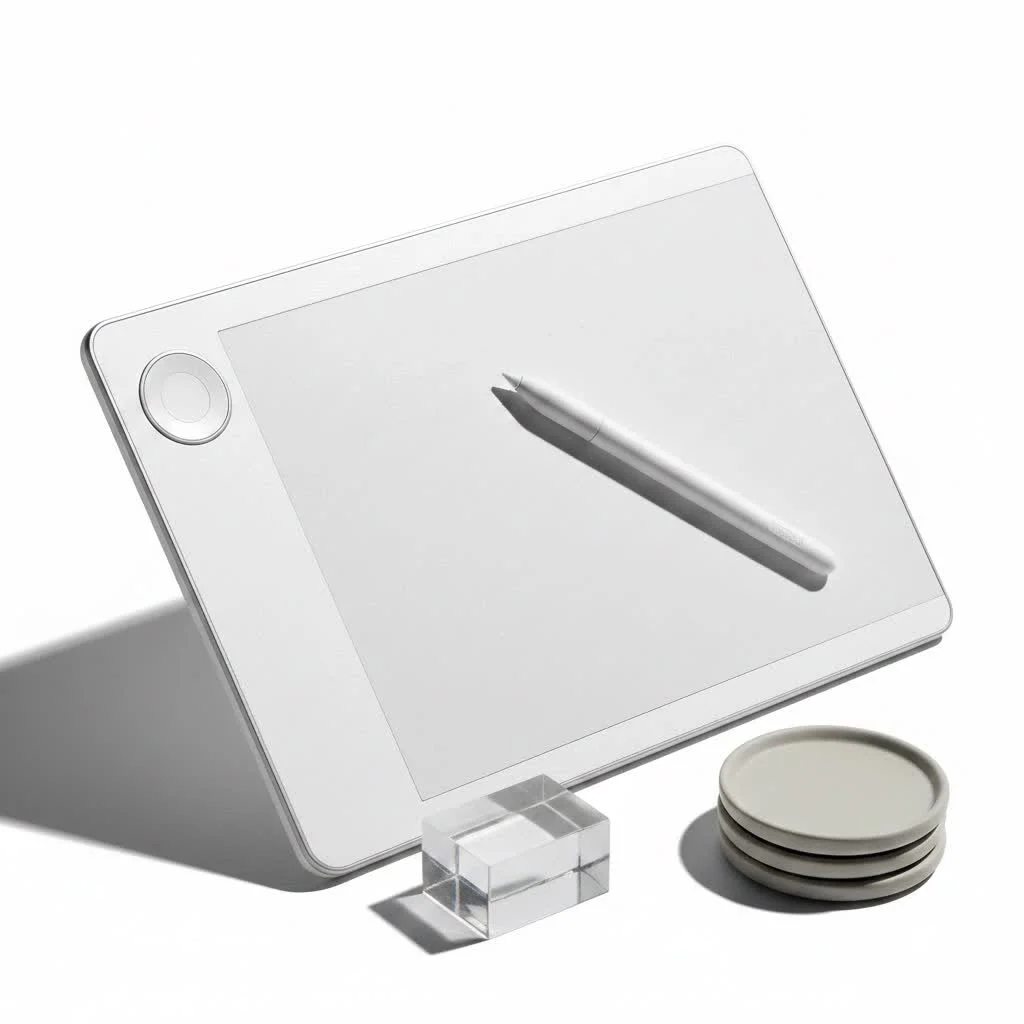
- Graphic Tablets (No Screen): These are classic drawing pads where you draw on the tablet’s surface while looking at your computer monitor. They are affordable and durable, making them a great starting point, but they have a steeper learning curve due to the hand-eye coordination required.
- Graphic Display Tablets: These are the focus of our guide. They feature a built-in screen that you draw directly on, offering a much more natural and intuitive workflow similar to drawing on paper. They must be connected to a computer to function.
- Standalone Tablets: These are all-in-one devices like the Apple iPad Pro or Microsoft Surface. They are computers in their own right, offering incredible power and portability without needing to be tethered to a separate PC.
Key Features to Consider Before You Buy
Navigating spec sheets can be confusing. Let’s break down what truly matters when you’re selecting a graphic display tablet.
Screen Size and Resolution
Your screen is your canvas. A larger screen provides more room for your art and user interface elements, reducing the need to constantly zoom and pan. Resolution determines the clarity of your image. While Full HD (1920×1080) is acceptable for smaller, entry-level tablets, the professional standard is now 4K UHD (3840×2160). A 4K screen on a 16-inch or larger tablet provides a crisp, pixel-free experience where every detail of your work shines.
Color Accuracy
For any serious artist, color accuracy is non-negotiable. You need to trust that the colors you see on your tablet will be the same ones you see in print or on other devices. Look for tablets that cover a high percentage of specific color gamuts:
- sRGB: The standard for web and general digital use. Look for 120% sRGB or more.
- Adobe RGB: Essential for professional photographers and print designers. Aim for 98% coverage or higher.
- DCI-P3: Important for video editing and digital cinema. 99% coverage is a professional benchmark.
The Pen: Your Digital Brush
|
Our Picks for the Best Graphic Tablet in 2026
As an Amazon Associate I earn from qualifying purchases.
|
||
| Num | Product | Action |
|---|---|---|
| 1 | GAOMON M10K Drawing Tablet, 10x6 inch Large Graphics Tablet with Touch Ring, 8192 Levels Battery-Free Stylus, 10 Hot Keys, Art Tablet for Design, Writing, Editing, Work with Mac, Windows, Android |

|
| 2 | Graphics Drawing Tablet, UGEE M708 10 x 6 inch Large Drawing Tablet with 8 Hot Keys, Passive Stylus of 16384 Levels Pressure, UGEE M708 Graphics Tablet for Paint, Design, Art Creation Sketch |
|
| 3 | HUION Inspiroy H1060P Graphics Drawing Tablet with 8192 Pressure Sensitivity Battery-Free Stylus and 12 Customized Hot Keys, 10 x 6.25 inches Digital Art Tablet for Mac, Windows PC and Android |
|
| 4 | Drawing Tablet for Beginner Graphics OSU Tablet with Battery-Free Stylus 8192 Pressure Sensitive for Digital Art, Painting & Design, Compatible with Windows, Mac OS and Android |
|
| 5 | Wacom Intuos Pro Medium Bluetooth Professional Graphic Drawing Tablet with Pro Pen 3, Compatible with Mac, Windows - 2025 Edition |
|
| 6 | HUION Inspiroy H640P Drawing Tablet, 6x4 inch Digital Art with Battery-Free Stylus, 8192 Pen Pressure, 6 Hot Keys, Graphics Tablet for Drawing, Writing, Design, Teaching, Work with Mac, PC & Mobile |
|
| 7 | HUION Drawing Tablet HS610 Graphic Tablet with Battery-Free Stylus 8192 Pen Pressure Tilt Function, 10x6.25 Inches Digital Art for Animation & Design, Compatible with Windows/Mac/Android |
|
| 8 | HUION Kamvas 13 (Gen 3) Drawing Tablet with Screen,13.3\" Full-Laminated Art Tablet with Anti-Sparkle Canvas Glass 2.0, 99% sRGB, PenTech 4.0, 16384 Pen Pressure, Dual Dial for PC, Mac, Android, Black |
|
| 9 | XOPPOX Graphics Drawing Tablet 10 x 6 Inch Large Active Area with 8192 Levels Battery-Free Pen and 12 Hot Keys, Compatible with PC/Mac/Android OS for Painting, Design & Online Teaching Black |
|
| 10 | HUION KAMVAS Pro 16 Drawing Tablet with Screen, 15.6 inch Pen Display Anti-Glare Glass 6 Shortcut Keys Adjustable Stand, Graphics Tablet for Drawing, Writing, Design, Work with Windows, Mac and Linux |
|
The stylus is arguably the most important part of the experience. Look for a pen with EMR (Electro-Magnetic Resonance) technology, which means it’s battery-free and powered wirelessly by the tablet itself. Key pen specs include:
- Pressure Sensitivity: This measures how the tablet responds to the force of your strokes. The standard is 8,192 levels, which allows for incredibly nuanced control over line weight and opacity, from the faintest sketch line to a bold, heavy stroke.
- Tilt Recognition: This feature enables the tablet to detect the angle of your pen, allowing you to create broad, shaded strokes with the side of the nib, just like a real pencil.
- Parallax: This is the small gap between the pen tip and the cursor on the screen, caused by the thickness of the glass. The best graphic display tablets use a laminated display, which fuses the glass and the screen to virtually eliminate parallax and make it feel like you’re truly touching the pixels.
Our Top Picks for the Best Graphic Display Tablet in 2025
After extensive testing and market analysis, here are our recommendations tailored to different types of artists and budgets.
Best Overall: Xencelabs Pen Display 16
For the perfect balance of professional-grade features and excellent value, the Xencelabs Pen Display 16 is our top pick. Xencelabs has quickly become a formidable competitor to the legacy brands by delivering what artists truly need. It features a stunning 4K resolution screen with exceptional color accuracy (99% Adobe RGB), a beautifully etched anti-glare surface that feels like paper, and virtually zero parallax. It comes with two different-sized, battery-free pens to suit your grip preference, along with a highly functional Quick Keys remote for all your shortcuts. It’s a complete professional package at a price that is hard to beat.
The Professional’s Choice: Wacom Cintiq Pro 27
When only the absolute best will do, professionals turn to the Wacom Cintiq Pro 27. It’s an investment, but it delivers an unparalleled drawing experience. Its massive 27-inch 4K screen boasts a 120Hz refresh rate, making every pen stroke buttery smooth with no perceptible lag. The color accuracy is world-class, making it suitable for high-end film, game, and print production. The new Pro Pen 3 is fully customizable, allowing you to change its weight, balance, and grip. This isn’t just a tool; it’s the centerpiece of a professional creative studio.
Best Value for Money: Huion Kamvas Pro 16 (2.5K)
If you’re looking to get professional features without the professional price tag, the Huion Kamvas Pro 16 is an outstanding choice. It offers a crisp 2.5K QHD resolution, which is a significant step up from Full HD and more than enough for detailed work. The laminated screen keeps parallax low, and the battery-free pen provides 8,192 levels of pressure sensitivity. With excellent color reproduction and a solid build quality, this tablet proves you don’t need to break the bank to get a high-quality graphic display tablet.
The Ultimate Portable Studio: Apple iPad Pro (M4)
For artists who value portability without sacrificing power, the latest Apple iPad Pro is in a league of its own. The new Tandem OLED display is breathtakingly vibrant and sharp, and the powerful M4 chip can handle the most demanding creative apps like Procreate and Adobe Photoshop with ease. When paired with the new Apple Pencil Pro, which introduces new squeeze gestures and haptic feedback, the drawing experience is incredibly intuitive and responsive. It’s a complete, self-contained studio you can take anywhere.
“A great display tablet doesn’t just replicate the pen-on-paper feel; it enhances it,” says Alexandria Chen, a lead concept artist at a major gaming studio. “It’s about the immediacy of creation—seeing your lines appear right under the nib with zero perceptible lag or parallax. That’s where the magic happens.”
Frequently Asked Questions (FAQ)
What’s the difference between a graphic tablet and a display tablet? A graphic tablet is a solid plastic slate you draw on while looking at your computer monitor. A graphic display tablet has a built-in screen, so you can see what you’re drawing directly under your pen, which is a more natural and intuitive experience.
Do I need a computer for a graphic display tablet? Yes, almost all graphic display tablets need to be connected to a Windows or Mac computer to function. They act as a second monitor that you can draw on. The only exceptions are standalone tablets like the iPad Pro or Windows-based pen computers.
Is a 4K screen really necessary for a drawing tablet? While not strictly necessary for beginners, a 4K resolution on a 16-inch or larger display provides a significantly sharper and more detailed canvas. It allows you to work on high-resolution illustrations without needing to zoom in constantly, making it a worthwhile feature for serious hobbyists and professionals.
How much should I spend on a display tablet? For beginners or hobbyists, a quality Full HD or 2.5K tablet can be found in the $300-$600 range. For professional-grade features like 4K resolution and superior color accuracy, expect to spend anywhere from $800 to over $2,500.
How long do display tablets last? A well-cared-for graphic display tablet from a reputable brand is a long-term investment that can easily last 5-7 years or more. The most common part you’ll need to replace is the pen nib, which wears down over time with use.
Your Perfect Canvas Awaits
Choosing the best graphic display tablet is about matching the technology to your artistic ambitions and workflow. Whether you’re a professional demanding the highest fidelity from a Wacom Cintiq Pro, an artist on the move with an iPad Pro, or a smart creator getting incredible value from a Xencelabs or Huion, there has never been a better time to be a digital artist. Evaluate your needs, consider your budget, and get ready to unlock a new level of creativity. Now go make something amazing.
Frequently Asked Questions
What is the difference between a graphic tablet and a display tablet?
A graphic tablet is a solid pad you draw on while viewing your computer monitor, requiring hand-eye coordination. A graphic display tablet has a built-in screen, allowing you to draw directly on the display for a more natural and intuitive experience.
Do graphic display tablets require a computer connection?
Yes, most graphic display tablets need to be connected to a Windows or Mac computer to function, acting as a second monitor. Standalone tablets like the Apple iPad Pro are exceptions, as they are self-contained computing devices.
Is a 4K resolution screen essential for a drawing tablet?
While not strictly necessary for beginners, a 4K resolution (3840x2160) on a 16-inch or larger display provides a significantly sharper and more detailed canvas. This is particularly beneficial for serious hobbyists and professionals working on high-resolution illustrations, reducing the need for constant zooming.
What is a reasonable budget for a quality display tablet?
For beginners or hobbyists, a quality Full HD or 2.5K tablet can typically be found in the $300-$600 range. Professional-grade features like 4K resolution and superior color accuracy will increase the cost, with prices ranging from $800 to over $2,500.
How long can I expect a graphic display tablet to last?
A well-maintained graphic display tablet from a reputable brand is a durable investment, often lasting 5-7 years or more. The most common component requiring replacement over time is the pen nib, which wears down with regular use.
Get our weekly buyer guide
Practical specs, not advice. Unsubscribe anytime.
I’ve been looking for a good graphic display tablet that doesn’t break the bank, and the under $1,000 price point mentioned for some of these models is really appealing. I’m a freelance illustrator, and having a device where I can draw directly on the screen would speed up my workflow immensely. Definitely considering one of the options with high Adobe RGB color accuracy for my client work.
I finally upgraded to the Xencelabs Pen Display 16 after years of using a screenless tablet, and wow, what a difference! The 4K resolution is absolutely stunning, and the colors are so vibrant and accurate. Having two battery-free pens is a huge bonus too, I always have a backup ready. It’s truly an immersive experience for my digital painting.
While I appreciate the idea of drawing directly on a screen, I’m still a bit torn. I’ve used graphic tablets without screens for so long, and I’m used to looking at my main monitor. I tried a friend’s display tablet, and the parallax was a little distracting for me, even with the good ones. I might stick to my classic drawing pad for now, as they are more affordable.
As a graphic designer, color accuracy is paramount, and the 99% Adobe RGB mentioned for the Xencelabs Pen Display 16 is exactly what I need. It’s fantastic to have a tool that bridges traditional and digital art so seamlessly. This really feels like a professional-grade device that will elevate my design projects.