The Monoprice 10×6.25 Graphic Drawing Tablet is an excellent, budget-friendly option for digital artists, offering a large 10×6.25-inch active drawing area and 2048 levels of pressure sensitivity. It provides a solid performance comparable to more expensive brands, making it ideal for beginners, hobbyists, and students seeking professional-grade features without a significant financial investment.
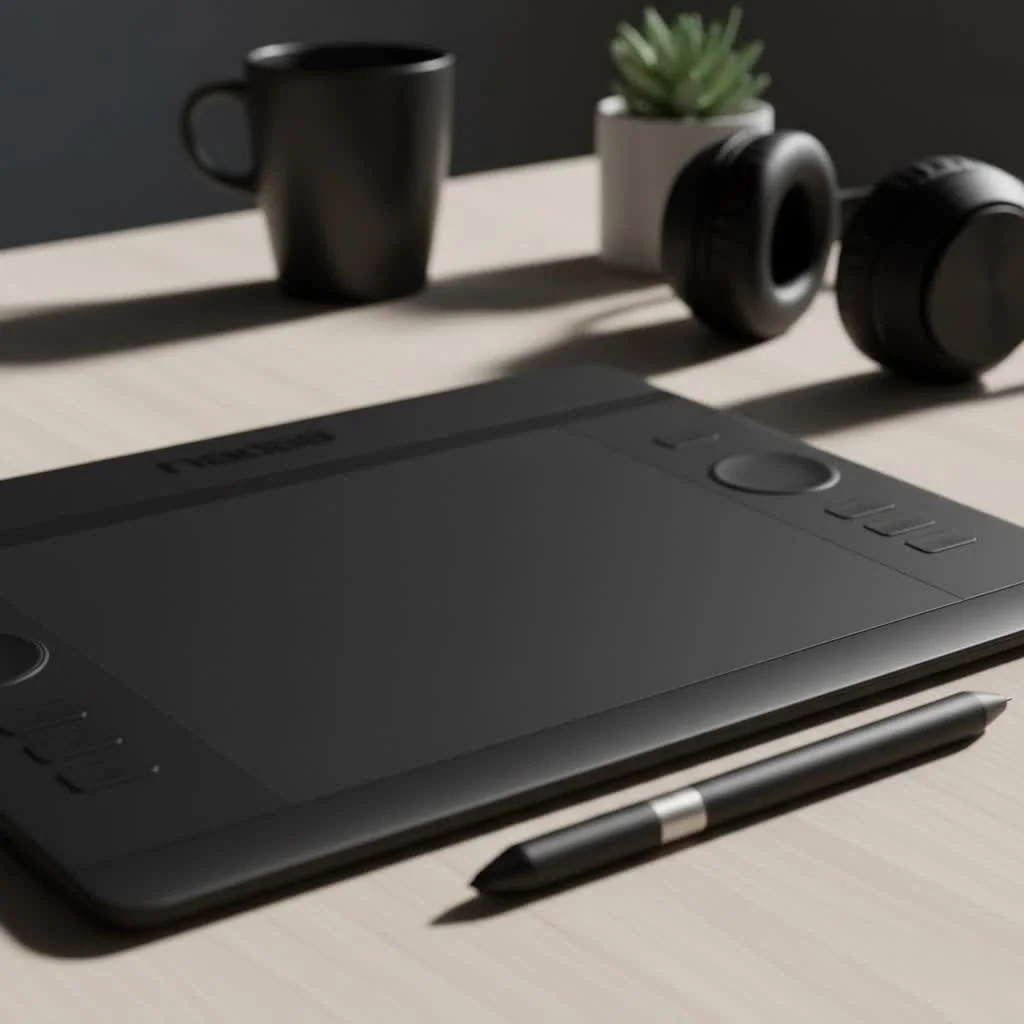
With over 15 years of experience using various graphic tablets, I’ve found that true value lies in performance and reliability. This review will detail the Monoprice 10×6.25 tablet’s features, setup, and real-world drawing capabilities to determine if it’s the budget-conscious creator’s hidden gem.
What’s in the Box? First Impressions
The Monoprice tablet’s packaging is straightforward and practical. Inside, you’ll typically find:
- The 10×6.25-inch tablet itself
- A battery-free, pressure-sensitive pen
- A pen holder with several replacement nibs
- A USB cable to connect the tablet to your computer
- A driver installation CD (though downloading the latest driver online is always recommended)
My first impression was its surprising lightness. The build is primarily plastic, which is expected at this price point. While it doesn’t feel as premium as a Wacom Intuos, it’s sturdy enough for everyday use. The drawing surface has a slight texture, providing a pleasant, paper-like resistance against the pen nib, enhancing control. The large active area is a significant advantage over smaller entry-level tablets, offering ample space for broad strokes.
Key Features and Technical Specifications
Understanding a tablet’s capabilities requires examining its specifications. These numbers provide a baseline for expected performance.
| Feature | Specification | What It Means for You |
|---|---|---|
| Active Area | 10 x 6.25 inches | A large canvas for drawing, reducing the need for constant zooming and panning. |
| Pressure Sensitivity | 2048 Levels | Allows for nuanced control over line weight and opacity, essential for detailed art. |
| Resolution | 4000 LPI (Lines Per Inch) | Determines the level of detail the tablet can capture. Higher LPI means more precision. |
| Report Rate | 200 RPS (Reports Per Second) | How quickly the tablet sends data to the computer. This ensures minimal lag. |
| Express Keys | 8 Programmable Keys | Customizable shortcuts for your most-used tools, speeding up your workflow. |
These specifications are impressive for a tablet in this price category. The 2048 levels of pressure sensitivity, while not the highest available, are more than sufficient for most artistic applications, including digital painting and photo editing.
The Pen: Your Digital Brush
The included pen is battery-free, eliminating the need for charging or battery replacement. It is lightweight and comfortable for extended use. While it lacks the premium feel of pens from more expensive brands, it performs its function well. The two programmable buttons on the side can be customized for common functions like right-click or switching to the eraser tool.
Installation and Driver Setup: The First Hurdle
|
Our Picks for the Best Graphic Tablet in 2026
As an Amazon Associate I earn from qualifying purchases.
|
||
| Num | Product | Action |
|---|---|---|
| 1 | Graphics Drawing Tablet, UGEE M708 10 x 6 inch Large Drawing Tablet with 8 Hot Keys, Passive Stylus of 16384 Levels Pressure, UGEE M708 Graphics Tablet for Paint, Design, Art Creation Sketch |

|
| 2 | HUION Kamvas 13 (Gen 3) Drawing Tablet with Screen,13.3\" Full-Laminated Art Tablet with Anti-Sparkle Canvas Glass 2.0, 99% sRGB, PenTech 4.0, 16384 Pen Pressure, Dual Dial for PC, Mac, Android, Black |
|
| 3 | XOPPOX Graphics Drawing Tablet 10 x 6 Inch Large Active Area with 8192 Levels Battery-Free Pen and 12 Hot Keys, Compatible with PC/Mac/Android OS for Painting, Design & Online Teaching Black |
|
| 4 | HUION KAMVAS Pro 16 Drawing Tablet with Screen, 15.6 inch Pen Display Anti-Glare Glass 6 Shortcut Keys Adjustable Stand, Graphics Tablet for Drawing, Writing, Design, Work with Windows, Mac and Linux |
|
| 5 | HUION Inspiroy H1060P Graphics Drawing Tablet with 8192 Pressure Sensitivity Battery-Free Stylus and 12 Customized Hot Keys, 10 x 6.25 inches Digital Art Tablet for Mac, Windows PC and Android |
|
| 6 | Wacom Intuos Pro Medium Bluetooth Professional Graphic Drawing Tablet with Pro Pen 3, Compatible with Mac, Windows - 2025 Edition |
|
| 7 | HUION Drawing Tablet HS610 Graphic Tablet with Battery-Free Stylus 8192 Pen Pressure Tilt Function, 10x6.25 Inches Digital Art for Animation & Design, Compatible with Windows/Mac/Android |
|
| 8 | GAOMON M10K Drawing Tablet, 10x6 inch Large Graphics Tablet with Touch Ring, 8192 Levels Battery-Free Stylus, 10 Hot Keys, Art Tablet for Design, Writing, Editing, Work with Mac, Windows, Android |
|
| 9 | HUION Inspiroy H640P Drawing Tablet, 6x4 inch Digital Art with Battery-Free Stylus, 8192 Pen Pressure, 6 Hot Keys, Graphics Tablet for Drawing, Writing, Design, Teaching, Work with Mac, PC & Mobile |
|
| 10 | Drawing Tablet for Beginner Graphics OSU Tablet with Battery-Free Stylus 8192 Pressure Sensitive for Digital Art, Painting & Design, Compatible with Windows, Mac OS and Android |
|
Budget tablets can sometimes be tricky with driver installation, and the Monoprice 10×6.25 Graphic Drawing Tablet is no exception. It is crucial to uninstall all other tablet drivers before starting, as conflicts with existing drivers (especially from brands like Wacom) are the most common cause of issues.
It is recommended to ignore the included CD and download the latest driver directly from the Monoprice website. The installation process is straightforward, but a computer restart is necessary. Once installed, the driver software allows customization of:
- Pen Pressure Curve: Adjust how the tablet responds to light and heavy strokes.
- Button Mapping: Assign specific keyboard shortcuts or functions to the pen buttons and the tablet’s express keys.
- Screen Mapping: Define which part of your screen the tablet’s active area corresponds to, essential for multi-monitor setups.
Properly configuring these settings is key to a good drawing experience. Take time to experiment and find what feels most natural for your workflow.
Real-World Performance: Putting it to the Test
After setup, I tested the tablet with Adobe Photoshop, Clip Studio Paint, and Krita, and the results were pleasantly surprising.
The tablet is responsive with minimal noticeable lag. The cursor accurately follows the pen’s movement, and the pressure sensitivity functions as advertised. I was able to create smooth, tapered lines and gradually build up color and opacity. The large drawing area felt liberating, facilitating work on larger compositions without feeling cramped.
The 8 express keys significantly improve workflow efficiency. I mapped my favorite shortcuts—such as undo, redo, zoom in, and zoom out—and found myself working much faster. For beginners, consistently using these keys can greatly enhance the digital art process.
However, it’s not entirely perfect. Occasionally, a slight jitter might occur on very slow, deliberate diagonal strokes. This is a common quirk in many budget tablets but is generally not a deal-breaker unless absolute surgical precision is required for technical line art. For general illustration and painting, it is hardly noticeable.
Who is the Monoprice 10×6.25 Tablet For?
This tablet is ideal for several user types:
- Beginners: It offers professional-level features and a large drawing surface at a fraction of the cost of premium brands, providing an excellent entry point into digital art without significant financial commitment.
- Hobbyists and Students: For those who draw for fun or academic purposes, the Monoprice tablet provides all necessary functionality for creating impressive artwork.
- Artists on a Budget: Even experienced artists needing a backup tablet or a larger portable option will find it valuable, proving that a capable tool doesn’t require a fortune.
However, professional artists who require flawless performance and the highest levels of sensitivity for commercial work might prefer a higher-end model.
Monoprice 10×6.25 vs. Wacom Intuos
The inevitable comparison is with Wacom, the industry standard. A similarly sized Wacom Intuos can cost two to three times as much. The extra cost for a Wacom typically covers brand reputation, superior build quality, more refined driver software, and features like pen tilt recognition on some models. The drawing experience on a Wacom often feels slightly more polished and reliable out of the box.
That said, the Monoprice tablet offers a much larger drawing area for the same price as a small Wacom Intuos. For many artists, especially beginners, having more space to draw is a more tangible benefit than the subtle refinements of a more expensive tablet.
The Final Verdict
The Monoprice 10×6.25 Graphic Drawing Tablet is a remarkable piece of hardware for its price. It makes digital art accessible to a wider audience without demanding a huge investment. The combination of a large active area, reliable pressure sensitivity, and customizable express keys creates a powerful tool for any budding artist or hobbyist.
While it has minor quirks, particularly with driver setup and a less-than-premium build, its performance far outweighs these drawbacks. If you’re willing to spend a little time on setup, you’ll be rewarded with a tablet that can handle serious creative work. For anyone looking to dive into the world of digital art on a budget, this Monoprice tablet is not just a viable option—it’s one of the best you can get.
Frequently Asked Questions
Is Monoprice a good brand for drawing tablets?
Monoprice is known for offering affordable electronics that provide excellent value. While their driver software can sometimes be less polished than top-tier brands, their tablets are well-regarded in the budget category for their performance and features, often providing 2048 levels of pressure sensitivity.
Does the Monoprice 10x6.25 tablet work with Mac and Windows operating systems?
Yes, the Monoprice 10x6.25 tablet is compatible with both major operating systems, Mac and Windows. Always download the latest driver from the official Monoprice website for your specific OS to ensure the best performance and avoid driver conflicts.
Can I use the Monoprice 10x6.25 tablet for photo editing in Photoshop?
Absolutely, the Monoprice 10x6.25 tablet is highly effective for photo editing tasks in software like Photoshop. Its 2048 levels of pressure sensitivity are great for precise tasks such as masking, dodging, and burning, offering significantly more control than a standard mouse.
How do you replace the pen nibs on the Monoprice drawing tablet?
To replace the pen nibs, locate the small metal ring or tool typically found within the pen holder. Use this tool to gently grip and pull out the old nib from the pen, then simply slide a new replacement nib into its place until it is secure.
What should I do if the pen pressure isn't working on my Monoprice tablet?
If pen pressure isn't working, first ensure you have the correct driver installed and that all other tablet drivers are uninstalled to prevent conflicts. Within your art software (e.g., Adobe Photoshop), verify that pen pressure settings are enabled in the brush panel. If issues persist, try reinstalling the Monoprice driver and restarting your computer.
Get our weekly buyer guide
Practical specs, not advice. Unsubscribe anytime.

This tablet is a solid choice for beginners. The 2048 levels of pressure sensitivity are more than enough for what I need as a student, and it was super easy to set up right out of the box. My only minor gripe is that the pen sometimes feels a little light in my hand, but it’s not a dealbreaker. Great value for the money.
I’ve been using the Monoprice 10×6.25 for a few weeks now, and it’s truly a hidden gem for the price. The large active drawing area is fantastic for my illustration work, giving me plenty of room to move. The pressure sensitivity feels really good, especially coming from a much older, more expensive tablet that just died on me. Definitely recommend it for anyone on a budget.
I picked up the Monoprice 10×6.25 after hearing good things about its budget-friendly nature. While the performance is decent for the price, I’ve noticed a slight lag when making very fast strokes, which can be a bit frustrating for detailed line art. It’s fine for general sketching and coloring, but I might look for something with better responsiveness if I upgrade.
As a hobbyist, I was looking for something that wouldn’t break the bank but still offered professional-grade features, and this tablet delivers. The battery-free pen is a huge plus, no more worrying about charging it mid-project! It’s been a game-changer for my digital painting, and I’m really impressed with how it stacks up against pricier options.