The best graphic design tablets in 2025 are the Wacom Cintiq Pro 17 for studio professionals, the Apple iPad Pro (M4) for portable design, the Huion Kamvas Pro 16 (2.5K) for budget-conscious professionals, and the XPPen Deco series for beginners. These devices offer varying levels of pressure sensitivity, screen resolution, and color accuracy, with professional models typically featuring 8,192 pressure levels and wide Adobe RGB or DCI-P3 color gamut coverage for precise work.
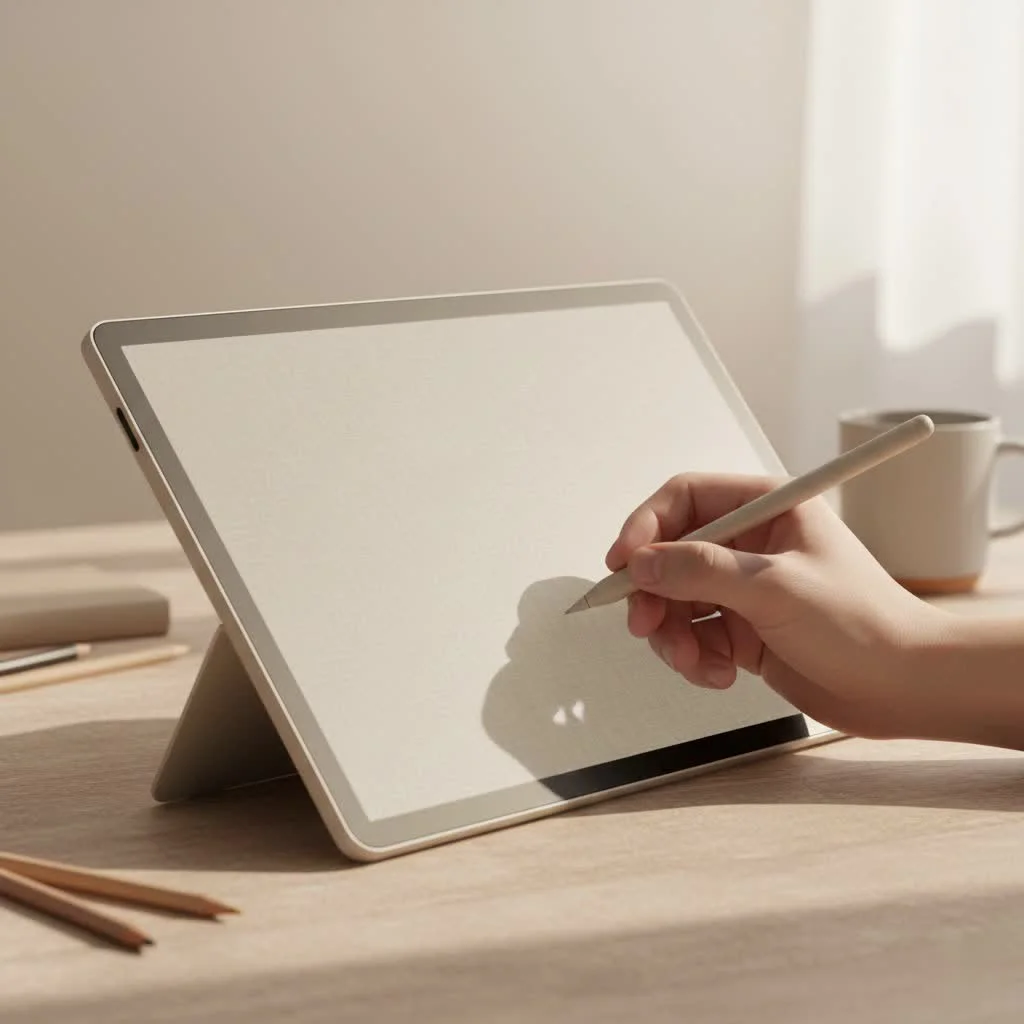
What Defines the Best Tablet for Graphic Design?
Before we dive into specific models, let’s break down what actually matters. It’s easy to get lost in numbers and marketing jargon. From my experience, your choice boils down to a few key areas that directly impact your workflow.
The Big Three: Types of Graphic Tablets
First, you need to understand the main categories of tablets available. Your choice here fundamentally changes how you work.
- Pen Tablets: These are the classic, screenless drawing pads. You draw on the tablet’s surface while looking at your computer monitor. They are incredibly durable, affordable, and great for ergonomics, helping you maintain a better posture. Brands like Wacom have dominated this space for years with their Intuos line. They are an excellent starting point for beginners.
- Pen Displays: These devices feature a built-in screen that you draw directly on, offering a more intuitive pen-on-paper experience. They must be connected to a computer to function. This category, including the Wacom Cintiq and Huion Kamvas series, is the standard for most studio professionals who need precise color work and a large drawing area integrated with their desktop software.
- Standalone Tablets: These are all-in-one computers like the Apple iPad Pro and Microsoft Surface Pro. They offer the ultimate portability, allowing you to design from anywhere without being tethered to a desk. Their power and specialized creative apps have made them a top choice for designers who value flexibility and a streamlined workflow.
Key Features That Actually Matter
When comparing models, focus on these specifications. They are the true differentiators in performance.
- Pressure Sensitivity: This determines how the tablet interprets the force you apply with the stylus. Higher levels mean you can create finer variations in line weight and opacity, mimicking the feel of traditional tools. Most professional tablets offer 8,192 levels, but newer models are pushing even higher.
- Screen Resolution & Color Accuracy: For pen displays and standalone tablets, this is non-negotiable. Look for high-resolution screens (QHD or 4K) that cover a wide percentage of the Adobe RGB or DCI-P3 color gamuts. This ensures the colors you see on the screen are the colors that will appear in print or on other devices. OLED screens are becoming the new gold standard for their incredible contrast and color depth.
- Stylus Performance: The pen is your primary tool. Consider its ergonomics, whether it needs charging, and features like tilt recognition and barrel roll. The new Apple Pencil Pro, for example, has introduced gestures like squeezing that can speed up your workflow significantly.
Our Top Picks: The Best Tablet for Graphic Designers in 2025
After extensive use and review, here are my top recommendations tailored for different needs and budgets.
Best Overall: Wacom Cintiq Pro 17
|
Our Picks for the Best Graphic Tablet in 2026
As an Amazon Associate I earn from qualifying purchases.
|
||
| Num | Product | Action |
|---|---|---|
| 1 | HUION Inspiroy H640P Drawing Tablet, 6x4 inch Digital Art with Battery-Free Stylus, 8192 Pen Pressure, 6 Hot Keys, Graphics Tablet for Drawing, Writing, Design, Teaching, Work with Mac, PC & Mobile |

|
| 2 | XOPPOX Graphics Drawing Tablet 10 x 6 Inch Large Active Area with 8192 Levels Battery-Free Pen and 12 Hot Keys, Compatible with PC/Mac/Android OS for Painting, Design & Online Teaching Black |
|
| 3 | GAOMON M10K Drawing Tablet, 10x6 inch Large Graphics Tablet with Touch Ring, 8192 Levels Battery-Free Stylus, 10 Hot Keys, Art Tablet for Design, Writing, Editing, Work with Mac, Windows, Android |
|
| 4 | HUION KAMVAS Pro 16 Drawing Tablet with Screen, 15.6 inch Pen Display Anti-Glare Glass 6 Shortcut Keys Adjustable Stand, Graphics Tablet for Drawing, Writing, Design, Work with Windows, Mac and Linux |
|
| 5 | HUION Drawing Tablet HS610 Graphic Tablet with Battery-Free Stylus 8192 Pen Pressure Tilt Function, 10x6.25 Inches Digital Art for Animation & Design, Compatible with Windows/Mac/Android |
|
| 6 | HUION Inspiroy H1060P Graphics Drawing Tablet with 8192 Pressure Sensitivity Battery-Free Stylus and 12 Customized Hot Keys, 10 x 6.25 inches Digital Art Tablet for Mac, Windows PC and Android |
|
| 7 | Wacom Intuos Pro Medium Bluetooth Professional Graphic Drawing Tablet with Pro Pen 3, Compatible with Mac, Windows - 2025 Edition |
|
| 8 | Drawing Tablet for Beginner Graphics OSU Tablet with Battery-Free Stylus 8192 Pressure Sensitive for Digital Art, Painting & Design, Compatible with Windows, Mac OS and Android |
|
| 9 | Graphics Drawing Tablet, UGEE M708 10 x 6 inch Large Drawing Tablet with 8 Hot Keys, Passive Stylus of 16384 Levels Pressure, UGEE M708 Graphics Tablet for Paint, Design, Art Creation Sketch |
|
| 10 | HUION Kamvas 13 (Gen 3) Drawing Tablet with Screen,13.3\" Full-Laminated Art Tablet with Anti-Sparkle Canvas Glass 2.0, 99% sRGB, PenTech 4.0, 16384 Pen Pressure, Dual Dial for PC, Mac, Android, Black |
|
For the studio professional who demands the absolute best in screen and pen technology, the Wacom Cintiq Pro line is still the reigning champion. While not a standalone device, its seamless integration with professional desktop software like Adobe Creative Suite is unmatched.
The Pro Pen 3 is highly customizable, and the 4K screen with its 99% Adobe RGB coverage is a dream for color-critical work. The etched glass surface provides a tactile, paper-like feel that many artists, including myself, find essential for control and comfort. It’s a significant investment, but for a dedicated design workstation, it’s worth every penny.
Best Standalone Tablet: Apple iPad Pro (M4)
The latest iPad Pro has solidified its place as a powerhouse tool for graphic designers. The new Tandem OLED display is arguably the best screen on any portable device, offering breathtaking contrast and color accuracy. Combined with the M4 chip, it handles complex illustration, photo editing, and even 3D modeling without breaking a sweat.
The key advantage of the iPad is its ecosystem. Apps like Procreate and Adobe Fresco are optimized for the platform and the Apple Pencil Pro, creating a fluid and intuitive creative experience. For the designer on the move, it’s the perfect blend of power and portability.
Best for Professionals on a Budget: Huion Kamvas Pro 16 (2.5K)
Huion has become a formidable competitor to Wacom, offering professional-grade features at a much more accessible price point. The Kamvas Pro 16 is a sweet spot, providing a 2.5K resolution screen with excellent color gamut coverage that rivals more expensive models.
The pen technology is responsive and reliable, and the overall build quality is impressive. While it may lack some of the polished refinements of a Wacom, it delivers incredible value and is more than capable of producing professional-quality work. It’s the tablet I recommend to most designers looking to upgrade to a pen display without emptying their bank account.
Best for Beginners: XPPen Deco Series
If you’re just starting, a screenless pen tablet is the most practical and affordable way to begin. The XPPen Deco series offers fantastic performance for its price. With high levels of pressure sensitivity and a solid build, these tablets provide all the core functionality you need to learn the ropes of digital design. They are compatible with all major design software and are simple to set up, making them an ideal and low-risk entry into the world of graphic tablets.
How to Choose the Right Tablet for You
The “best” tablet is subjective. Your ideal choice depends entirely on your workflow, where you work, and your budget.
“The best tool is the one that gets out of your way and lets you create. Don’t get fixated on having the most expensive gear. Focus on what fits your personal process. A simple pen tablet in the right hands can create masterpieces.” – Alex Chen, Digital Artist & Educator
Consider this checklist:
- For the Studio Professional: Your work is desk-based and color-critical. You need seamless integration with a powerful computer.
- Go for: A Pen Display like the Wacom Cintiq Pro or Huion Kamvas Pro.
- For the Traveling Designer: You work from coffee shops, client offices, and on the go. Portability is everything.
- Go for: A Standalone Tablet like the iPad Pro or Microsoft Surface Pro.
- For the Student or Hobbyist: You need a reliable, affordable tool to learn and grow with.
- Go for: A Pen Tablet like the Wacom Intuos or XPPen Deco.
Frequently Asked Questions (FAQ)
What is the main difference between a drawing tablet and an iPad?
A traditional drawing tablet (pen tablet or pen display) is a dedicated peripheral that must be connected to a computer. An iPad is a standalone computer with a multi-purpose operating system and a vast ecosystem of creative apps, making it more versatile but sometimes less specialized for certain desktop-based workflows.
Do I need a 4K screen for graphic design?
A 4K screen is beneficial for detailed work on large canvases, but it’s not essential for everyone. A QHD (2.5K) or even a high-quality Full HD screen with excellent color accuracy is perfectly sufficient for most professional graphic design tasks.
How much pressure sensitivity is enough?
Most modern tablets come with 8,192 levels of pressure sensitivity, which is more than enough for professional work. The quality of the pen’s initial activation force (how lightly you can press to make a mark) is often more important than the maximum pressure levels.
Can I use a Samsung Galaxy Tab for graphic design?
Absolutely. The Samsung Galaxy Tab S9 Ultra, with its large, vibrant AMOLED screen and included S Pen, is a powerful Android-based option. It’s excellent for drawing and illustration, especially with apps like Clip Studio Paint, though the professional creative app ecosystem is not as extensive as Apple’s iPadOS.
What software is compatible with these tablets?
All pen tablets and pen displays work as input devices for macOS and Windows, so they are compatible with the entire Adobe Creative Suite, CorelDRAW, Affinity Designer, and more. Standalone tablets like the iPad have their own app stores with powerful exclusives like Procreate and tailored versions of Adobe apps.
Your Perfect Digital Canvas Awaits
Choosing the best tablet for graphic designers is a personal journey. The technology available today is more powerful and accessible than ever before. By focusing on your specific needs—whether it’s the portability of an iPad Pro, the professional power of a Wacom Cintiq, or the affordability of an XPPen—you can find a tool that not only enhances your skills but also inspires you to create your best work. So assess your workflow, consider your budget, and get ready to bring your ideas to life.
Frequently Asked Questions
What is the main difference between a drawing tablet and an iPad?
A traditional drawing tablet, such as a pen tablet or pen display, is a dedicated peripheral that requires connection to a computer for full functionality. In contrast, an iPad is a standalone computer with a multi-purpose operating system and a broad ecosystem of creative applications, offering greater versatility but sometimes less specialization for specific desktop-based workflows.
Do I need a 4K screen for graphic design work?
A 4K screen is beneficial for highly detailed work on large canvases, but it is not universally essential for all graphic designers. A QHD (2.5K) or a high-quality Full HD screen with excellent color accuracy is often sufficient for most professional graphic design tasks, providing clear visuals without the added cost of 4K.
How much pressure sensitivity is adequate for professional use?
Most modern professional tablets offer 8,192 levels of pressure sensitivity, which is more than sufficient for professional graphic design work. The quality of the pen's initial activation force, which determines how lightly you can press to make a mark, is often a more critical factor than the maximum number of pressure levels.
Can a Samsung Galaxy Tab be used effectively for graphic design?
Yes, a Samsung Galaxy Tab can be used effectively for graphic design. The Samsung Galaxy Tab S9 Ultra, for example, features a large, vibrant AMOLED screen and an included S Pen, making it a powerful Android-based option for drawing and illustration, particularly with apps like Clip Studio Paint. However, its professional creative app ecosystem is not as extensive as Apple's iPadOS.
What software is compatible with these graphic design tablets?
All pen tablets and pen displays function as input devices for both macOS and Windows operating systems, ensuring compatibility with major software suites like Adobe Creative Suite, CorelDRAW, and Affinity Designer. Standalone tablets, such as the iPad, utilize their own app stores, offering powerful exclusive applications like Procreate and optimized versions of Adobe apps.
How to Choose the Right Graphic Design Tablet
Choosing the best graphic design tablet depends on your workflow, where you work, and your budget. This guide helps you identify the ideal tablet type for your specific needs.
Determine if your work is primarily desk-based and color-critical, or if you require portability for designing on the go. Studio professionals often benefit from pen displays, while traveling designers need standalone tablets.
Evaluate how much you are willing to invest. Pen tablets are generally the most affordable entry point, while high-end pen displays and standalone tablets represent a significant investment. Huion offers professional features at a more accessible price point.
Choose between pen tablets (screenless, affordable, good for beginners), pen displays (screen-integrated, precise, ideal for studio professionals), or standalone tablets (all-in-one, portable, great for flexibility). Each type offers distinct advantages for different users.
Focus on pressure sensitivity (8,192 levels are standard for pros), screen resolution (QHD or 4K for displays), color accuracy (Adobe RGB/DCI-P3 coverage), and stylus performance (ergonomics, tilt recognition). These specifications directly impact your creative output.
Get our weekly buyer guide
Practical specs, not advice. Unsubscribe anytime.

I’ve been using the Huion Kamvas Pro 16 (2.5K) for a few months now and I’m really impressed. For the price, the screen resolution is fantastic and it handles most of my design tasks without a hitch. It’s a great option if you’re a professional but don’t want to break the bank on a Wacom.
I finally upgraded to the Wacom Cintiq Pro 17 and it’s been a game changer for my studio work. The color accuracy is incredible, and the pressure sensitivity really makes a difference for detailed illustrations. It’s definitely an investment, but worth every penny for professional designers.
The Apple iPad Pro (M4) is my go-to for design on the go. The portability is unmatched, and it’s powerful enough to handle complex projects when I’m away from my desk. The DCI-P3 color gamut coverage is also a huge plus for ensuring my work looks consistent across devices.
I picked up an XPPen Deco series tablet to try out digital art as a beginner. It’s decent for getting started, but I found the pressure levels a bit inconsistent compared to what I’ve heard about higher-end models. It’s good for the price, but I’m already thinking about upgrading for more precision.