The best graphic drawing tablet for most artists in 2025 is the Wacom Intuos Pro (Medium), offering 8,192 levels of pressure sensitivity and exceptional build quality for professionals and serious hobbyists. For beginners, the Huion Inspiroy 2 M provides professional-level specs at an affordable price, while the XP-Pen Artist Pro 16 (Gen 2) stands out as the top pen display with a 16-inch laminated screen and responsive X3 Pro Smart Chip Stylus.
What Makes a Great Graphic Drawing Tablet?
Before selecting a specific model, it’s crucial to understand the key features that define a great graphic drawing tablet. The ideal tablet is subjective and depends heavily on individual needs, workflow, and budget. Consider these core components:
Display vs. Non-Display Tablets
This is the first major decision for any artist.
- Non-Display Tablets (Pen Tablets): These classic drawing pads require you to draw on the tablet’s surface while viewing your work on a separate computer monitor. They are generally more affordable, durable, and excellent for developing hand-eye coordination, making them a strong choice for beginners and many experienced professionals.
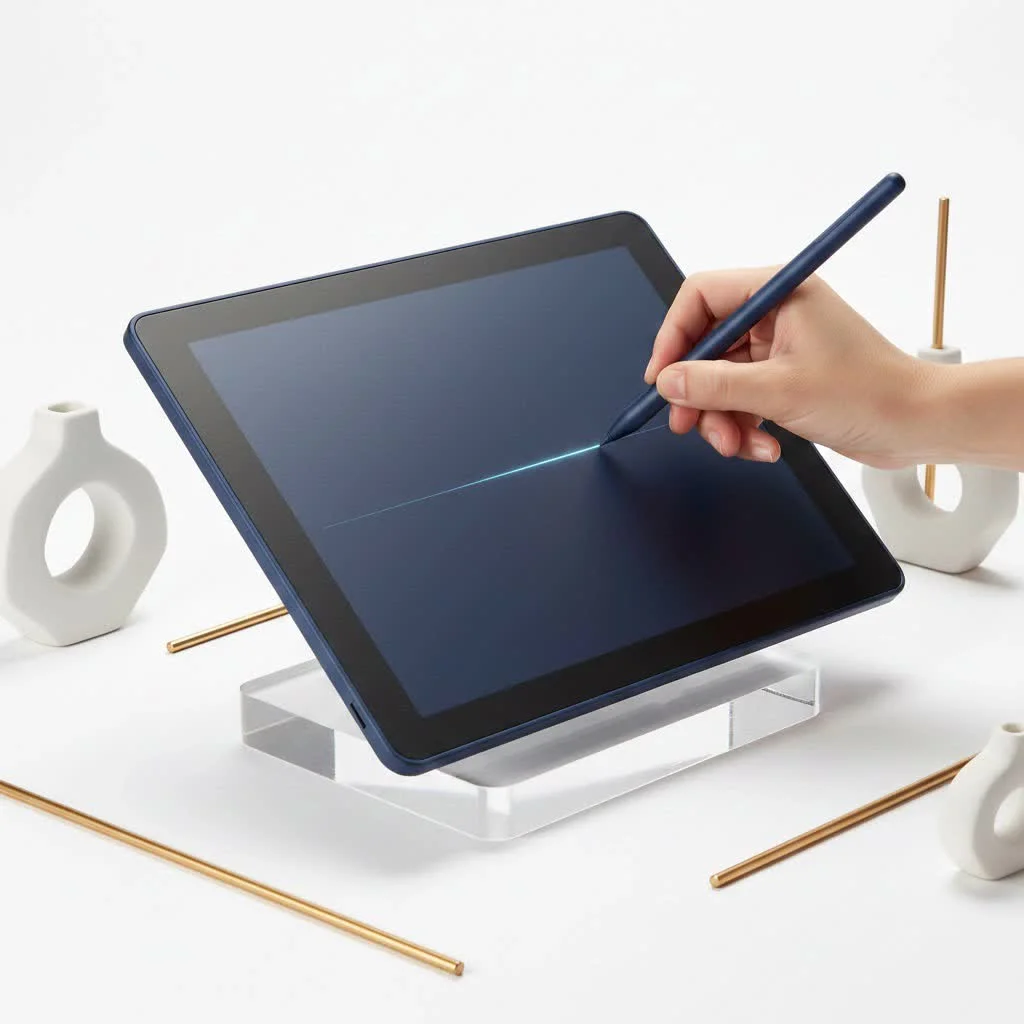
- Display Tablets (Pen Displays): These tablets feature a built-in screen, allowing direct drawing on the surface where the image appears. This provides a more natural and intuitive drawing experience, akin to traditional paper. While typically more expensive, many artists prefer them for their direct workflow.
Key Features to Consider
- Pressure Sensitivity: This feature dictates how the tablet registers the force of your pen stroke. Higher levels of pressure sensitivity, such as 8192, enable more nuanced control over line weight and opacity, closely mimicking traditional art tools. Most artists find anything above 4096 levels to be excellent.
- Resolution (LPI): Lines Per Inch (LPI) indicates the detail the tablet can capture. A higher LPI means the tablet recognizes more pen detail, resulting in smoother, more precise lines. For professional-grade results, look for tablets with an LPI of 5080.
- Active Area: This is the usable drawing surface on the tablet. A larger active area offers more room for broad strokes, which can be more comfortable for artists accustomed to large canvases. However, larger tablets are less portable and more expensive. The choice should align with your monitor size and available desk space.
- Pen Type: Most modern tablets include a battery-free pen utilizing EMR (Electro-Magnetic Resonance) technology, eliminating the need for charging. Key considerations for the pen include its ergonomics, weight, and the number of programmable buttons.
Our Top Picks for the Best Graphic Drawing Tablets
After extensive testing and research, these top contenders stand out for their performance, value, and features in 2025.
Best Overall: Wacom Intuos Pro (Medium)
|
Our Picks for the Best Graphic Tablet in 2026
As an Amazon Associate I earn from qualifying purchases.
|
||
| Num | Product | Action |
|---|---|---|
| 1 | HUION Kamvas 13 (Gen 3) Drawing Tablet with Screen,13.3\" Full-Laminated Art Tablet with Anti-Sparkle Canvas Glass 2.0, 99% sRGB, PenTech 4.0, 16384 Pen Pressure, Dual Dial for PC, Mac, Android, Black |

|
| 2 | Wacom Intuos Pro Medium Bluetooth Professional Graphic Drawing Tablet with Pro Pen 3, Compatible with Mac, Windows - 2025 Edition |
|
| 3 | GAOMON M10K Drawing Tablet, 10x6 inch Large Graphics Tablet with Touch Ring, 8192 Levels Battery-Free Stylus, 10 Hot Keys, Art Tablet for Design, Writing, Editing, Work with Mac, Windows, Android |
|
| 4 | HUION Inspiroy H1060P Graphics Drawing Tablet with 8192 Pressure Sensitivity Battery-Free Stylus and 12 Customized Hot Keys, 10 x 6.25 inches Digital Art Tablet for Mac, Windows PC and Android |
|
| 5 | XOPPOX Graphics Drawing Tablet 10 x 6 Inch Large Active Area with 8192 Levels Battery-Free Pen and 12 Hot Keys, Compatible with PC/Mac/Android OS for Painting, Design & Online Teaching Black |
|
| 6 | Drawing Tablet for Beginner Graphics OSU Tablet with Battery-Free Stylus 8192 Pressure Sensitive for Digital Art, Painting & Design, Compatible with Windows, Mac OS and Android |
|
| 7 | HUION Inspiroy H640P Drawing Tablet, 6x4 inch Digital Art with Battery-Free Stylus, 8192 Pen Pressure, 6 Hot Keys, Graphics Tablet for Drawing, Writing, Design, Teaching, Work with Mac, PC & Mobile |
|
| 8 | Graphics Drawing Tablet, UGEE M708 10 x 6 inch Large Drawing Tablet with 8 Hot Keys, Passive Stylus of 16384 Levels Pressure, UGEE M708 Graphics Tablet for Paint, Design, Art Creation Sketch |
|
| 9 | HUION Drawing Tablet HS610 Graphic Tablet with Battery-Free Stylus 8192 Pen Pressure Tilt Function, 10x6.25 Inches Digital Art for Animation & Design, Compatible with Windows/Mac/Android |
|
| 10 | HUION KAMVAS Pro 16 Drawing Tablet with Screen, 15.6 inch Pen Display Anti-Glare Glass 6 Shortcut Keys Adjustable Stand, Graphics Tablet for Drawing, Writing, Design, Work with Windows, Mac and Linux |
|
Wacom has long been the industry standard, and the Intuos Pro line reinforces this reputation. It is a non-display tablet that delivers a nearly flawless drawing experience.
- Why it wins: The Pro Pen 2 offers 8,192 levels of pressure sensitivity and virtually no lag. Its exceptional build quality, customizable ExpressKeys, and Touch Ring significantly enhance workflow.
- Best for: Professionals, serious hobbyists, and anyone seeking a reliable, top-tier tool with long-term durability.
Best for Beginners: Huion Inspiroy 2 M
Huion has emerged as a strong competitor, providing excellent value without a high price. The Inspiroy 2 is an ideal entry point into digital art.
- Why it wins: It features professional-level specifications, including 8,192 levels of pressure sensitivity and a battery-free pen, all within a budget-friendly package. The inclusion of programmable Group Keys and a Scroller is a valuable addition for new users.
- Best for: Beginners and students who require a high-quality, affordable tablet to support their learning and artistic development.
Best Pen Display: XP-Pen Artist Pro 16 (Gen 2)
For those who prefer drawing directly on a screen, the XP-Pen Artist Pro 16 offers a premium experience comparable to more expensive alternatives.
- Why it wins: Its 16-inch laminated screen minimizes parallax, creating a direct connection between the pen tip and the cursor. The X3 Pro Smart Chip Stylus is highly responsive, detecting even the lightest strokes with a lower initial activation force. The color accuracy is also superb for its price point.
- Best for: Digital painters, illustrators, and photo editors who desire the natural feel of a pen display without the flagship cost.
Best Budget Pen Display: Wacom One 13 Touch
Wacom’s entry-level display tablet is an excellent choice for those seeking the Wacom experience on a budget. It is designed for immediate creative use.
- Why it wins: It combines a reliable 13.3-inch screen with Wacom’s trusted pen technology and includes multi-touch capability for intuitive navigation. It is easy to set up and comes with bundled creative software, making it an excellent all-in-one package for new users.
- Best for: Students, hobbyists, and individuals transitioning from a non-display tablet to a pen display for the first time.
“The right tool doesn’t make you a better artist, but it removes the friction between your idea and the canvas. A tablet with minimal lag and predictable pressure allows you to forget you’re using a computer and just focus on creating.” – Alex Chen, Senior Concept Artist
Frequently Asked Questions (FAQ)
Do I need a graphic tablet with a screen?
A screen is not strictly necessary, but it can enhance the natural feel of the drawing process. Non-display tablets are more affordable and fully capable for professional work; the choice often depends on personal preference and budget. Many artists achieve excellent results without a screen.
What is the best size for a drawing tablet?
A medium-sized tablet, typically with an active area around 10 x 6 inches, is ideal for most users. This size provides ample space for comfortable drawing without occupying excessive desk space. Small tablets are excellent for portability, while large tablets suit artists using multiple large monitors.
How much pressure sensitivity do I really need?
While 8,192 levels of pressure sensitivity have become standard, most artists will not perceive a significant difference above 2,048 levels. The crucial factor is the smooth implementation of the pressure curve by the tablet’s driver. All recommended tablets in this guide offer excellent pressure handling.
What’s the main difference between Wacom, Huion, and XP-Pen?
Wacom is a legacy brand renowned for its impeccable build quality, driver stability, and industry-leading pen technology, typically at a premium price. Huion and XP-Pen are newer competitors that offer comparable features and performance at more accessible price points, providing excellent value.
Can I use a graphic drawing tablet as a mouse?
Yes, all graphic tablets can function as a mouse replacement. The pen provides precise cursor control, and many users find it more ergonomic for daily navigation once they become accustomed to it.
Your Creative Journey Starts Here
Choosing the best graphic drawing tablet is a fundamental step in your digital art career. Consider your personal workflow, budget, and creative goals. A non-display tablet like the Wacom Intuos Pro is a professional workhorse, while the Huion Inspiroy 2 M offers an excellent entry point for beginners. If a screen is essential, the XP-Pen Artist Pro 16 (Gen 2) delivers premium features without a flagship price.
The best tool is one that facilitates your creativity without hindrance. Whichever tablet you choose, invest time in proper setup, customize its buttons to your workflow, and practice. Your tablet is ready to help you create your next masterpiece.
Frequently Asked Questions
Do I need a graphic tablet with a screen?
A screen is not strictly necessary for a graphic tablet, but it can make the drawing process feel more natural. Non-display tablets are more affordable and fully capable for professional work; many artists achieve excellent results without a screen, making the choice dependent on personal preference and budget.
What is the best size for a drawing tablet?
A medium-sized tablet, typically with an active area around 10 x 6 inches, is ideal for most users. This size provides ample space for comfortable drawing without occupying excessive desk space. Small tablets are excellent for portability, while large tablets suit artists using multiple large monitors.
How much pressure sensitivity do I really need?
While 8,192 levels of pressure sensitivity have become standard, most artists will not perceive a significant difference above 2,048 levels. The crucial factor is the smooth implementation of the pressure curve by the tablet's driver. All recommended tablets in this guide offer excellent pressure handling.
What's the main difference between Wacom, Huion, and XP-Pen?
Wacom is a legacy brand renowned for its impeccable build quality, driver stability, and industry-leading pen technology, typically at a premium price. Huion and XP-Pen are newer competitors that offer comparable features and performance at more accessible price points, providing excellent value for artists.
Can I use a graphic drawing tablet as a mouse?
Yes, absolutely. All graphic tablets can function as a mouse replacement. The pen provides precise cursor control, and many users find it more ergonomic for daily navigation once they become accustomed to it, offering a different interaction method than a traditional mouse.
Get our weekly buyer guide
Practical specs, not advice. Unsubscribe anytime.
I got the XP-Pen Artist Pro 16 (Gen 2) because I really wanted a pen display, and the 16-inch laminated screen sounded perfect. The display itself is gorgeous, and the X3 Pro Smart Chip Stylus is very responsive. However, I’ve noticed a slight parallax effect near the edges, which can be a little distracting when doing detailed work. It’s not a deal-breaker, but something to be aware of.
I finally upgraded to the Wacom Intuos Pro (Medium) after years of using an old, basic tablet, and wow, what a difference! The 8,192 levels of pressure sensitivity are no joke; my lines are so much smoother and more natural. It feels incredibly sturdy and well-built, definitely worth the investment for serious hobbyists like me.
As a beginner, I was really torn between all the options, but the recommendation for the Huion Inspiroy 2 M was spot on. It’s amazing to get professional-level specs without breaking the bank. The drawing experience is super fluid, and it’s been a great tool for learning digital art. My only minor gripe is that the drivers were a bit finicky to install initially.
I’ve always preferred non-display tablets for their portability and focus on hand-eye coordination, and my new tablet doesn’t disappoint. The build quality is excellent, and it feels like a natural extension of my hand. It’s made my workflow so much more efficient, especially when I’m out and about.