Step into the world of digital art, and you’ll hear names like Wacom, Huion, and XP-Pen dominate the conversation. But cast your mind back a decade, and you might remember another brand that offered many aspiring artists their first taste of a digital canvas: Genius. The Genius graphic tablet was a common sight on desks, known for its budget-friendly price tag. But in a market now filled with high-spec, affordable alternatives, a crucial question arises: does a Genius tablet still hold any value for artists today?
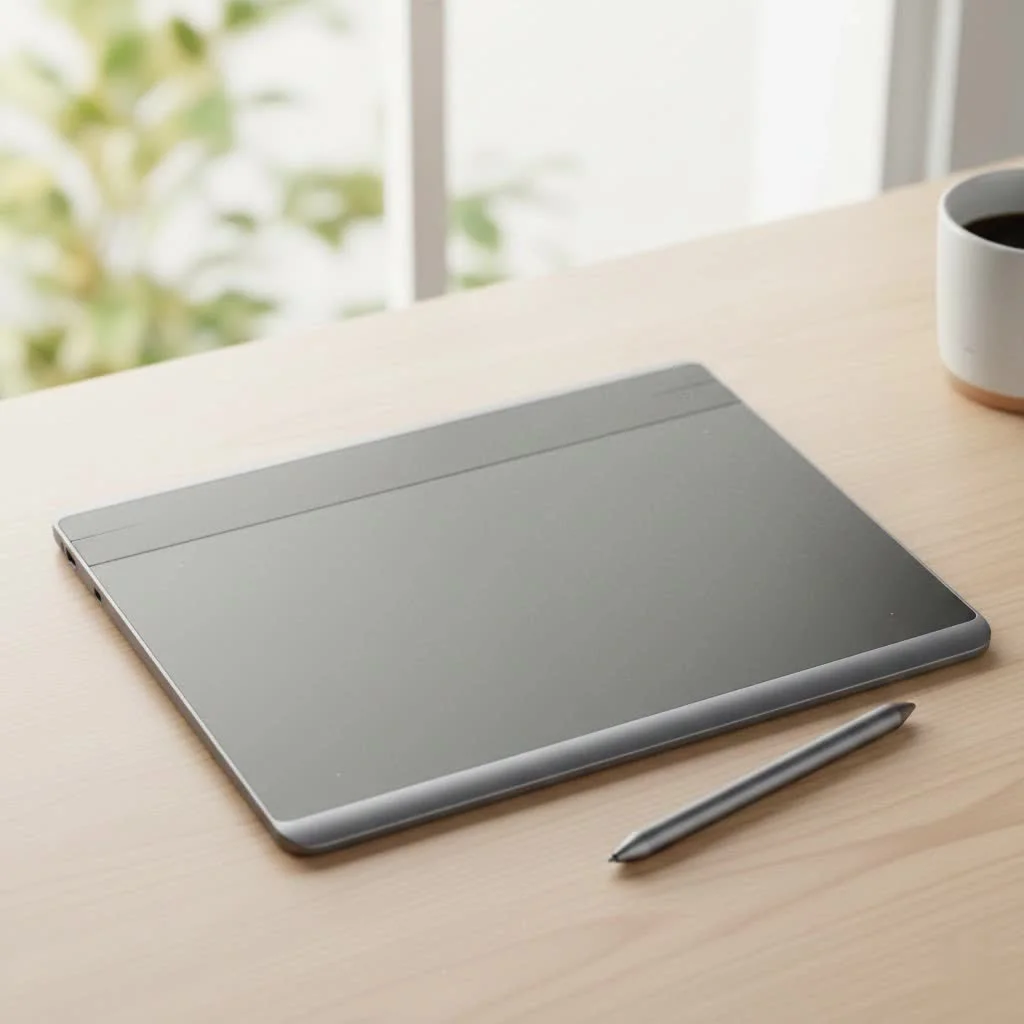
As a professional with over 15 years in the graphic design industry, I’ve seen brands come and go. Genius was a stepping stone for many, but technology has leaped forward. This article will provide an honest, in-depth look at the Genius graphic tablet, exploring its features, its significant modern-day challenges, and whether you should consider one in 2025. For compare top reviews on this site.
What Exactly is a Genius Graphic Tablet?
Genius, a brand under the Taiwanese company KYE Systems Corp, has a long history of producing computer peripherals, from mice to keyboards. Their graphic tablets, such as the popular “MousePen” and “EasyPen” series, carved out a niche as highly accessible entry-level devices. They were often the most affordable option available, making digital art possible for students and hobbyists who couldn’t stretch to the premium prices of competitors at the time.
These tablets offered the core functionality needed for digital drawing: a pressure-sensitive pen and a mapped surface that corresponded to the computer screen. Models like the EasyPen i405x or the G-Pen F610 provided a basic but functional platform for creativity.
The Core Drawing Experience
For their time, Genius tablets were respectable performers. They delivered on the promise of translating hand movements into digital strokes. Let’s break down the typical features you’d find:
- Pressure Sensitivity: Most Genius models offered 1,024 levels of pressure sensitivity. This allows artists to vary line weight and opacity by pressing harder or softer with the pen, a fundamental feature for expressive drawing.
- Working Area: They came in various sizes, with popular models like the EasyPen i405 offering a compact 4″ x 5.5″ active area, suitable for users with limited desk space.
- The Pen/Stylus: A key difference from most modern tablets is that the pens for Genius tablets often required a AAA battery. This added a bit of weight and the recurring need for replacements, unlike the battery-free electromagnetic resonance (EMR) pens that are standard today.
The Major Challenges with Genius Tablets Today
While a Genius graphic tablet was once a solid choice, using one in the current tech landscape presents significant hurdles that can quickly turn a creative session into a frustrating one.
Driver Support and Compatibility
|
Our Picks for the Best Graphic Tablet in 2026
As an Amazon Associate I earn from qualifying purchases.
|
||
| Num | Product | Action |
|---|---|---|
| 1 | GAOMON M10K Drawing Tablet, 10x6 inch Large Graphics Tablet with Touch Ring, 8192 Levels Battery-Free Stylus, 10 Hot Keys, Art Tablet for Design, Writing, Editing, Work with Mac, Windows, Android |

|
| 2 | Drawing Tablet for Beginner Graphics OSU Tablet with Battery-Free Stylus 8192 Pressure Sensitive for Digital Art, Painting & Design, Compatible with Windows, Mac OS and Android |
|
| 3 | XOPPOX Graphics Drawing Tablet 10 x 6 Inch Large Active Area with 8192 Levels Battery-Free Pen and 12 Hot Keys, Compatible with PC/Mac/Android OS for Painting, Design & Online Teaching Black |
|
| 4 | HUION Kamvas 13 (Gen 3) Drawing Tablet with Screen,13.3\" Full-Laminated Art Tablet with Anti-Sparkle Canvas Glass 2.0, 99% sRGB, PenTech 4.0, 16384 Pen Pressure, Dual Dial for PC, Mac, Android, Black |
|
| 5 | Wacom Intuos Pro Medium Bluetooth Professional Graphic Drawing Tablet with Pro Pen 3, Compatible with Mac, Windows - 2025 Edition |
|
| 6 | HUION Drawing Tablet HS610 Graphic Tablet with Battery-Free Stylus 8192 Pen Pressure Tilt Function, 10x6.25 Inches Digital Art for Animation & Design, Compatible with Windows/Mac/Android |
|
| 7 | Graphics Drawing Tablet, UGEE M708 10 x 6 inch Large Drawing Tablet with 8 Hot Keys, Passive Stylus of 16384 Levels Pressure, UGEE M708 Graphics Tablet for Paint, Design, Art Creation Sketch |
|
| 8 | HUION KAMVAS Pro 16 Drawing Tablet with Screen, 15.6 inch Pen Display Anti-Glare Glass 6 Shortcut Keys Adjustable Stand, Graphics Tablet for Drawing, Writing, Design, Work with Windows, Mac and Linux |
|
| 9 | HUION Inspiroy H640P Drawing Tablet, 6x4 inch Digital Art with Battery-Free Stylus, 8192 Pen Pressure, 6 Hot Keys, Graphics Tablet for Drawing, Writing, Design, Teaching, Work with Mac, PC & Mobile |
|
| 10 | HUION Inspiroy H1060P Graphics Drawing Tablet with 8192 Pressure Sensitivity Battery-Free Stylus and 12 Customized Hot Keys, 10 x 6.25 inches Digital Art Tablet for Mac, Windows PC and Android |
|
This is, by far, the most critical issue. Graphic tablets rely on drivers to communicate with your computer’s operating system. As Windows and macOS have evolved, older hardware is often left behind. Finding a stable, working driver for a decade-old Genius tablet that is compatible with Windows 11 or the latest macOS version can be an exercise in futility. Without the proper driver, you lose pressure sensitivity, turning your tablet into a simple mouse, defeating its primary purpose.
Performance vs. Modern Standards
The technology inside drawing tablets has improved dramatically. Here’s how a Genius tablet stacks up against a modern budget-friendly option:
- Pressure Levels: 1,024 levels were standard, but today’s entry-level tablets from brands like Huion or XP-Pen offer 8,192 levels. This provides a much smoother, more nuanced, and responsive drawing experience, with greater control over your lines.
- Pen Technology: The need for a battery in the Genius pen is a significant drawback compared to the maintenance-free, lighter EMR pens that are now the industry norm.
- Resolution and Report Rate: Modern tablets boast higher Lines Per Inch (LPI) and Report Rate (RPS), resulting in more accurate cursor tracking and less lag between your pen stroke and the line appearing on screen.
As digital art instructor David Harrington notes, “Starting with basic equipment teaches you fundamentals. But if that equipment, particularly the driver, is unreliable, it builds frustration instead of skill. A modern, entry-level tablet provides a stable foundation that lets a beginner focus on art, not on troubleshooting.”
How a Genius Tablet Compares to Modern Budget Brands
To put things in perspective, let’s compare a classic Genius model to a typical entry-level tablet from a modern brand.
| Feature | Genius EasyPen i405x (Circa 2012) | Modern Entry-Level Tablet (e.g., Huion H420X) |
|---|---|---|
| Pressure Levels | 1,024 | 8,192 |
| Pen Technology | Requires AAA Battery | Battery-Free (EMR) |
| Driver Support | Outdated; Poor compatibility with modern OS | Actively updated and supported |
| Report Rate | ~100 RPS | >220 RPS |
| New Price (Approx.) | Discontinued (was ~$40) | $20 – $40 |
| Connectivity | USB Mini-B | USB-C |
As the table clearly shows, for a similar or even lower price than what a Genius tablet once cost, you can now get a device that is technologically superior in every meaningful way.
Who Should Consider a Genius Graphic Tablet in 2025?
Despite the drawbacks, there are a few niche scenarios where a Genius tablet might make sense:
- The Ultra-Budget User: If you are given one for free or find one for a few dollars and are running an older operating system, it can be a way to try digital art with zero financial risk.
- Retro Tech Enthusiasts: Some people enjoy the challenge of getting old hardware to work on modern systems. For them, it’s a fun project.
- Non-Artistic Uses: For tasks like creating digital signatures in documents, online whiteboarding, or playing rhythm games like Osu!, where pressure sensitivity is not required, an old Genius tablet can still be functional.
For any aspiring artist or student looking for a reliable tool to begin their digital art journey, the answer is clear: a Genius tablet is not a practical choice.
Frequently Asked Questions (FAQ)
Q1: Where can I find Genius graphic tablet drivers?
Finding official drivers for modern operating systems is extremely difficult. The official Genius website may have archived versions, but they are unlikely to work on Windows 10/11 or recent macOS versions. Using drivers from third-party sites can pose a security risk.
Q2: Is a used Genius tablet worth buying?
Generally, no. Given the driver issues and the low cost of vastly superior modern tablets, it’s not a worthwhile investment. You would be better served saving that money for a new entry-level tablet from a reputable brand.
Q3: How do I fix my Genius tablet pen not working?
The most common issue is the battery. Replace the AAA battery inside the pen. If that doesn’t work, the problem is likely a driver conflict or a hardware failure, which is difficult to resolve.
Q4: Can I use a Genius graphic tablet for professional work?
It is not recommended for professional work. The lower pressure sensitivity, potential for lag, and extreme unreliability of the drivers make it unsuitable for a professional workflow where efficiency and consistency are key.
Q5: What is a good, cheap alternative to a Genius tablet?
Brands like Huion, XP-Pen, and even Wacom’s entry-level “One by Wacom” series offer excellent tablets for beginners, often priced between $30 and $50. These provide a reliable, modern experience with full support.
Conclusion: A Relic of a Bygone Era
The Genius graphic tablet holds a special place in the history of digital art. It democratized the medium, giving countless artists their first start. However, technology has marched on. While these tablets are a nostalgic piece of tech history, they are no longer a practical tool for anyone serious about learning or creating digital art. The insurmountable driver issues and outdated performance are eclipsed by modern alternatives that are not only better in every technical aspect but are also available at incredibly affordable prices.
If you have an old Genius tablet lying around, it might be a fun curiosity. But if you’re looking to buy your first drawing tablet, your investment is far better spent on a new, supported device that will empower your creativity rather than hinder it.
Get our weekly buyer guide
Practical specs, not advice. Unsubscribe anytime.
