The best graphic art tablet for artists in 2025 depends on individual needs and budget, with top recommendations including the Wacom Cintiq Pro 17 for overall excellence, the Xencelabs Pen Display 24 for professionals, the Huion Kamvas 13 for beginners, the XP-Pen Deco L for budget-conscious users, and the iPad Pro (M4) with Apple Pencil Pro for portability. These tablets offer varying levels of pressure sensitivity, resolution, and display options to suit different artistic workflows.
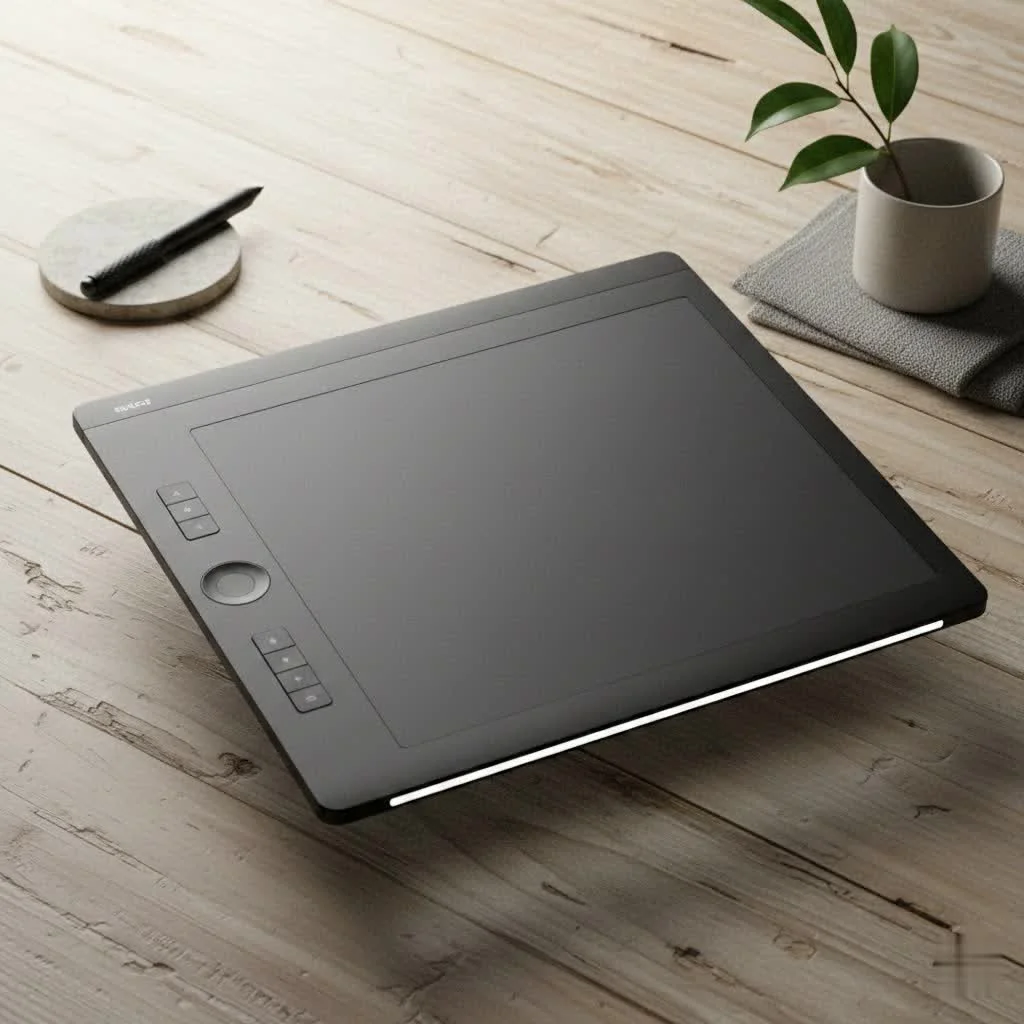
What Makes a Great Graphic Art Tablet?
Before diving into specific models, it’s crucial to understand the technology that powers them. A tablet’s performance is more than just its size. It’s a combination of sensitivity, clarity, and intuitive design that creates a seamless drawing experience. Getting a grip on these core features will empower you to make a choice that truly fits your needs. For compare top reviews on this site.
Key Features to Consider
- Pressure Sensitivity: This determines how the tablet responds to the pressure of your stylus. Modern tablets typically offer between 4,096 and 16,384 levels of pressure. Higher levels allow for more nuanced control over line weight and opacity, mimicking the feel of traditional tools like pens and brushes. For professional illustration, 8,192 levels is the gold standard.
- Resolution (LPI): Measured in Lines Per Inch (LPI), this refers to how many digital lines can fit into one inch of the tablet’s screen or active area. A higher LPI means the tablet can recognize more detail, resulting in smoother, more precise lines.
- Active Area: This is the actual surface where you can draw. The size you need depends on your drawing style and desk space. Larger active areas allow for broader, sweeping strokes from the shoulder, which is often more ergonomic, while smaller tablets are more portable and suitable for artists who draw from the wrist.
- Stylus Type: Most styluses today are battery-free, using Electromagnetic Resonance (EMR) technology, which is incredibly convenient. Pay attention to the pen’s ergonomics, the number of programmable buttons it has, and whether it supports tilt recognition—a feature that lets you vary your strokes by tilting the pen, just like a real pencil.
Display vs. Non-Display Tablets: Which Is Right for You?
One of the biggest decisions you’ll make is whether to get a tablet with a built-in screen.
- Non-Display Tablets (Pen Tablets): These are the classic graphic tablets. You draw on the tablet’s surface while looking at your computer monitor. There’s a slight learning curve to mastering the hand-eye coordination, but they are incredibly durable, affordable, and ergonomic. Models like the Wacom Intuos Pro and Xencelabs Pen Tablet are industry workhorses.
- Display Tablets (Pen Displays): These feature a screen you draw directly on, which provides a more natural and intuitive experience, similar to drawing on paper. They are fantastic for detailed work. However, they are more expensive, take up more desk space, and can suffer from issues like parallax (a slight gap between the pen tip and the cursor). Premium models minimize this with laminated displays.
Our Top Picks for the Best Graphic Art Tablet in 2025
After extensive testing and market analysis, here are the standout choices that cater to different needs and budgets.
Best Overall: Wacom Cintiq Pro 17
|
Our Picks for the Best Graphic Tablet in 2026
As an Amazon Associate I earn from qualifying purchases.
|
||
| Num | Product | Action |
|---|---|---|
| 1 | GAOMON M10K Drawing Tablet, 10x6 inch Large Graphics Tablet with Touch Ring, 8192 Levels Battery-Free Stylus, 10 Hot Keys, Art Tablet for Design, Writing, Editing, Work with Mac, Windows, Android |

|
| 2 | Graphics Drawing Tablet, UGEE M708 10 x 6 inch Large Drawing Tablet with 8 Hot Keys, Passive Stylus of 16384 Levels Pressure, UGEE M708 Graphics Tablet for Paint, Design, Art Creation Sketch |
|
| 3 | HUION Drawing Tablet HS610 Graphic Tablet with Battery-Free Stylus 8192 Pen Pressure Tilt Function, 10x6.25 Inches Digital Art for Animation & Design, Compatible with Windows/Mac/Android |
|
| 4 | Drawing Tablet for Beginner Graphics OSU Tablet with Battery-Free Stylus 8192 Pressure Sensitive for Digital Art, Painting & Design, Compatible with Windows, Mac OS and Android |
|
| 5 | HUION Inspiroy H640P Drawing Tablet, 6x4 inch Digital Art with Battery-Free Stylus, 8192 Pen Pressure, 6 Hot Keys, Graphics Tablet for Drawing, Writing, Design, Teaching, Work with Mac, PC & Mobile |
|
| 6 | HUION Kamvas 13 (Gen 3) Drawing Tablet with Screen,13.3\" Full-Laminated Art Tablet with Anti-Sparkle Canvas Glass 2.0, 99% sRGB, PenTech 4.0, 16384 Pen Pressure, Dual Dial for PC, Mac, Android, Black |
|
| 7 | HUION KAMVAS Pro 16 Drawing Tablet with Screen, 15.6 inch Pen Display Anti-Glare Glass 6 Shortcut Keys Adjustable Stand, Graphics Tablet for Drawing, Writing, Design, Work with Windows, Mac and Linux |
|
| 8 | HUION Inspiroy H1060P Graphics Drawing Tablet with 8192 Pressure Sensitivity Battery-Free Stylus and 12 Customized Hot Keys, 10 x 6.25 inches Digital Art Tablet for Mac, Windows PC and Android |
|
| 9 | Wacom Intuos Pro Medium Bluetooth Professional Graphic Drawing Tablet with Pro Pen 3, Compatible with Mac, Windows - 2025 Edition |
|
| 10 | XOPPOX Graphics Drawing Tablet 10 x 6 Inch Large Active Area with 8192 Levels Battery-Free Pen and 12 Hot Keys, Compatible with PC/Mac/Android OS for Painting, Design & Online Teaching Black |
|
The Wacom Cintiq Pro line has long been the industry benchmark, and the new 17-inch model hits the sweet spot between ample screen real estate and a manageable footprint. It boasts a brilliant 4K display with exceptional color accuracy (99% Adobe RGB), making it perfect for color-critical work. The Pro Pen 3 is highly customizable, and the 120Hz refresh rate ensures a buttery-smooth drawing experience with minimal lag. It’s a significant investment, but for a professional or serious hobbyist, its reliability and performance are unmatched.
Best for Professionals: Xencelabs Pen Display 24
Xencelabs has quickly become a formidable competitor to Wacom, offering professional-grade tools with a focus on workflow. The Pen Display 24 is a shows this, providing a stunning 4K screen with Pantone and SkinTone validation. What truly sets it apart is the included Quick Keys remote, a separate, highly customizable shortcut panel that you can place anywhere. This, combined with two different-sized styluses in the box, offers an ergonomic and efficient setup right out of the gate.
“The ability to position my shortcuts wherever I want with the Quick Keys remote has fundamentally changed my workflow. It’s a small detail that makes a massive difference during long studio sessions,” notes Isabella Chen, a renowned digital illustrator.
Best for Beginners: Huion Kamvas 13
For those new to digital art, the Huion Kamvas 13 offers incredible value. It’s a pen display that provides the intuitive experience of drawing on a screen without the professional price tag. The 13.3-inch screen is laminated to reduce parallax, and the color gamut is impressive for its class. It’s lightweight, can be powered by a single USB-C cable from a compatible laptop, and delivers a responsive drawing experience that is perfect for learning the ropes of digital illustration.
Best Budget-Friendly Option: XP-Pen Deco L
If you’re starting out or on a tight budget, a non-display tablet is the way to go, and the XP-Pen Deco L is a fantastic choice. It features the advanced X3 chip stylus, offering a low activation force and a stable, precise feel. The active area is generous for the price, and it comes in multiple colors. This tablet proves you don’t need to spend a fortune to get a high-quality tool that can handle serious creative work.
Best Portable Option: iPad Pro (M4) with Apple Pencil Pro
For the artist on the go, nothing beats the iPad Pro. It’s a completely standalone graphic art tablet that doesn’t need a computer. The new Ultra Retina XDR display is stunningly bright and color-accurate. Paired with the Apple Pencil Pro, which introduces new gestures like squeeze and barrel roll, the drawing experience is incredibly fluid and intuitive. With a massive ecosystem of powerful creative apps like Procreate and Adobe Fresco, the iPad Pro is a versatile powerhouse for any artist who values mobility.
How to Choose the Perfect Tablet for Your Needs
- For the Hobbyist: If you’re drawing for fun or just starting, a non-display tablet like the XP-Pen Deco or Wacom Intuos is a great, low-cost entry point.
- For the Student: An affordable pen display like the Huion Kamvas 13 offers the best balance of features and price, providing a modern workflow for your studies.
- For the Professional Illustrator or Designer: Your work demands the best. Investing in a high-resolution display tablet like the Wacom Cintiq Pro or Xencelabs Pen Display will pay dividends in efficiency and quality.
- For the Mobile Creative: If you work in different locations, a standalone tablet like the iPad Pro or the XP-Pen Magic Drawing Pad offers unparalleled freedom.
Frequently Asked Questions (FAQ)
What is the difference between a drawing tablet and a graphic tablet? The terms are often used interchangeably. Generally, “graphic tablet” or “pen tablet” refers to the non-display models, while “drawing tablet” can refer to both non-display and display models.
Do I need a screen on my graphic tablet? You don’t need a screen, but many artists find it more intuitive. It’s a matter of preference and budget. Many professionals still prefer non-display tablets for their simplicity and ergonomics.
How much pressure sensitivity is enough? For most artists, 4,096 levels of pressure sensitivity is more than enough for professional work. Anything above 8,192 is excellent, but the difference becomes less perceptible. The initial activation force (how lightly you can press to make a mark) is often a more important factor.
Can I use a graphic tablet without a computer? Most graphic tablets need to be connected to a computer to function. However, standalone tablets like the Apple iPad Pro, Samsung Galaxy Tab series, and the XP-Pen Magic Drawing Pad have their own operating systems and work independently.
What software do I need to use a graphic art tablet? Your graphic art tablet will work with most creative software. Popular choices include Adobe Photoshop, Illustrator, Clip Studio Paint, Krita (which is free), Corel Painter, and ZBrush for 3D sculpting.
Conclusion
The best graphic art tablet for you is one that feels like an extension of your hand and seamlessly fits into your creative process. Don’t get lost in the numbers game of specs. Instead, focus on what you truly need: a beginner-friendly entry point, a professional-grade workhorse, or a portable digital sketchbook. Whether you choose a classic pen tablet or a feature-packed pen display, the right tool will empower you to bring your creative visions to life with more freedom and precision than ever before. Choose the one that excites you to create, and start your next masterpiece.
How to Choose the Perfect Graphic Art Tablet
Selecting the ideal graphic art tablet involves considering your skill level, budget, and mobility needs to find a tool that enhances your creative workflow.
For hobbyists or beginners, a non-display tablet like the XP-Pen Deco or Wacom Intuos offers an excellent, low-cost entry point into digital art. Students can benefit from an affordable pen display such as the Huion Kamvas 13, balancing features and price for modern workflows.
Professional illustrators and designers should invest in high-resolution display tablets like the Wacom Cintiq Pro or Xencelabs Pen Display, as these tools provide superior efficiency and quality. Budget-conscious users can opt for non-display tablets like the XP-Pen Deco L, which still offers high-quality performance without the premium price.
If you frequently work in different locations, a standalone tablet is crucial. Devices like the iPad Pro (M4) or the XP-Pen Magic Drawing Pad offer unparalleled freedom and a complete creative environment without needing a separate computer.
Look at pressure sensitivity (8,192 levels is professional standard), resolution (LPI for detail), active area size (for drawing style), and stylus type (battery-free, tilt recognition). These features directly impact the drawing experience and precision.
Get our weekly buyer guide
Practical specs, not advice. Unsubscribe anytime.

The Huion Kamvas 13 was my first display tablet, and it’s been fantastic for learning. The price point was perfect for a beginner like me, and it’s surprisingly responsive. I’m still getting used to drawing directly on the screen, but it’s a huge step up from my old non-display tablet. Great value!
I finally upgraded to the Wacom Cintiq Pro 17 after using an older model for years, and it’s a game-changer. The resolution is incredible, and the pressure sensitivity feels so natural. It’s definitely an investment, but for professional work, it’s absolutely worth it. My workflow has improved dramatically.
I picked up the XP-Pen Deco L because I needed something budget-friendly for quick sketches and it mostly delivers. The build quality is decent for the price, but I’ve noticed a slight lag with certain brushes in my software. It’s not a deal-breaker for casual use, but something to consider if you need super precise lines.
As someone who travels a lot, the iPad Pro (M4) with the Apple Pencil Pro has been an absolute lifesaver. The portability is unmatched, and the M4 chip handles even complex illustrations without a hitch. It’s amazing to have such a powerful tool that fits right into my bag. Highly recommend for artists on the go!